20

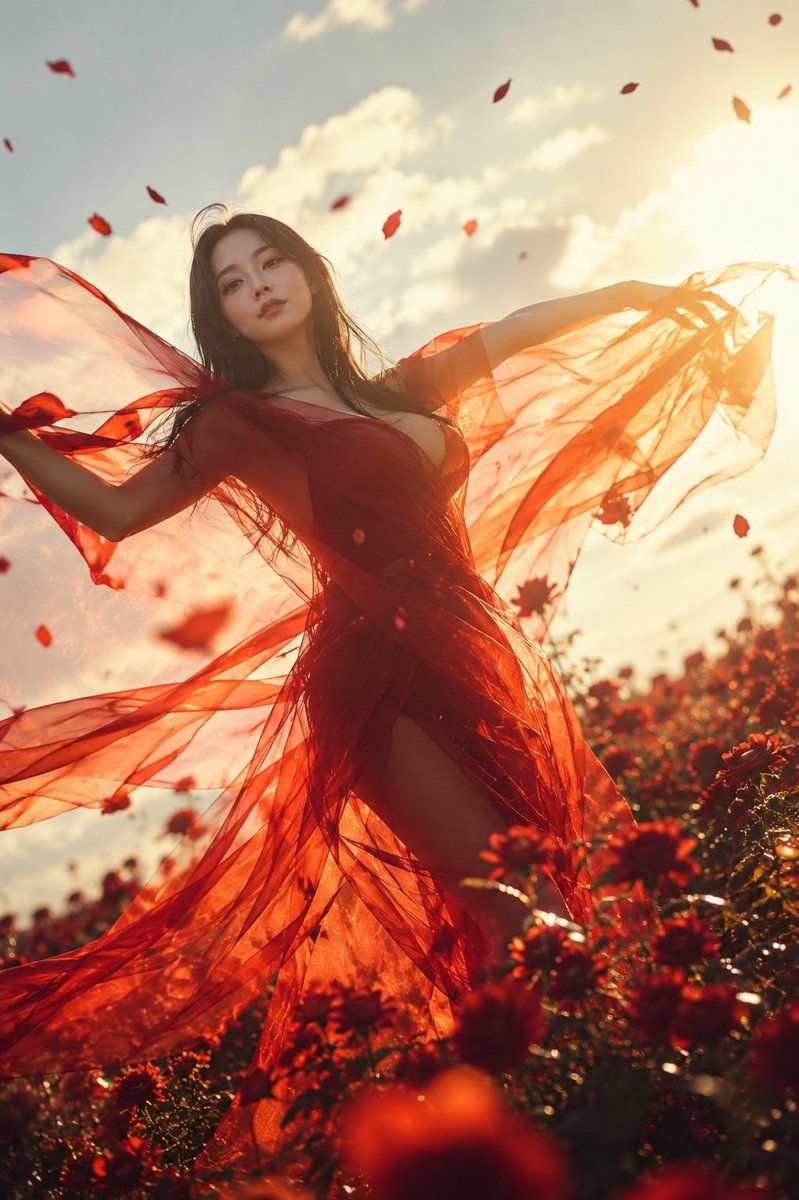
红花田中的深红面纱
Enlarge

红花田中的深红面纱

Prompt
Create a cinematic vertical portrait photograph of {argument name="character name" default="a young woman"} standing in a field of deep red flowers at golden hour, viewed from a low angle with the camera looking upward. She has long windblown dark brown hair and wears a flowing sheer crimson-red dress with translucent gauze fabric, a plunging neckline, and a high slit, the fabric spreading dramatically from both outstretched arms like wings. Add a flat opaque square censor block over the center of her face in a warm brown skin-tone color. Surround her with exactly 18 visible airborne red petals scattered across the sky and foreground. The background should show a warm sun near the upper right edge, soft white clouds, intense amber backlighting, lens flare, glowing rim light through the transparent red fabric, and a lush field of red blossoms with foreground flowers blurred by shallow depth of field. The mood is passionate but quiet and poetic, with wind movement, radiant sunset haze, rich reds and oranges, natural film grain, high dynamic range, and fashion-editorial realism. Use {argument name="dress color" default="crimson red"}, {argument name="flower field" default="deep red flowers"}, {argument name="lighting mood" default="golden hour backlight"}, and {argument name="censor block color" default="warm brown"}.
Category
Charts & Infographics
Model
GPT Image 2
Views6
Source ID
23521
Published
May 31, 2026

Guide

About "红花田中的深红面纱"

What is this prompt for?

"红花田中的深红面纱" AI image prompt for GPT Image 2 (Charts & Infographics). 一张电影质感的时尚人像摄影,一位身着半透明深红色织物的女性在日落时分的红花田中翩翩起舞。 Copy it on Picva and recreate the look in one…

The full copyable prompt and example visuals above are ready for AI image generation or one-click recreate in Picva.

How to use this prompt

  1. Step 1

    Open the prompt detail

    Review the example visuals, category, and full prompt text for "红花田中的深红面纱".

  2. Step 2

    Copy the prompt

    Copy the prompt body from this page, or load it directly in Studio.

  3. Step 3

    Pick a model (GPT Image 2)

    Prefer GPT Image 2. If you switch models, keep subject and composition and tweak style terms.

  4. Step 4

    Generate and export

    Recreate the look in Picva, or export into your workflow for editing and publishing.

FAQ

What is the "红花田中的深红面纱" prompt?
It is an AI image-generation prompt for GPT Image 2 in the Charts & Infographics category. This page includes the full prompt text, example visuals, and a one-click recreate path in Picva.
How do I use this prompt to generate an image?
Copy the prompt from this page, or use Generate / Studio. Paste it into a compatible image model, or recreate the look in Picva with optional reference images.
Which model is this prompt for?
This page lists GPT Image 2. Most descriptive prompts also transfer to nearby image models such as GPT Image, Flux, or Midjourney with light style tweaks.
Can I use the result commercially?
You can usually copy the prompt for creation, but commercial use of the final image depends on the model terms, reference-image rights, and the generated content. Follow the source author and platform rules.




