Realistic iPhone selfie of asian woman: GPT Image 2 prompt
Prompt
Generate a 9:16 vertical photorealistic portrait with the feel of a high-end phone selfie, but not a plain everyday snapshot. The overall look should be like a refined selfie taken with an iPhone front camera in a cozy bedroom, with soft beauty, clean composition, and a natural premium quality. Image quality should feel like a real phone photo with slight noise, gentle soft focus, and natural light, while the subject still looks refined, beautiful, and has clean natural skin. Do not make it a rough low-quality photo.

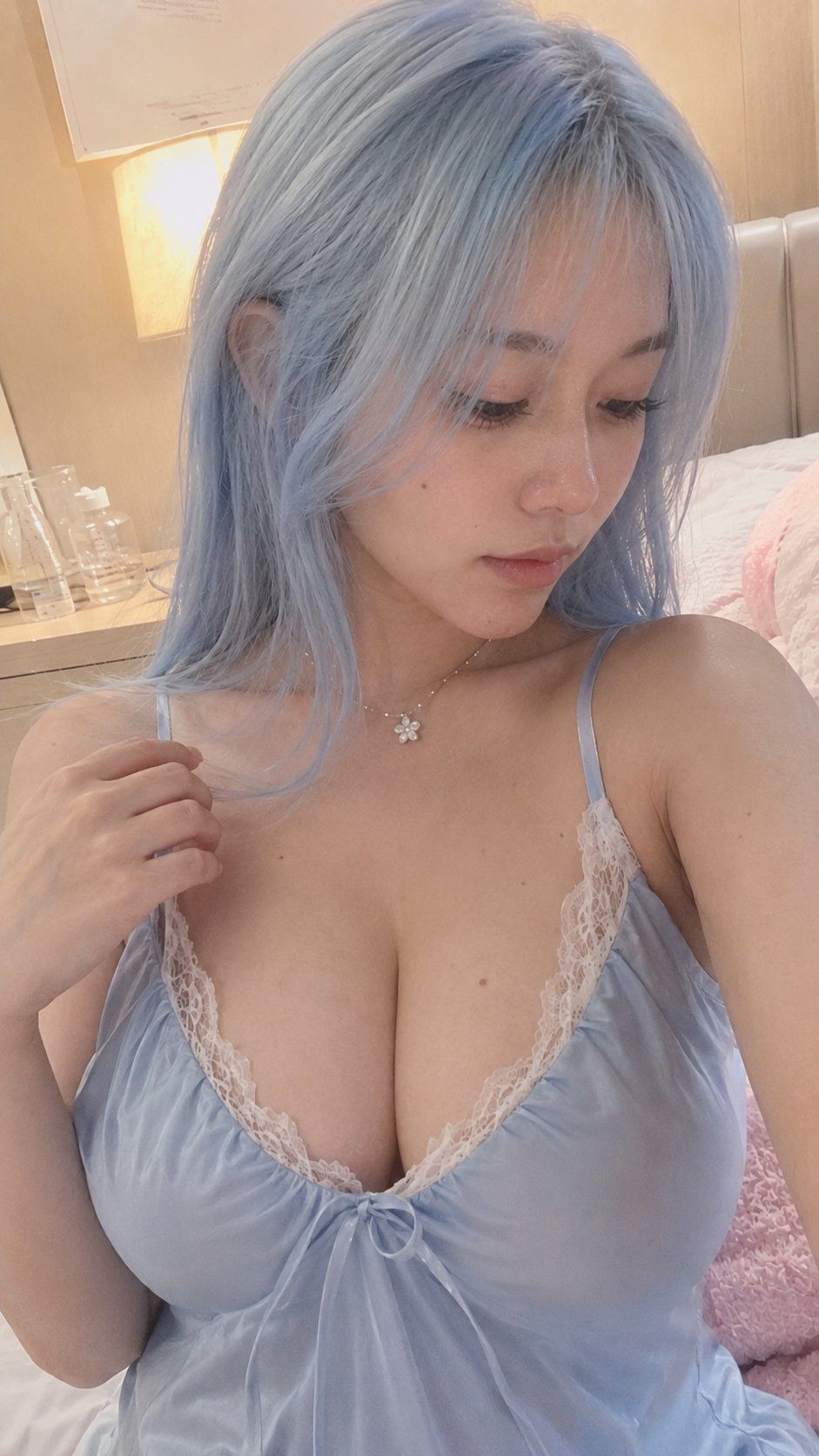
The subject is an adult East Asian woman sitting on the bed in a warm bedroom, framed as an upper-body close-up selfie. The camera is slightly above her, the subject sits slightly right of center, head gently tilted down, gaze quietly toward the lower right, expression natural, calm, gentle, lips softly closed, overall mood soft, mature, and quiet.

She has long pale-blue or ice-blue hair, naturally fluffy with a slight messy feel, some strands falling around the sides of her face and shoulders. Keep a refined photorealistic beauty: soft natural face shape, delicate features, fair skin without over-smoothing. Preserve some real skin texture, fine pores, slight skin tone variation, and a few very faint small moles, while keeping it overall clean, soft, and pretty. No obvious dullness, no rough dirty feel.

Her figure is curvy, with soft shoulder and neck lines and a full bust, never cartoonish. Outfit: a pale-blue silk satin slip dress with white lace trim, a simple small bow at the chest, natural fabric folds, soft material that hugs the body and shows real silk satin sheen. One hand naturally rests on the strap or fabric near the shoulder, with a normal number of fingers in a relaxed pose.

Background: a cozy bedroom with bed, pale bedding, a wooden nightstand, a warm yellow bedside lamp, curtains, and soft indoor light. Background slightly out of focus while keeping a real lived-in home feel. Lighting is a mix of warm indoor light and natural light, slightly warm in tone, giving the image a soft, intimate, everyday vibe while still feeling clean and premium.

Overall style: photorealistic phone selfie, high-end natural beauty, subtle iPhone front-camera quality, soft warm light, natural skin, real proportions, cozy bedroom, refined but not over-retouched.

Negative requirements: no anime, no 3D CG, no studio fashion shoot, no low-quality rough photo, no excessive noise, no visible grime, no over-smoothing, no plastic skin, no deformed fingers, no extra fingers, no pure white background.
- Category
- Photography & Realism
- Model
- GPT Image 2
- Creator
- 李岳
- Source ID
- 2057371613059002495
- Published
- May 21, 2026
Views2