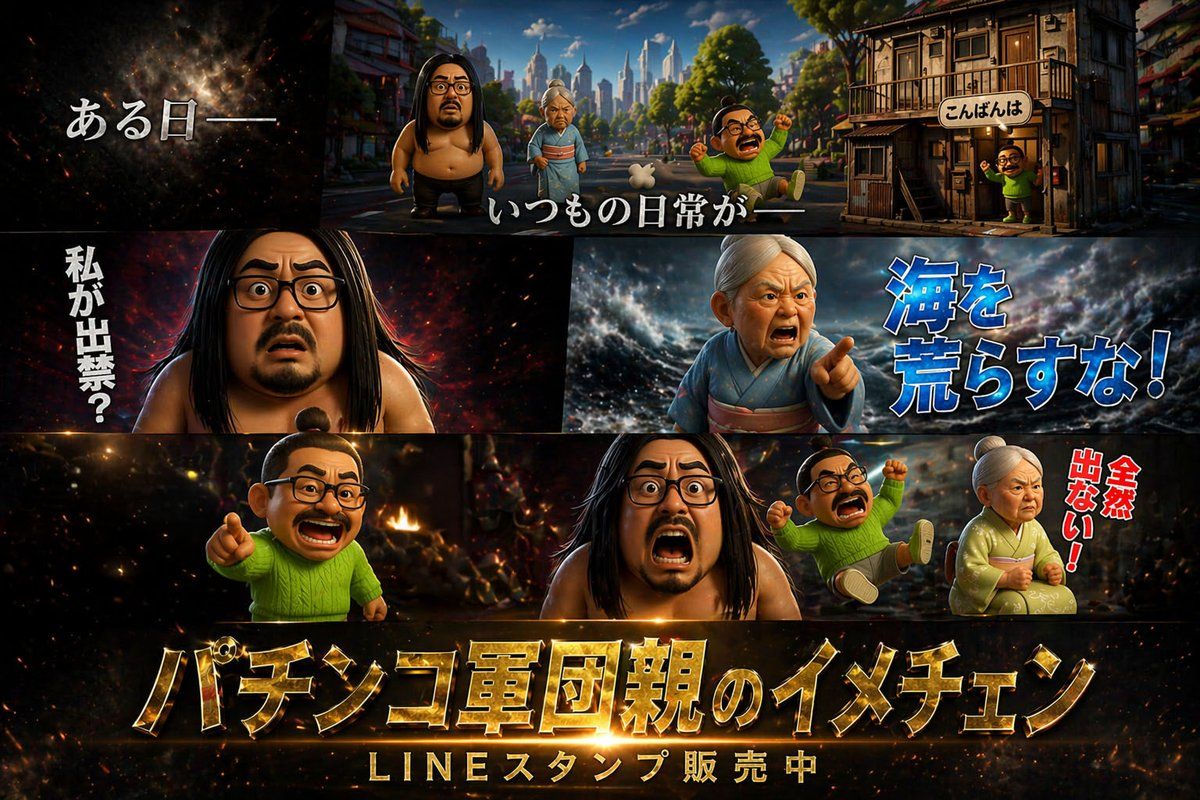
主题海报版式设计
Prompt
{
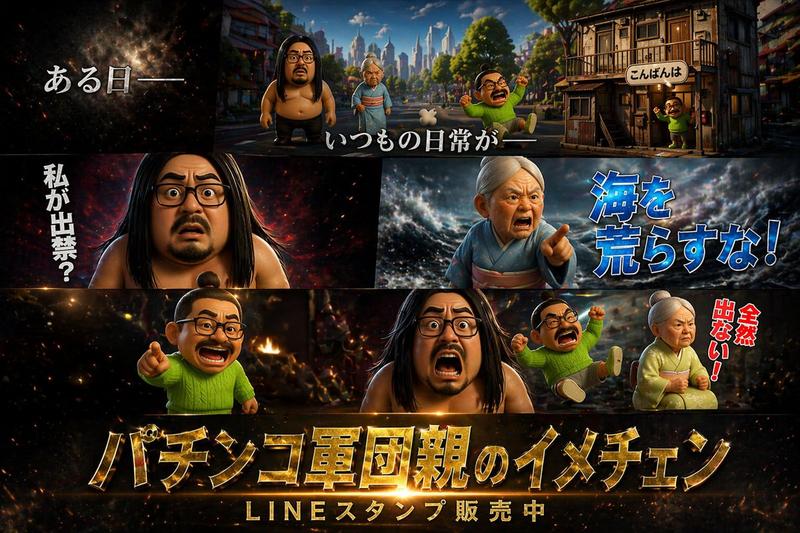
  "type": "cinematic promotional poster",
  "style": "3D CGI animation style, highly detailed, dramatic lighting, caricature characters",
  "characters": [
    { "id": "char1", "description": "large shirtless man with long black hair, beard, and glasses" },
    { "id": "char2", "description": "elderly woman in a kimono with white hair tied up" },
    { "id": "char3", "description": "small man with a topknot, glasses, mustache, wearing a bright green sweater" }
  ],
  "layout": {
    "panels": [
      {
        "position": "top",
        "scene": "wide shot of a town street with buildings and a city skyline in the background",
        "characters_present": ["char1", "char2", "char3"],
        "text_overlays": [
          "{argument name=\"intro text\" default=\"ある日ーー\"}",
          "いつもの日常がーー",
          "こんばんは"
        ]
      },
      {
        "position": "middle left",
        "scene": "close-up of char1 looking shocked against a dark fiery background",
        "text_overlays": [
          "{argument name=\"shocked text\" default=\"私が出禁?\"}"
        ]
      },
      {
        "position": "middle right",
        "scene": "close-up of char2 looking angry and pointing against a stormy sea background",
        "text_overlays": [
          "{argument name=\"angry text\" default=\"海を荒らすな!\"}"
        ]
      },
      {
        "position": "bottom",
        "scene": "char3 pointing, char1 screaming, a second instance of char3 falling backwards, and char2 sitting angrily against a fiery chaotic background",
        "text_overlays": [
          "全然出ない!"
        ],
        "bottom_titles": [
          "{argument name=\"main title\" default=\"パチンコ軍団親のイメチェン\"}",
          "{argument name=\"subtitle\" default=\"LINEスタンプ販売中\"}"
        ]
      }
    ]
  }
}- Category
- Posters & Typography
- Model
- GPT Image 2
- Creator
- freestylefly
- Source ID
- 59
Views0