16

游戏界面截图
Enlarge

游戏界面截图

Prompt
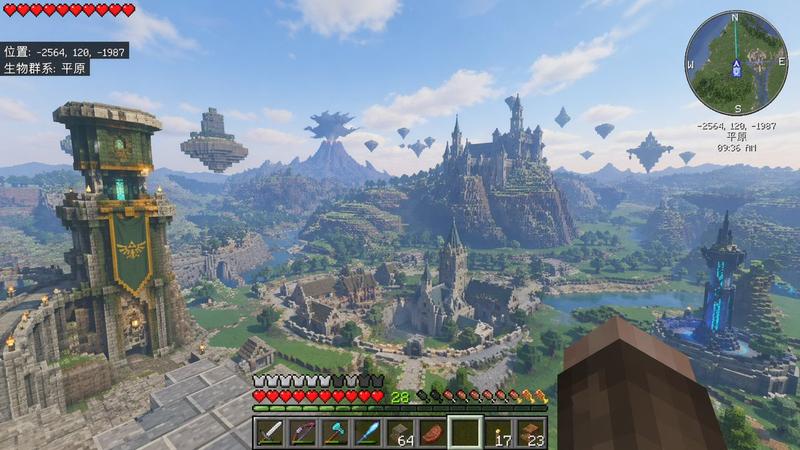
A highly detailed, realistic first-person video game screenshot of a next-generation voxel-based world. At the top center, a large, bold 3D logo reads "{argument name="game title" default="MINECRAFT 2"}". The scene features a {argument name="environment" default="lush, blocky landscape with a river, a small wooden cabin, a windmill, a waterfall, and majestic mountains in the background"}. The world blends realistic lighting, volumetric clouds, and high-resolution textures with cubic, voxel geometry. In the foreground on the left, a {argument name="mob 1" default="blocky green creeper"} stands on the grass, while a {argument name="mob 2" default="blocky brown wolf"} stands on the dirt path to the right. On the far right, the player's hand holds a {argument name="held item" default="pixelated blue diamond sword"} in a first-person perspective. At the bottom of the screen is a game user interface featuring a health bar with 10 red hearts, a green experience bar with the number '16', a hunger bar with 10 brown meat icons, and a 9-slot inventory hotbar. The hotbar contains, from left to right: a selected blue tool with a green highlight box, a green tool, a knife, a wrench with the number '3', a piece of meat with '6', a lantern with '24', a dirt block with '10', a bucket, and a sponge block.
Category
UI & Interfaces
Model
GPT Image 2
Views3
Source ID
91

Guide

About "游戏界面截图"

What is this prompt for?

"游戏界面截图" AI image prompt for GPT Image 2 (UI & Interfaces). A highly detailed, realistic first-person video game screenshot of a next-generation voxel-based wo…

The full copyable prompt and example visuals above are ready for AI image generation or one-click recreate in Picva.

How to use this prompt

  1. Step 1

    Open the prompt detail

    Review the example visuals, category, and full prompt text for "游戏界面截图".

  2. Step 2

    Copy the prompt

    Copy the prompt body from this page, or load it directly in Studio.

  3. Step 3

    Pick a model (GPT Image 2)

    Prefer GPT Image 2. If you switch models, keep subject and composition and tweak style terms.

  4. Step 4

    Generate and export

    Recreate the look in Picva, or export into your workflow for editing and publishing.

FAQ

What is the "游戏界面截图" prompt?
It is an AI image-generation prompt for GPT Image 2 in the UI & Interfaces category. This page includes the full prompt text, example visuals, and a one-click recreate path in Picva.
How do I use this prompt to generate an image?
Copy the prompt from this page, or use Generate / Studio. Paste it into a compatible image model, or recreate the look in Picva with optional reference images.
Which model is this prompt for?
This page lists GPT Image 2. Most descriptive prompts also transfer to nearby image models such as GPT Image, Flux, or Midjourney with light style tweaks.
Can I use the result commercially?
You can usually copy the prompt for creation, but commercial use of the final image depends on the model terms, reference-image rights, and the generated content. Follow the source author and platform rules.