17

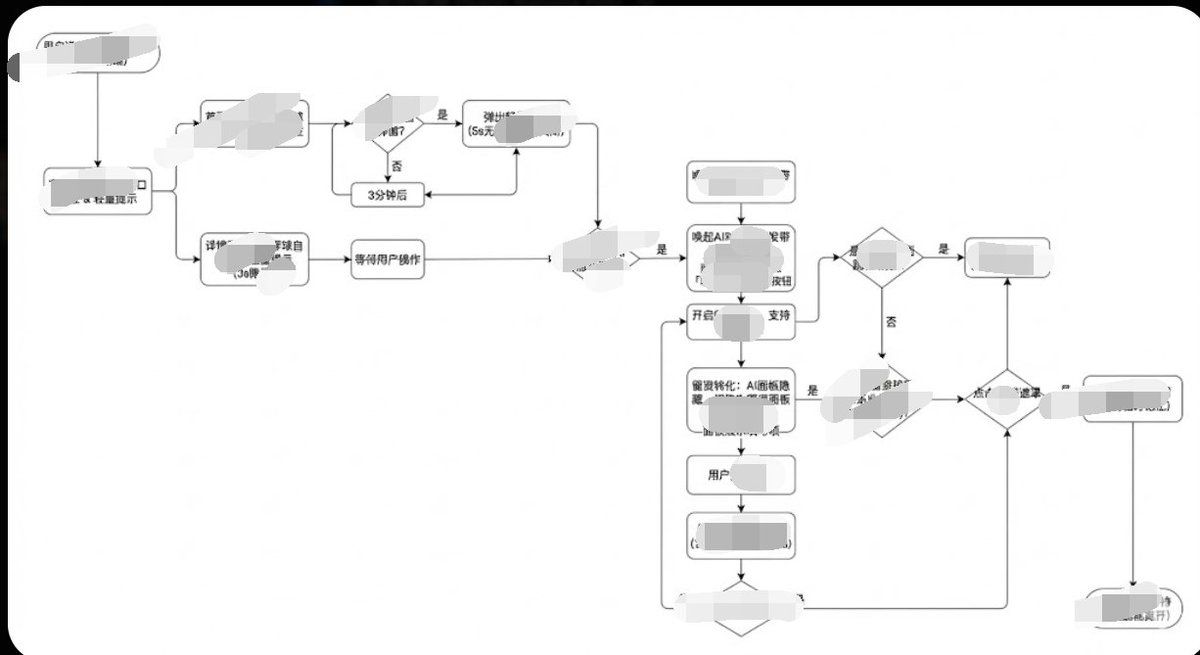
专业 UIUX 用户旅程图绘制风格
Enlarge

专业 UIUX 用户旅程图绘制风格

Prompt
Generate image, 1. Style Core Parameter Extraction (Style Guide) Please refer to the following parameters: Color Palette: Background: Pure white (#FFFFFF) Lines/Borders: Dark gray or pure black (#333333 or #000000) Text: Dark gray (#333333), regular weight, no bold. Fill: No fill (transparent) or pure white fill, to cover lines behind. Lines/Connectors: Type: Orthogonal/Elbow lines, meaning only vertical and horizontal lines, with right-angle corners. Thickness: Extremely thin (1px). Arrow: Solid small triangle (Solid Arrowhead), black. Shapes: Normal Node: Rounded Rectangle, very small corner radius (approx. 4px - 8px). Decision Node: Diamond. Start/End: Capsule shape or rectangle with larger rounded corners. Typography: Alignment: Center aligned. Font: Sans-serif font, such as Arial, Roboto, or Source Han Sans. Small font size (approx. 12px-14px). Apply the style above along with your user journey/process to Gemini, and it will present the corresponding effect without needing adjustments.
Category
Charts & Infographics
Model
Nano Banana Pro
Views78
Source ID
10144
Published
Mar 27, 2026

Guide

About "专业 UIUX 用户旅程图绘制风格"

What is this prompt for?

"专业 UIUX 用户旅程图绘制风格" AI image prompt for Nano Banana Pro (Charts & Infographics). 生成图片,1. 风格核心参数提取 (Style Guide) 请参照以下参数: 配色 (Color Palette): 背景: 纯白 (#FFFFFF) 线…

The full copyable prompt and example visuals above are ready for AI image generation or one-click recreate in Picva.

How to use this prompt

  1. Step 1

    Open the prompt detail

    Review the example visuals, category, and full prompt text for "专业 UIUX 用户旅程图绘制风格".

  2. Step 2

    Copy the prompt

    Copy the prompt body from this page, or load it directly in Studio.

  3. Step 3

    Pick a model (Nano Banana Pro)

    Prefer Nano Banana Pro. If you switch models, keep subject and composition and tweak style terms.

  4. Step 4

    Generate and export

    Recreate the look in Picva, or export into your workflow for editing and publishing.

FAQ

What is the "专业 UIUX 用户旅程图绘制风格" prompt?
It is an AI image-generation prompt for Nano Banana Pro in the Charts & Infographics category. This page includes the full prompt text, example visuals, and a one-click recreate path in Picva.
How do I use this prompt to generate an image?
Copy the prompt from this page, or use Generate / Studio. Paste it into a compatible image model, or recreate the look in Picva with optional reference images.
Which model is this prompt for?
This page lists Nano Banana Pro. Most descriptive prompts also transfer to nearby image models such as GPT Image, Flux, or Midjourney with light style tweaks.
Can I use the result commercially?
You can usually copy the prompt for creation, but commercial use of the final image depends on the model terms, reference-image rights, and the generated content. Follow the source author and platform rules.