15

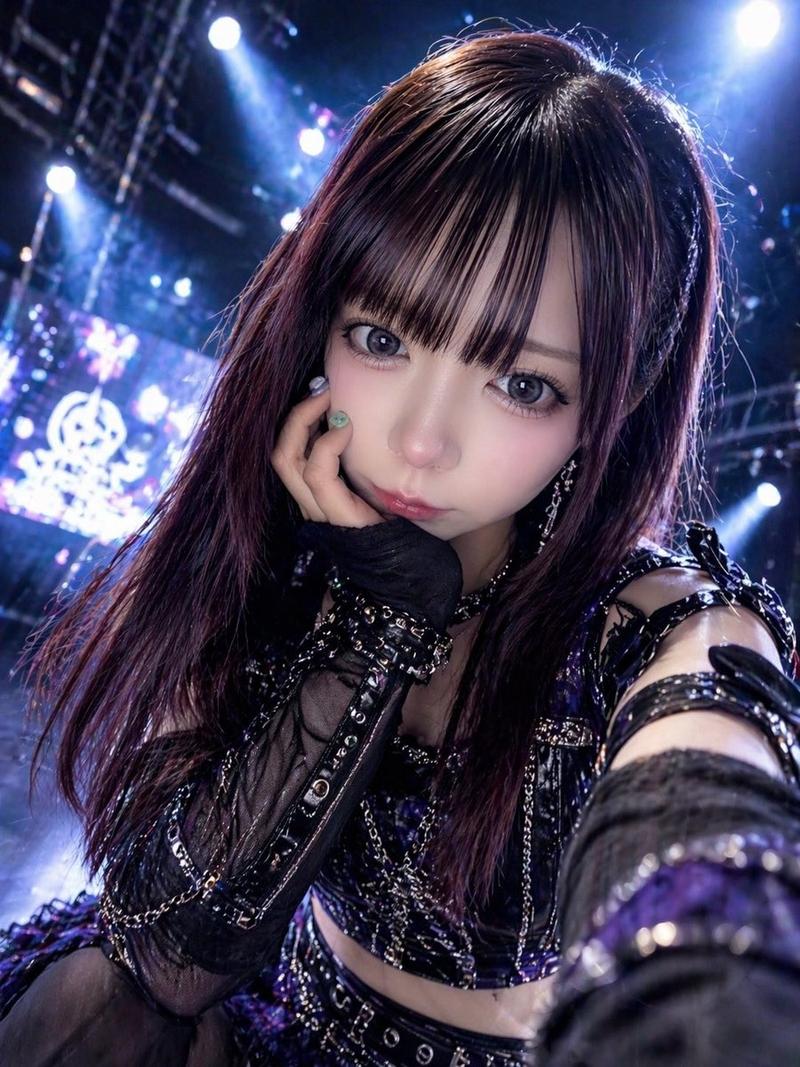
演唱会后台超写实iPhone前置自拍
Enlarge

Example images

演唱会后台超写实iPhone前置自拍

Prompt
Ultra-realistic accidental iPhone front-camera selfie of the same woman from the reference image, preserving exact identity, facial features, hairstyle, and proportions. Backstage at a live concert, captured candidly while walking through a corridor. She turns slightly with a relaxed, tired post-performance smile and soft laugh, messy wind-blown hair, natural unposed expression.
Shot feels accidental: arm extended, phone too close, tilted framing, off-center crop, slight motion blur on hair and arm. Authentic iPhone front-camera look with low-light grain, slight overexposure from stage lights, lens bloom, mild focus inconsistency, and natural smartphone processing.
Background softly blurred: backstage hallway, LED lights, equipment cases, staff silhouettes, arena glow. 3:4 aspect ratio.
Category
Brand & Logos
Model
ChatGPT
Views113
Source ID
16644
Published
Jun 23, 2026

Guide

About "演唱会后台超写实iPhone前置自拍"

What is this prompt for?

"演唱会后台超写实iPhone前置自拍" AI image prompt for ChatGPT (Brand & Logos). 参考图中同一名女性的超写实、偶然捕捉的iPhone前置摄像头自拍,保留完全一致的身份、面部特征、发型和比例。现场演唱会后台,在走廊行走时抓拍。她微微转身,带着演出后放松而疲惫的微笑和轻柔…

The full copyable prompt and example visuals above are ready for AI image generation or one-click recreate in Picva.

How to use this prompt

  1. Step 1

    Open the prompt detail

    Review the example visuals, category, and full prompt text for "演唱会后台超写实iPhone前置自拍".

  2. Step 2

    Copy the prompt

    Copy the prompt body from this page, or load it directly in Studio.

  3. Step 3

    Pick a model (ChatGPT)

    Prefer ChatGPT. If you switch models, keep subject and composition and tweak style terms.

  4. Step 4

    Generate and export

    Recreate the look in Picva, or export into your workflow for editing and publishing.

FAQ

What is the "演唱会后台超写实iPhone前置自拍" prompt?
It is an AI image-generation prompt for ChatGPT in the Brand & Logos category. This page includes the full prompt text, example visuals, and a one-click recreate path in Picva.
How do I use this prompt to generate an image?
Copy the prompt from this page, or use Generate / Studio. Paste it into a compatible image model, or recreate the look in Picva with optional reference images.
Which model is this prompt for?
This page lists ChatGPT. Most descriptive prompts also transfer to nearby image models such as GPT Image, Flux, or Midjourney with light style tweaks.
Can I use the result commercially?
You can usually copy the prompt for creation, but commercial use of the final image depends on the model terms, reference-image rights, and the generated content. Follow the source author and platform rules.