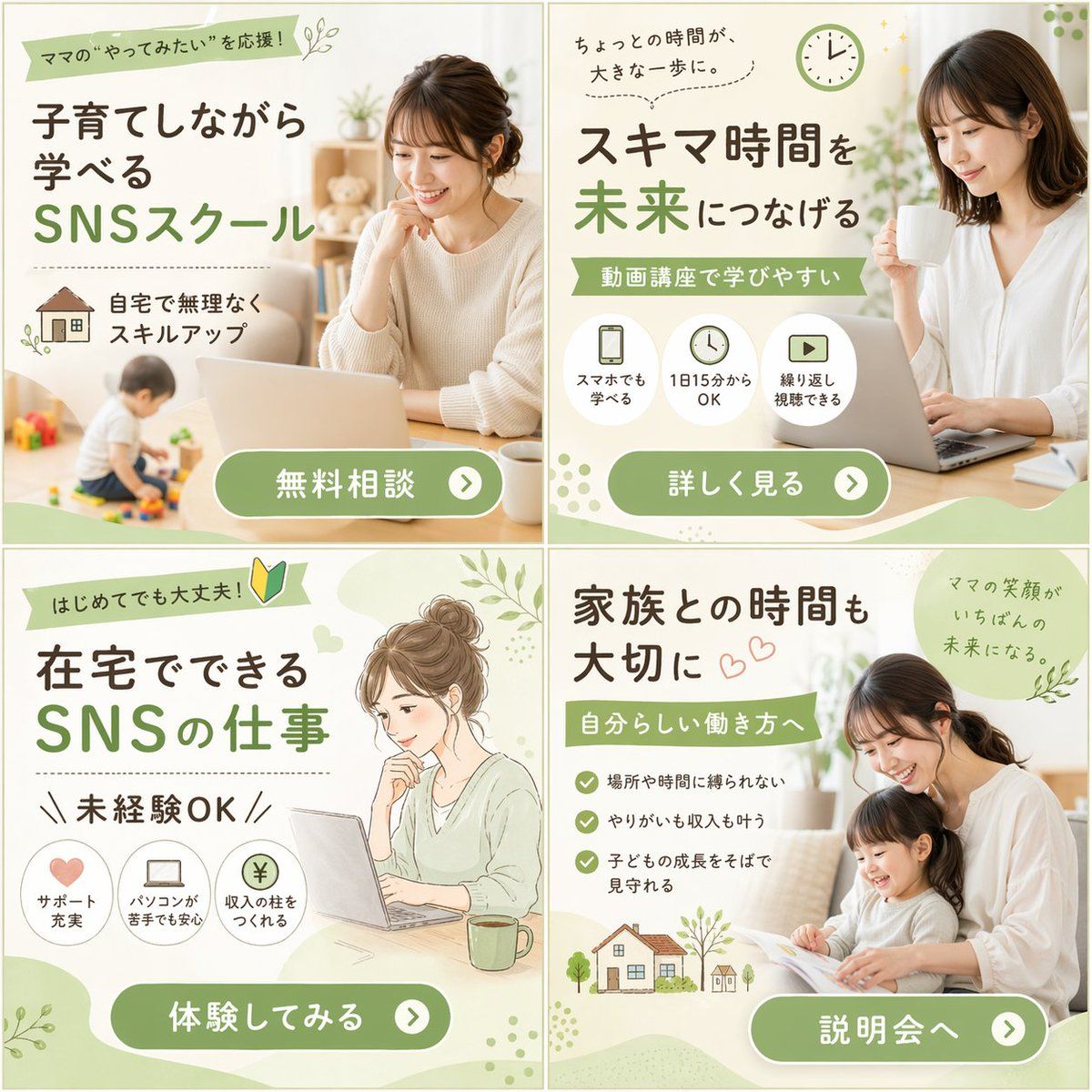
在线学校 2x2 网格横幅广告
Prompt
{
  "type": "2x2 grid of banner advertisements",
  "theme": "{argument name=\"main theme\" default=\"SNSスクール\"} for {argument name=\"target audience\" default=\"ママ\"}",
  "design_style": "soft, approachable, bright lighting, featuring {argument name=\"color palette\" default=\"soft green, white, and natural beige tones\"}",
  "layout": {
    "sections": [
      {
        "position": "top-left",
        "visual_style": "photography",
        "image_description": "Smiling woman working on a laptop at a table, a toddler playing with toys in the blurred background.",
        "headlines": ["ママの“やってみたい”を応援!", "子育てしながら学べる", "SNSスクール"],
        "features": {
          "count": 1,
          "type": "icon with text",
          "labels": ["自宅で無理なくスキルアップ (with house icon)"]
        },
        "call_to_action_button": "無料相談"
      },
      {
        "position": "top-right",
        "visual_style": "photography",
        "image_description": "Smiling woman holding a white mug, looking at a laptop.",
        "headlines": ["ちょっとの時間が、大きな一歩に。", "スキマ時間を未来につなげる", "動画講座で学びやすい"],
        "features": {
          "count": 3,
          "type": "circular icons with text below",
          "labels": ["スマホでも学べる (smartphone icon)", "1日15分からOK (clock icon)", "繰り返し視聴できる (play button icon)"]
        },
        "call_to_action_button": "詳しく見る"
      },
      {
        "position": "bottom-left",
        "visual_style": "watercolor illustration",
        "image_description": "Illustration of a woman with hair in a bun, smiling at a laptop with a green mug nearby.",
        "headlines": ["はじめてでも大丈夫! (with beginner mark)", "在宅でできるSNSの仕事", "未経験OK"],
        "features": {
          "count": 3,
          "type": "circular icons with text below",
          "labels": ["サポート充実 (heart icon)", "パソコンが苦手でも安心 (laptop icon)", "収入の柱をつくれる (yen coin icon)"]
        },
        "call_to_action_button": "体験してみる"
      },
      {
        "position": "bottom-right",
        "visual_style": "photography",
        "image_description": "Smiling mother and young daughter sitting on a sofa reading a picture book together.",
        "headlines": ["家族との時間も大切に", "自分らしい働き方へ", "ママの笑顔がいちばんの未来になる。"],
        "features": {
          "count": 3,
          "type": "checkmark bullet points",
          "labels": ["場所や時間に縛られない", "やりがいも収入も叶う", "子どもの成長をそばで見守れる"]
        },
        "extra_graphics": "Small illustration of a house and trees at the bottom left.",
        "call_to_action_button": "説明会へ"
      }
    ],
    "common_elements": "All panels feature a {argument name=\"button style\" default=\"rounded green pill button with white text and a right-pointing arrow icon\"} at the bottom."
  }
}- Category
- Charts & Infographics
- Model
- GPT Image 2
- Creator
- パク🎈動画広告分析Pro × AI
- Source ID
- 14192
- Published
- Apr 20, 2026
Views2