20

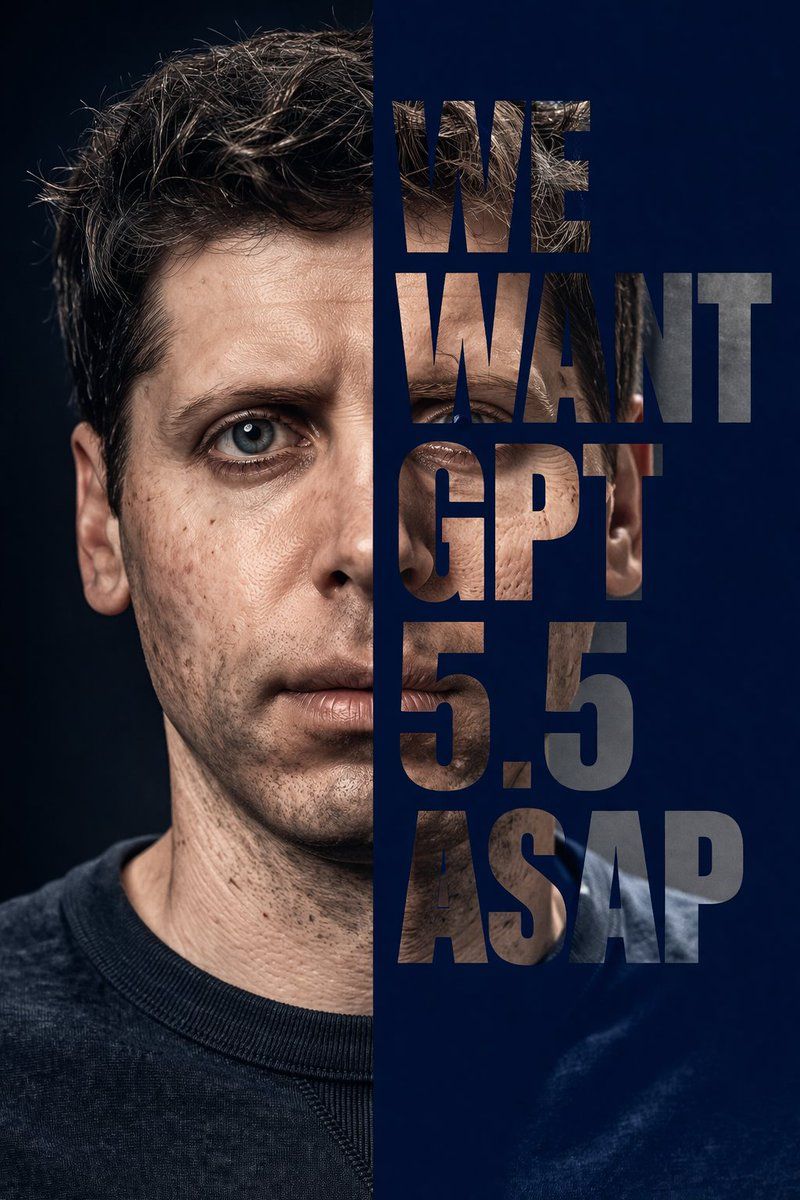
半脸排版遮罩人像
Enlarge

半脸排版遮罩人像

Prompt
A highly realistic, dramatic studio portrait of {argument name="subject" default="a man resembling Sam Altman with short wavy brown hair, blue eyes, thin eyebrows, and detailed skin texture"}, wearing a dark crew neck sweater. The composition is split vertically down the middle. The left half displays a standard photographic portrait against a dark background. The right half consists of a solid {argument name="background color" default="dark blue"} background with large, bold, sans-serif text acting as a clipping mask. The text reads "{argument name="overlay text" default="WE WANT GPT 5.5 ASAP"}", stacked vertically across five lines. The letters are transparent windows revealing the right half of the man's face and torso, perfectly aligned with the left side to complete the portrait through the typography.
Category
Charts & Infographics
Model
GPT Image 2
Views4
Source ID
14062
Published
Apr 15, 2026

Guide

About "半脸排版遮罩人像"

What is this prompt for?

"半脸排版遮罩人像" AI image prompt for GPT Image 2 (Charts & Infographics). 生成一张极具戏剧性的人像,画面一分为二,右侧通过作为剪切遮罩的粗体堆叠排版呈现。 Copy it on Picva and recreate the look in one clic…

The full copyable prompt and example visuals above are ready for AI image generation or one-click recreate in Picva.

How to use this prompt

  1. Step 1

    Open the prompt detail

    Review the example visuals, category, and full prompt text for "半脸排版遮罩人像".

  2. Step 2

    Copy the prompt

    Copy the prompt body from this page, or load it directly in Studio.

  3. Step 3

    Pick a model (GPT Image 2)

    Prefer GPT Image 2. If you switch models, keep subject and composition and tweak style terms.

  4. Step 4

    Generate and export

    Recreate the look in Picva, or export into your workflow for editing and publishing.

FAQ

What is the "半脸排版遮罩人像" prompt?
It is an AI image-generation prompt for GPT Image 2 in the Charts & Infographics category. This page includes the full prompt text, example visuals, and a one-click recreate path in Picva.
How do I use this prompt to generate an image?
Copy the prompt from this page, or use Generate / Studio. Paste it into a compatible image model, or recreate the look in Picva with optional reference images.
Which model is this prompt for?
This page lists GPT Image 2. Most descriptive prompts also transfer to nearby image models such as GPT Image, Flux, or Midjourney with light style tweaks.
Can I use the result commercially?
You can usually copy the prompt for creation, but commercial use of the final image depends on the model terms, reference-image rights, and the generated content. Follow the source author and platform rules.



