20

黑白日式人像摄影
Enlarge

Example images

黑白日式人像摄影

Prompt
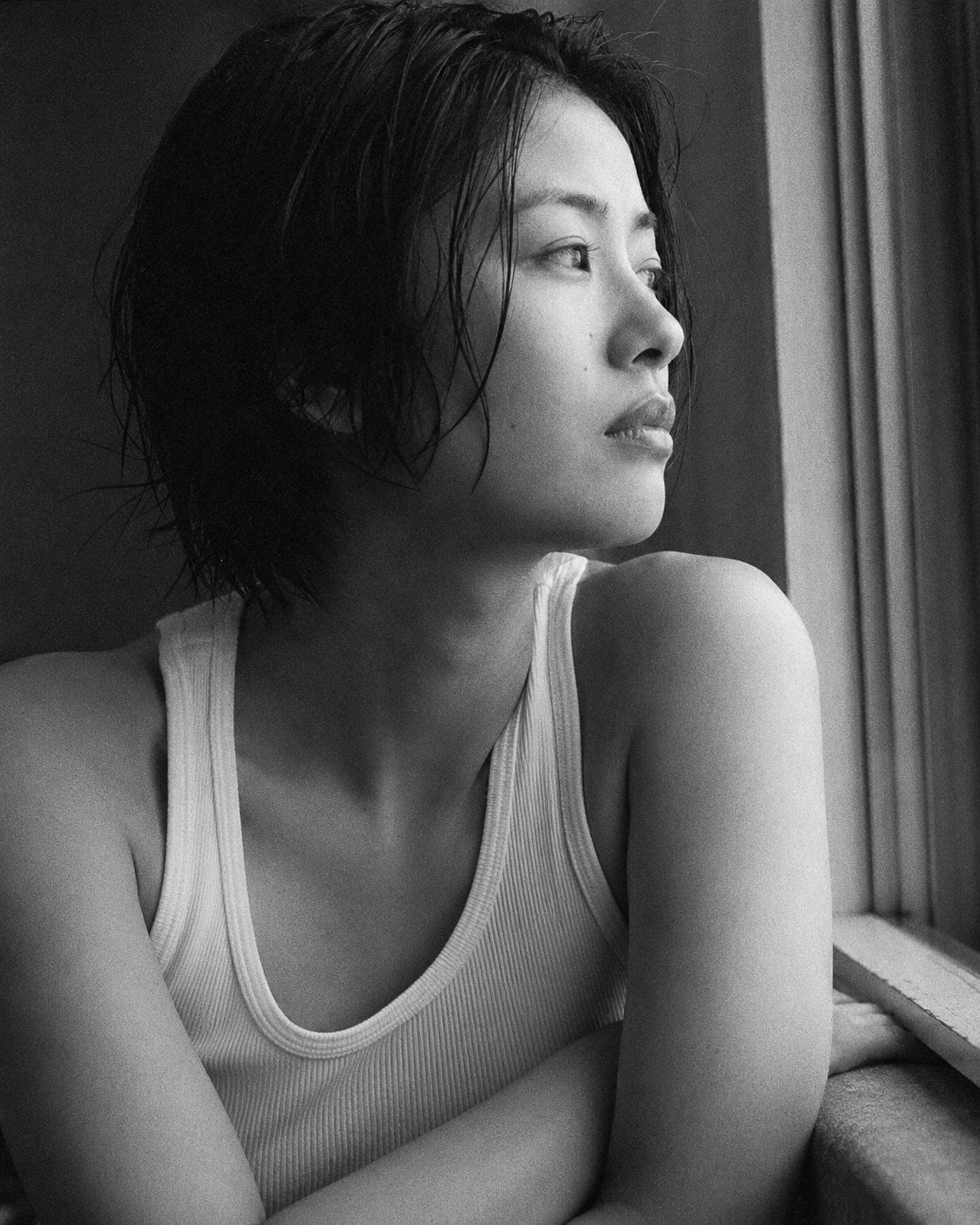
Portrait shot on 85mm f/1.4, close-up of a {argument name="subject" default="Japanese woman in her mid-20s"}, short dark wet-looking hair, slightly damp texture, strong cheekbones, angular jawline, eyes with deep direct gaze toward window, expression neutral and contained. She wears a {argument name="clothing" default="plain white ribbed tank top"}, bare shoulders visible.

Upper body portrait, side profile leaning slightly toward window, arms folded on windowsill, subject occupies 60% of frame, window light as only source.

Black and white rendering, {argument name="style" default="high-grain film aesthetic"}, strong directional side lighting from window, soft falloff on shadow side, reminiscent of 1990s Japanese photography books.

Photographic texture and quality: visible film grain especially in shadow, skin texture with natural pores and slight imperfection, stray hairs not perfectly groomed, photographic texture not CG render smoothness.

Avoid: color, AI-smoothed skin, overly dramatic shadows.

--ar 4:5
Category
Photography & Realism
Model
GPT Image 2
Views0
Source ID
27418
Published
Jul 2, 2026

Guide

About "黑白日式人像摄影"

What is this prompt for?

"黑白日式人像摄影" AI image prompt for GPT Image 2 (Photography & Realism). 一款受 20 世纪 90 年代日本摄影集启发的黑白高颗粒感胶片提示词,呈现窗边光影下的特写人像。 Copy it on Picva and recreate the look in…

The full copyable prompt and example visuals above are ready for AI image generation or one-click recreate in Picva.

How to use this prompt

  1. Step 1

    Open the prompt detail

    Review the example visuals, category, and full prompt text for "黑白日式人像摄影".

  2. Step 2

    Copy the prompt

    Copy the prompt body from this page, or load it directly in Studio.

  3. Step 3

    Pick a model (GPT Image 2)

    Prefer GPT Image 2. If you switch models, keep subject and composition and tweak style terms.

  4. Step 4

    Generate and export

    Recreate the look in Picva, or export into your workflow for editing and publishing.

FAQ

What is the "黑白日式人像摄影" prompt?
It is an AI image-generation prompt for GPT Image 2 in the Photography & Realism category. This page includes the full prompt text, example visuals, and a one-click recreate path in Picva.
How do I use this prompt to generate an image?
Copy the prompt from this page, or use Generate / Studio. Paste it into a compatible image model, or recreate the look in Picva with optional reference images.
Which model is this prompt for?
This page lists GPT Image 2. Most descriptive prompts also transfer to nearby image models such as GPT Image, Flux, or Midjourney with light style tweaks.
Can I use the result commercially?
You can usually copy the prompt for creation, but commercial use of the final image depends on the model terms, reference-image rights, and the generated content. Follow the source author and platform rules.



