19

广告概念 UI 品牌指南
Enlarge

Example images

广告概念 UI 品牌指南

Prompt
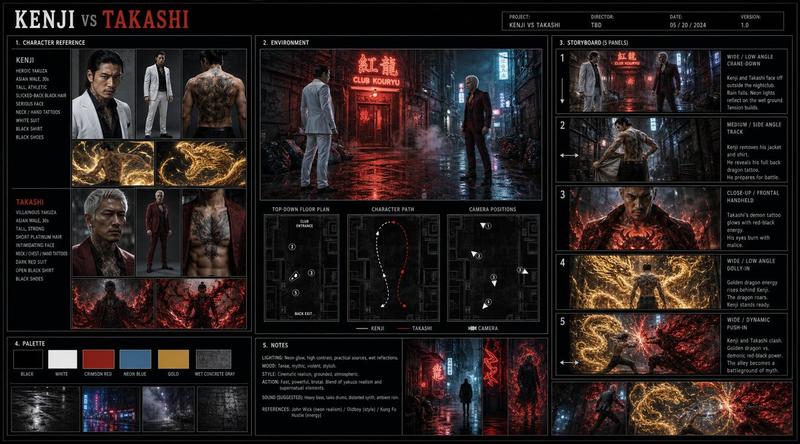
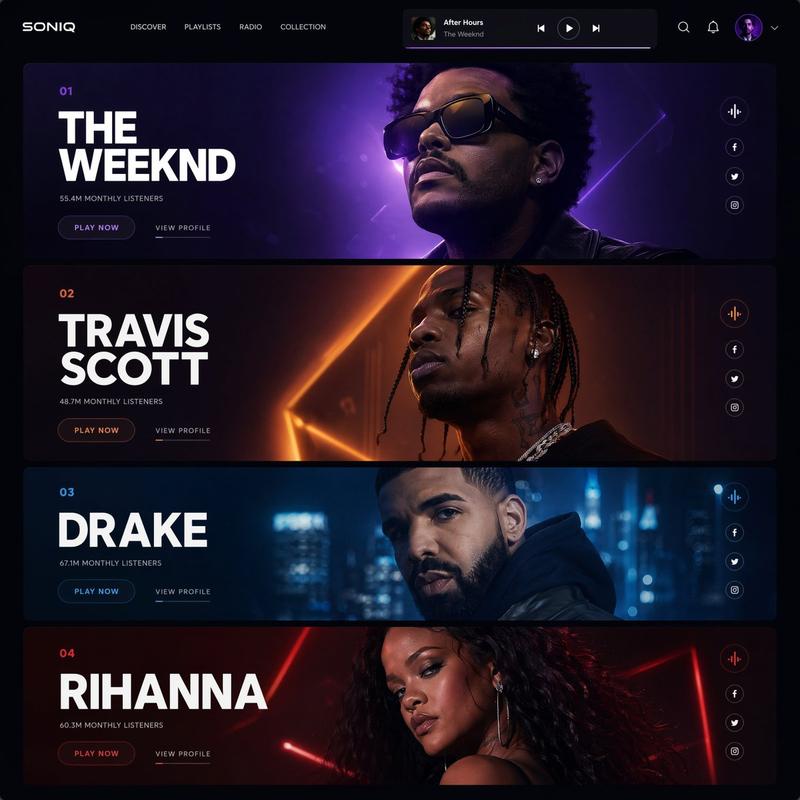
Using the provided reference image as the brand style guide, generate a dark creative-generation app interface showing 4 billboard ad concepts in a 2x2 grid for {argument name="brand name" default="Netflix"}. Apply the exact brand palette and overall visual identity from the reference: deep black background, red accent, white typography, charcoal overlays, and clean modern sans-serif styling. Turn the reference from a static brand settings page into an image-generation results screen with a left sidebar model picker containing 2 model cards, and a main canvas displaying 4 generated concept thumbnails. Each thumbnail should be a cinematic nighttime outdoor billboard mockup with dramatic lighting, glossy reflections, and a person wearing a VR headset. Use bold billboard copy reading {argument name="headline text" default="NETFLIX VR"}, {argument name="subheadline text" default="COMING SOON"}, and {argument name="date text" default="28TH MAY"}. Add small UI chips and labels on the right summarizing the prompt, plus generation-time badges above each of the 4 images. Keep the result looking like a premium creative tool screenshot for branded ad ideation.
Category
Charts & Infographics
Model
GPT Image 2
Creator
Dafty
Views7
Source ID
15468
Published
Apr 23, 2026

Guide

About "广告概念 UI 品牌指南"

What is this prompt for?

"广告概念 UI 品牌指南" AI image prompt for GPT Image 2 (Charts & Infographics). 此提示词可将品牌风格参考转化为精美的 AI 创意工具截图,展示四个符合品牌调性的广告牌概念,适用于营销演示或产品演示。 Copy it on Picva and recrea…

The full copyable prompt and example visuals above are ready for AI image generation or one-click recreate in Picva.

How to use this prompt

  1. Step 1

    Open the prompt detail

    Review the example visuals, category, and full prompt text for "广告概念 UI 品牌指南".

  2. Step 2

    Copy the prompt

    Copy the prompt body from this page, or load it directly in Studio.

  3. Step 3

    Pick a model (GPT Image 2)

    Prefer GPT Image 2. If you switch models, keep subject and composition and tweak style terms.

  4. Step 4

    Generate and export

    Recreate the look in Picva, or export into your workflow for editing and publishing.

FAQ

What is the "广告概念 UI 品牌指南" prompt?
It is an AI image-generation prompt for GPT Image 2 in the Charts & Infographics category. This page includes the full prompt text, example visuals, and a one-click recreate path in Picva.
How do I use this prompt to generate an image?
Copy the prompt from this page, or use Generate / Studio. Paste it into a compatible image model, or recreate the look in Picva with optional reference images.
Which model is this prompt for?
This page lists GPT Image 2. Most descriptive prompts also transfer to nearby image models such as GPT Image, Flux, or Midjourney with light style tweaks.
Can I use the result commercially?
You can usually copy the prompt for creation, but commercial use of the final image depends on the model terms, reference-image rights, and the generated content. Follow the source author and platform rules.