18

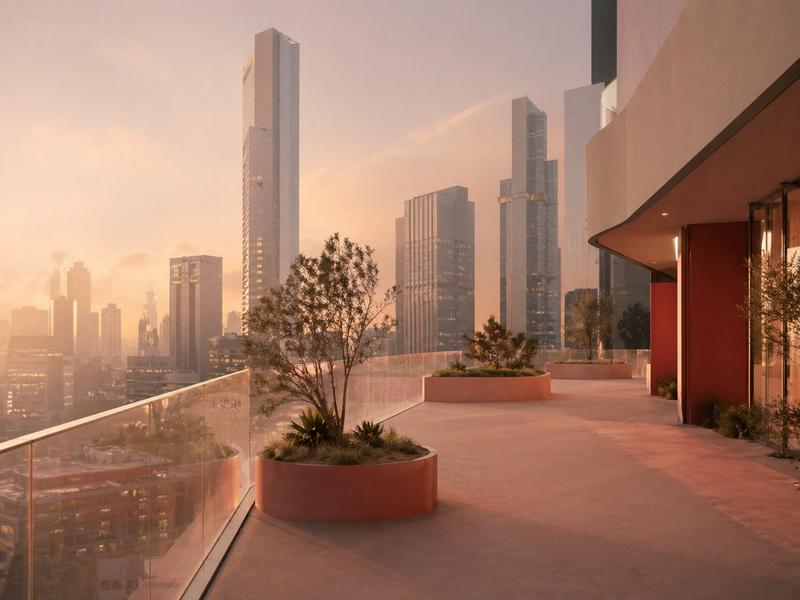
黄昏天际线景观下的豪华办公室
Enlarge

黄昏天际线景观下的豪华办公室

Prompt
A photorealistic modern executive office interior at dusk, viewed from a slightly wide angle inside the room, with floor-to-ceiling corner windows revealing a hazy metropolitan skyline in the distance. The space is minimalist and upscale, with warm ambient lighting, soft sunset tones, and a calm corporate luxury mood. In the center foreground, place a large contemporary desk in matte dark wood or charcoal finish with a clean rectangular shape, a slim task lamp, a closed laptop or folder, and an ergonomic black office chair. Along the left side, include a low modern leather sofa in deep brown and a minimalist metal coffee table holding exactly 3 stacked books or magazines and 1 decorative bowl. On the right side, show a built-in rectangular planter with green foliage in the foreground, and behind it a glass-walled meeting room with red-tinted interior walls and glass double doors. In the back corridor, add built-in wooden shelving with books and a few small decor objects, leading deeper into the office. Use recessed ceiling lights, subtle LED strip lighting near the ceiling edge, polished concrete or smooth stone flooring, and a restrained palette of gray, taupe, dark wood, black, and warm orange reflections from sunset. The windows should dominate the composition, with the skyline softly atmospheric and slightly diffused, emphasizing height, luxury, and quiet evening productivity.
Category
Charts & Infographics
Model
GPT Image 2
Creator
nic
Views3
Source ID
16702
Published
Apr 27, 2026

Guide

About "黄昏天际线景观下的豪华办公室"

What is this prompt for?

"黄昏天际线景观下的豪华办公室" AI image prompt for GPT Image 2 (Charts & Infographics). 此提示词可生成具有全景城市景观的写实高层行政办公室室内效果图,非常适合建筑可视化、房地产营销或企业氛围图。 Copy it on Picva and recreate t…

The full copyable prompt and example visuals above are ready for AI image generation or one-click recreate in Picva.

How to use this prompt

  1. Step 1

    Open the prompt detail

    Review the example visuals, category, and full prompt text for "黄昏天际线景观下的豪华办公室".

  2. Step 2

    Copy the prompt

    Copy the prompt body from this page, or load it directly in Studio.

  3. Step 3

    Pick a model (GPT Image 2)

    Prefer GPT Image 2. If you switch models, keep subject and composition and tweak style terms.

  4. Step 4

    Generate and export

    Recreate the look in Picva, or export into your workflow for editing and publishing.

FAQ

What is the "黄昏天际线景观下的豪华办公室" prompt?
It is an AI image-generation prompt for GPT Image 2 in the Charts & Infographics category. This page includes the full prompt text, example visuals, and a one-click recreate path in Picva.
How do I use this prompt to generate an image?
Copy the prompt from this page, or use Generate / Studio. Paste it into a compatible image model, or recreate the look in Picva with optional reference images.
Which model is this prompt for?
This page lists GPT Image 2. Most descriptive prompts also transfer to nearby image models such as GPT Image, Flux, or Midjourney with light style tweaks.
Can I use the result commercially?
You can usually copy the prompt for creation, but commercial use of the final image depends on the model terms, reference-image rights, and the generated content. Follow the source author and platform rules.