15

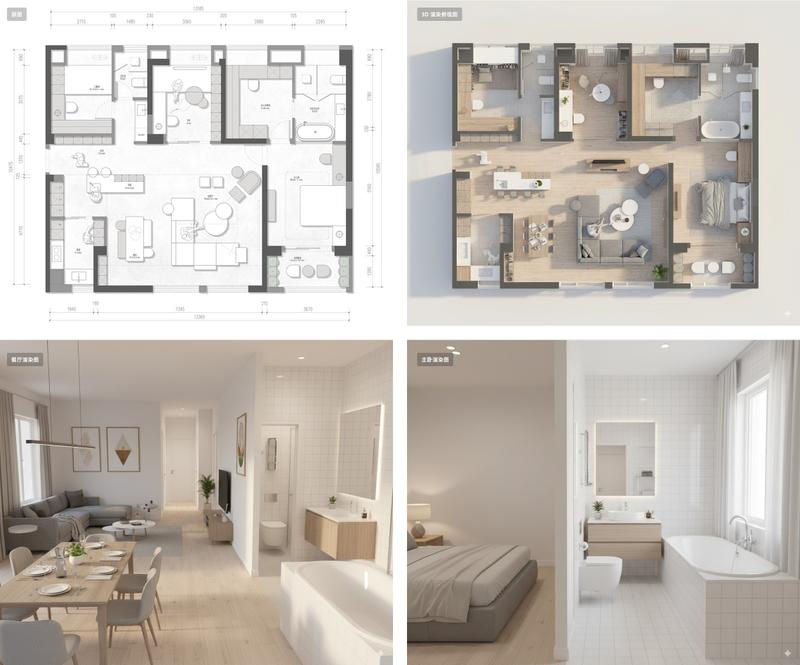
将 2D 平面图转换为 3D 房地产效果图
Enlarge

将 2D 平面图转换为 3D 房地产效果图

Prompt
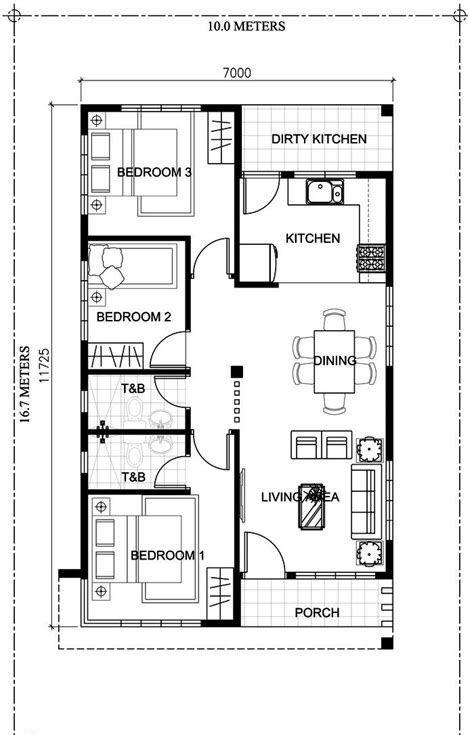
Using the provided floor plan reference image, convert the 2D black-and-white architectural plan into a clean photorealistic 3D isometric real-estate floor plan render while preserving the original layout, room sizes, labels, and the side-by-side composition of the 1F and 2F plans. Add realistic wall thickness, light wood flooring, soft neutral wall colors, doors and windows with depth, and fully furnished interiors appropriate to each room. Keep all visible Japanese room labels in place, including 1F, 2F, 洗面所, 浴室, 収納, 階段下収納, ホール, 玄関, トイレ, L.D.K (18.0帖), 洋室 (6.0帖) for 2 rooms, ウォークインクローゼット (3.0帖), and 主寝室 (6.0帖). Stage the 1F with 1 kitchen, 1 dining table set for 4, 1 living area with sofa and coffee table, 1 toilet, 1 bathroom with tub, 1 wash area, and small plants. Stage the 2F with 3 sleeping/work rooms total: 1 bedroom with a single bed, 1 room with a desk and chair, and 1 master bedroom with a double bed, plus 2 storage spaces and 1 walk-in closet with shelving. Use a bright catalog-style presentation on a plain light background, viewed from a slightly elevated angled top-down perspective, suitable for a property sales brochure.
Category
Charts & Infographics
Model
GPT Image 2
Views1
Source ID
17438
Published
Apr 30, 2026

Guide

About "将 2D 平面图转换为 3D 房地产效果图"

What is this prompt for?

"将 2D 平面图转换为 3D 房地产效果图" AI image prompt for GPT Image 2 (Charts & Infographics). 此提示词可将简单的建筑平面图参考转化为精美的 3D 等轴测房地产营销视觉图,同时完整保留原始布局和标签。 Copy it on Picva and recr…

The full copyable prompt and example visuals above are ready for AI image generation or one-click recreate in Picva.

How to use this prompt

  1. Step 1

    Open the prompt detail

    Review the example visuals, category, and full prompt text for "将 2D 平面图转换为 3D 房地产效果图".

  2. Step 2

    Copy the prompt

    Copy the prompt body from this page, or load it directly in Studio.

  3. Step 3

    Pick a model (GPT Image 2)

    Prefer GPT Image 2. If you switch models, keep subject and composition and tweak style terms.

  4. Step 4

    Generate and export

    Recreate the look in Picva, or export into your workflow for editing and publishing.

FAQ

What is the "将 2D 平面图转换为 3D 房地产效果图" prompt?
It is an AI image-generation prompt for GPT Image 2 in the Charts & Infographics category. This page includes the full prompt text, example visuals, and a one-click recreate path in Picva.
How do I use this prompt to generate an image?
Copy the prompt from this page, or use Generate / Studio. Paste it into a compatible image model, or recreate the look in Picva with optional reference images.
Which model is this prompt for?
This page lists GPT Image 2. Most descriptive prompts also transfer to nearby image models such as GPT Image, Flux, or Midjourney with light style tweaks.
Can I use the result commercially?
You can usually copy the prompt for creation, but commercial use of the final image depends on the model terms, reference-image rights, and the generated content. Follow the source author and platform rules.