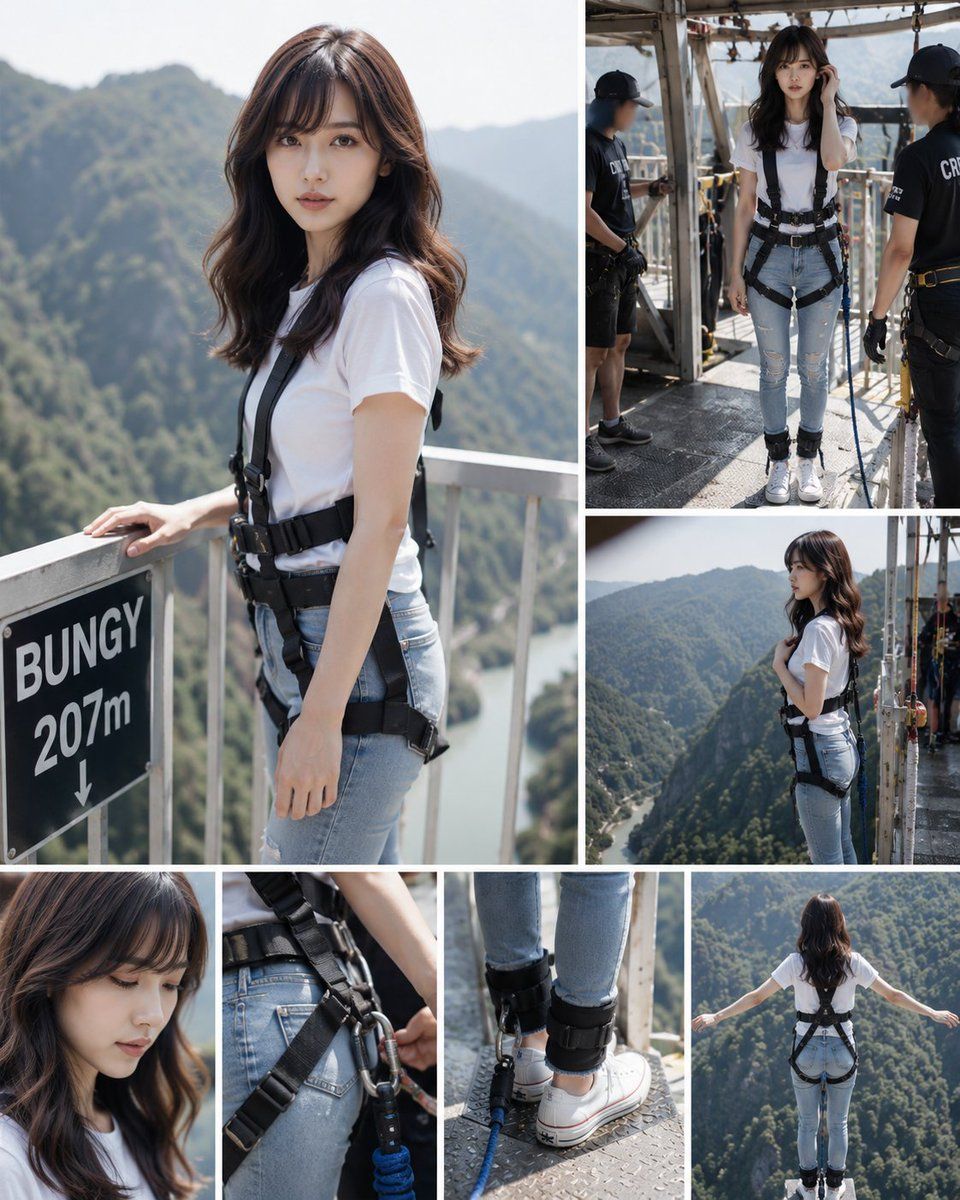
蹦极拼贴画
Prompt
{"type":"photorealistic multi-panel adventure collage","subject":{"gender":"young adult woman","appearance":"long wavy medium-brown hair, face intentionally obscured with a soft rectangular blur for privacy","outfit":{"top":"{argument name=\"shirt color\" default=\"plain white fitted T-shirt\"}","bottom":"{argument name=\"pants style\" default=\"light blue ripped skinny jeans\"}","shoes":"white low-top sneakers","gear":"black full-body bungee jumping harness with waist belt, shoulder straps, thigh straps, ankle cuffs, carabiners, safety ropes and blue bungee cord"}},"setting":{"location":"{argument name=\"bungee location\" default=\"high mountain bridge bungee platform\"}","height sign":"black sign reading BUNGY 207m with a downward arrow","background":"deep green forested mountains, river gorge far below, bright midday sunlight, hazy distant ridgelines","platform":"industrial metal walkway with railings, gridded floor, beams, cables and safety equipment"},"layout":{"format":"vertical collage contact sheet with clean white gutters, editorial travel-documentary style","panel count":6,"panels":[{"position":"large left panel occupying about half the canvas height","description":"three-quarter portrait of the woman standing beside the railing, one hand resting near the black BUNGY 207m sign, harness clearly visible, mountains blurred behind her"},{"position":"top right panel","description":"full-body preparation scene on the metal platform, woman facing forward while two black-uniformed crew members check her harness and ropes"},{"position":"middle right panel","description":"side profile of the woman standing near the platform edge, holding a harness strap, looking out over the gorge"},{"position":"bottom left panel","description":"close-up portrait crop of her hair, shoulders and blurred face, emphasizing nervous anticipation"},{"position":"bottom center panel","description":"tight detail shot of harness hardware at the waist and hips plus another tight detail of ankle cuffs, white sneakers and blue bungee cord on the metal floor"},{"position":"bottom right panel","description":"rear view at the jump point, woman standing at the edge with arms stretched wide, harness straps and ankle attachments visible, vast green valley below"}]},"style":{"camera":"realistic DSLR photography, shallow depth of field in close-ups, crisp action-documentary framing","lighting":"natural bright daylight with soft shadows","color":"clean natural colors, white shirt and blue jeans contrasting with black safety gear and green mountains","mood":"preparation, anticipation, courage before a bungee jump"},"quality":"high-resolution, believable human proportions, realistic harness rigging, no cartoon or illustration style"}- Category
- Charts & Infographics
- Model
- GPT Image 2
- Creator
- kuripon
- Source ID
- 19891
- Published
- May 12, 2026
Views1