20

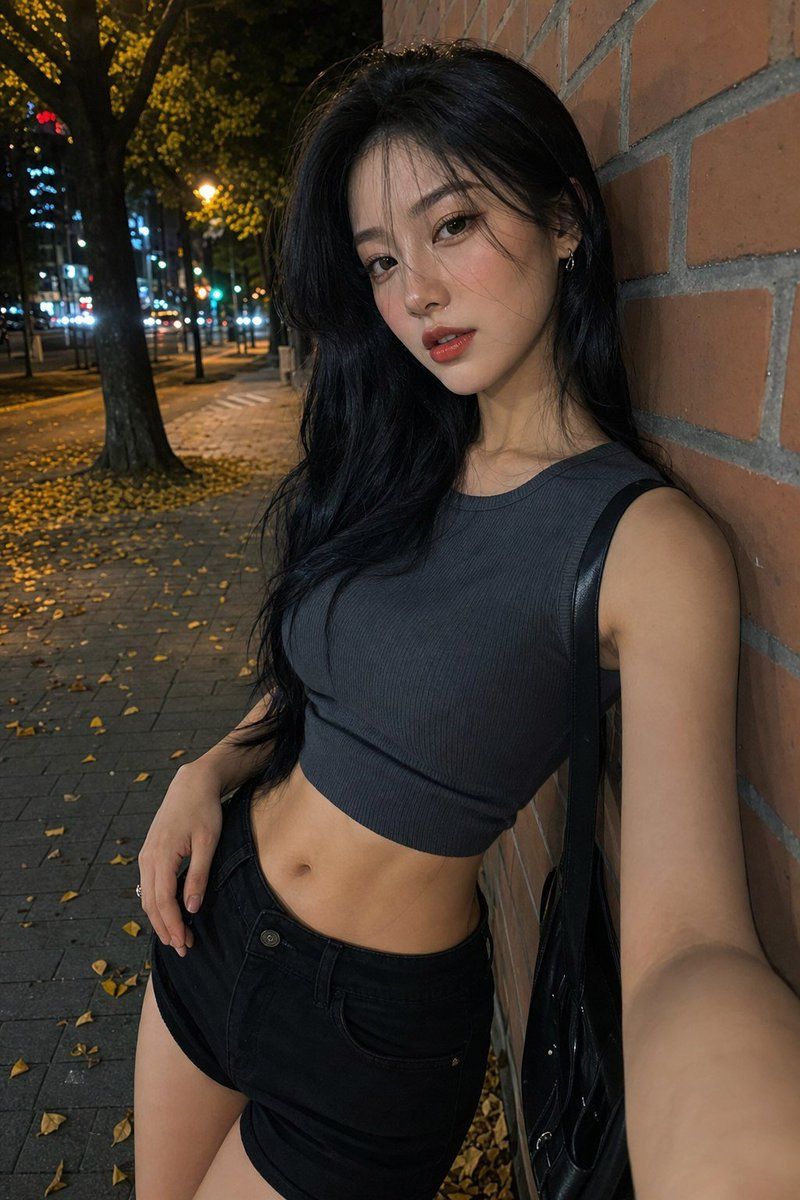
夜间街头时尚自拍
Enlarge

夜间街头时尚自拍

Prompt
Create a realistic nighttime smartphone selfie photo of an adult woman leaning against a red brick wall on a city sidewalk in autumn. She has long wavy black hair, light-to-medium skin, a slim build, and her face is intentionally covered by a centered opaque square privacy block in a dark brown skin-tone color. She is wearing a dark charcoal ribbed sleeveless cropped tank top, high-waisted black denim shorts, and a glossy black shoulder bag with the strap over one shoulder. Pose her at a slight diagonal angle with one arm extended toward the camera as if taking the selfie and the other hand resting near her shorts pocket, torso cropped from upper head to mid-thigh. The background shows a nighttime urban street with large trees, scattered yellow fallen leaves on the pavement, warm streetlights, blurred car headlights, and distant city lights with shallow depth of field. Use realistic phone-camera flash lighting, natural shadows, detailed brick texture, candid street-fashion mood, vertical 2:3 composition, no text, no watermark. Customize the outfit color as {argument name="top color" default="dark charcoal"}, the hairstyle as {argument name="hair style" default="long wavy black hair"}, the setting as {argument name="street setting" default="autumn nighttime city sidewalk"}, and the privacy block color as {argument name="face block color" default="dark brown skin-tone"}.
Category
Posters & Typography
Model
GPT Image 2
Views4
Source ID
21616
Published
May 19, 2026

Guide

About "夜间街头时尚自拍"

What is this prompt for?

"夜间街头时尚自拍" AI image prompt for GPT Image 2 (Posters & Typography). 生成一张带有匿名遮挡面部的逼真竖版夜间街头时尚自拍,非常适合还原抓拍风格的都市穿搭摄影。 Copy it on Picva and recreate the look in one c…

The full copyable prompt and example visuals above are ready for AI image generation or one-click recreate in Picva.

How to use this prompt

  1. Step 1

    Open the prompt detail

    Review the example visuals, category, and full prompt text for "夜间街头时尚自拍".

  2. Step 2

    Copy the prompt

    Copy the prompt body from this page, or load it directly in Studio.

  3. Step 3

    Pick a model (GPT Image 2)

    Prefer GPT Image 2. If you switch models, keep subject and composition and tweak style terms.

  4. Step 4

    Generate and export

    Recreate the look in Picva, or export into your workflow for editing and publishing.

FAQ

What is the "夜间街头时尚自拍" prompt?
It is an AI image-generation prompt for GPT Image 2 in the Posters & Typography category. This page includes the full prompt text, example visuals, and a one-click recreate path in Picva.
How do I use this prompt to generate an image?
Copy the prompt from this page, or use Generate / Studio. Paste it into a compatible image model, or recreate the look in Picva with optional reference images.
Which model is this prompt for?
This page lists GPT Image 2. Most descriptive prompts also transfer to nearby image models such as GPT Image, Flux, or Midjourney with light style tweaks.
Can I use the result commercially?
You can usually copy the prompt for creation, but commercial use of the final image depends on the model terms, reference-image rights, and the generated content. Follow the source author and platform rules.




