20

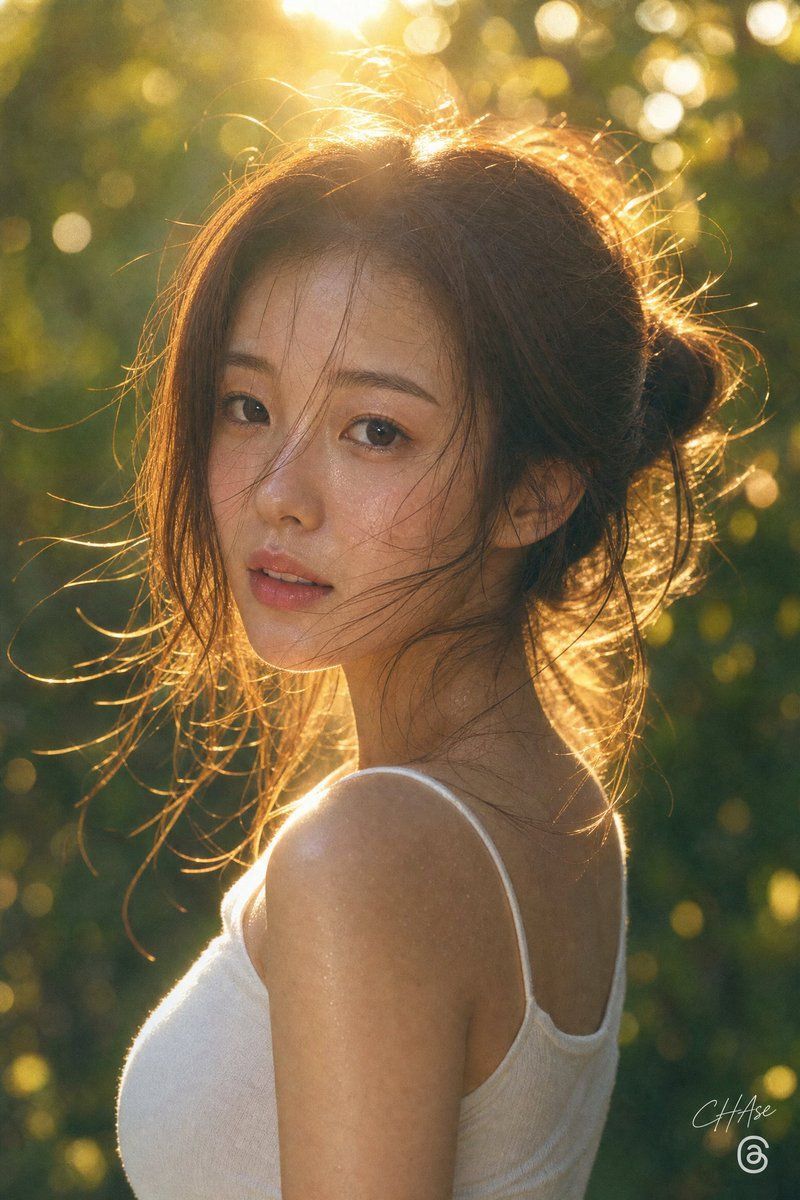
黄金时刻隐私肖像
Enlarge

黄金时刻隐私肖像

Prompt
Create a vertical golden-hour portrait photograph of {argument name="subject" default="a young woman"} outdoors in a lush green forest or garden, shown from the shoulders up in left-facing side profile with her face deliberately covered by a large opaque square privacy block in warm medium brown. She has {argument name="hair color" default="light brown"} hair gathered into a loose messy bun at the back of her head, with many fine flyaway strands glowing in strong backlight. She wears a simple {argument name="top color" default="white"} spaghetti-strap tank top, exposing her shoulder and upper back. The scene is lit by low sun behind her head, creating bright rim light, warm amber highlights, lens flare, and circular bokeh throughout a softly blurred green background. Use a realistic DSLR look with shallow depth of field, natural skin texture on the visible neck and shoulder, warm cinematic color grading, and a candid intimate mood. Composition: portrait orientation, subject centered slightly right, head near the top third, shoulder and torso filling the lower half. Add a small subtle signature-like watermark near the bottom right and a small circular social-media-style icon beneath it. Avoid extra people, text, or props.
Category
Charts & Infographics
Model
GPT Image 2
Creator
CHAse
Views3
Source ID
21776
Published
May 20, 2026

Guide

About "黄金时刻隐私肖像"

What is this prompt for?

"黄金时刻隐私肖像" AI image prompt for GPT Image 2 (Charts & Infographics). 一张温暖的背光户外女性肖像,面部被隐私遮挡块覆盖,适用于匿名生活方式摄影概念。 Copy it on Picva and recreate the look in one click.

The full copyable prompt and example visuals above are ready for AI image generation or one-click recreate in Picva.

How to use this prompt

  1. Step 1

    Open the prompt detail

    Review the example visuals, category, and full prompt text for "黄金时刻隐私肖像".

  2. Step 2

    Copy the prompt

    Copy the prompt body from this page, or load it directly in Studio.

  3. Step 3

    Pick a model (GPT Image 2)

    Prefer GPT Image 2. If you switch models, keep subject and composition and tweak style terms.

  4. Step 4

    Generate and export

    Recreate the look in Picva, or export into your workflow for editing and publishing.

FAQ

What is the "黄金时刻隐私肖像" prompt?
It is an AI image-generation prompt for GPT Image 2 in the Charts & Infographics category. This page includes the full prompt text, example visuals, and a one-click recreate path in Picva.
How do I use this prompt to generate an image?
Copy the prompt from this page, or use Generate / Studio. Paste it into a compatible image model, or recreate the look in Picva with optional reference images.
Which model is this prompt for?
This page lists GPT Image 2. Most descriptive prompts also transfer to nearby image models such as GPT Image, Flux, or Midjourney with light style tweaks.
Can I use the result commercially?
You can usually copy the prompt for creation, but commercial use of the final image depends on the model terms, reference-image rights, and the generated content. Follow the source author and platform rules.



