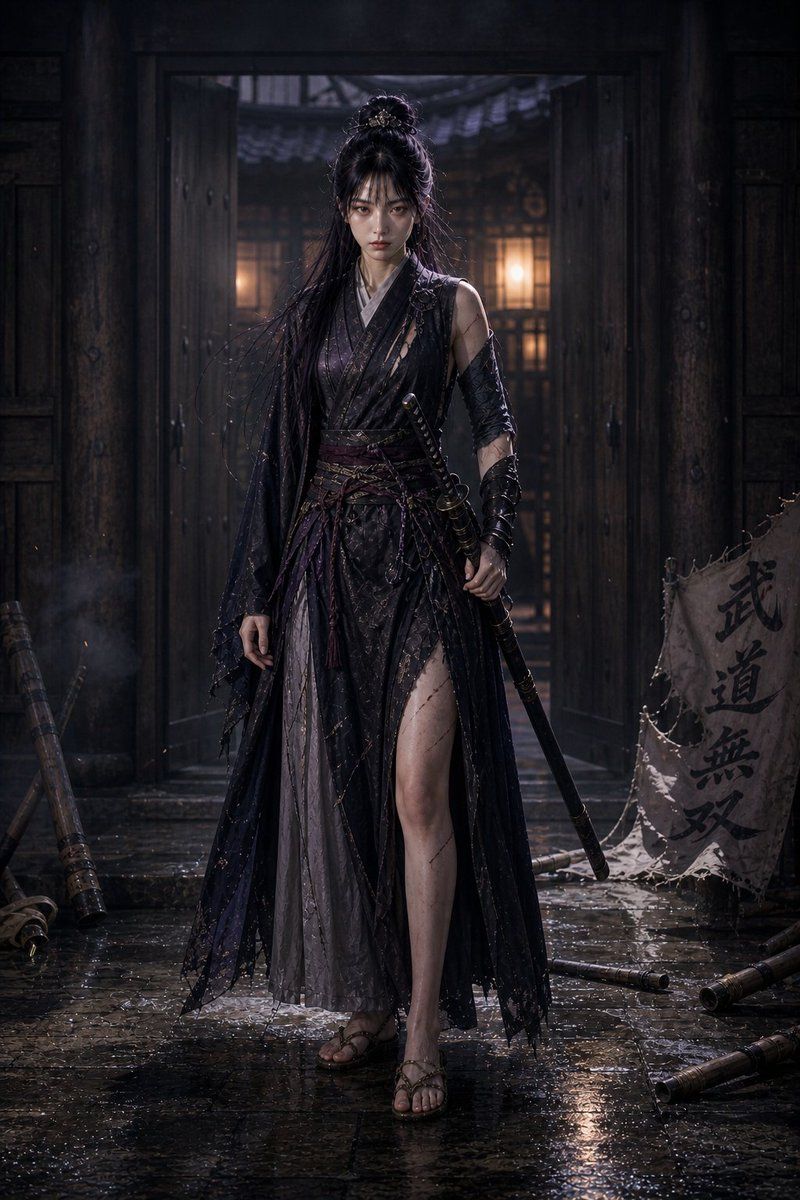
雨中暗黑奇幻女剑客
Prompt
Create a vertical cinematic dark-fantasy portrait of {argument name="character name" default="a lone female martial swordswoman"} standing full-body in the center of an old East Asian dojo entrance at night. She wears a torn layered black and deep violet warrior robe with a high slit, ragged gauze-like sleeves, leather arm wraps, a wide sash belt, and simple sandals; her long black hair is half-up in a messy topknot with a small ornament, with loose wet strands blowing around her shoulders. Her face is intentionally covered by a soft rectangular blur, while the rest of the image remains sharp and detailed. She holds one sheathed katana angled downward in her right hand, with the hilt and guard visible near her waist. The environment is {argument name="setting" default="a rain-soaked wooden dojo courtyard"}: open heavy wooden double doors behind her, warm lantern light glowing from inside, dark beams and panels, mist, drifting sparks, puddles and reflections on wet stone paving. Include exactly nine notable props: one katana held by the woman, one tattered vertical cloth banner on the right with the text {argument name="banner text" default="武道無双"}, and seven fallen bamboo practice staffs scattered around the floor and edges. Use {argument name="lighting style" default="moody low-key lighting with warm lantern backlight and cool blue-gray rain ambience"}, hyper-realistic fantasy photography, high-detail costume textures, wet fabric, cinematic contrast, shallow depth of field, dramatic atmosphere, no watermark, no extra text beyond the banner.- Category
- Charts & Infographics
- Model
- GPT Image 2
- Creator
- JaYu
- Source ID
- 21782
- Published
- May 20, 2026
Views10