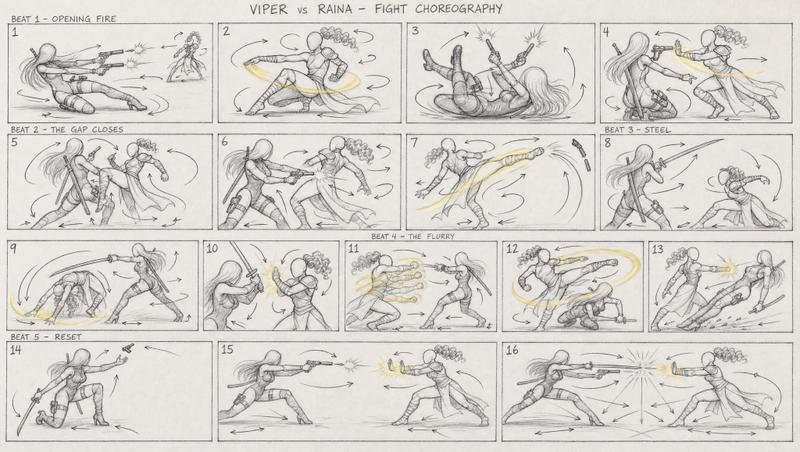
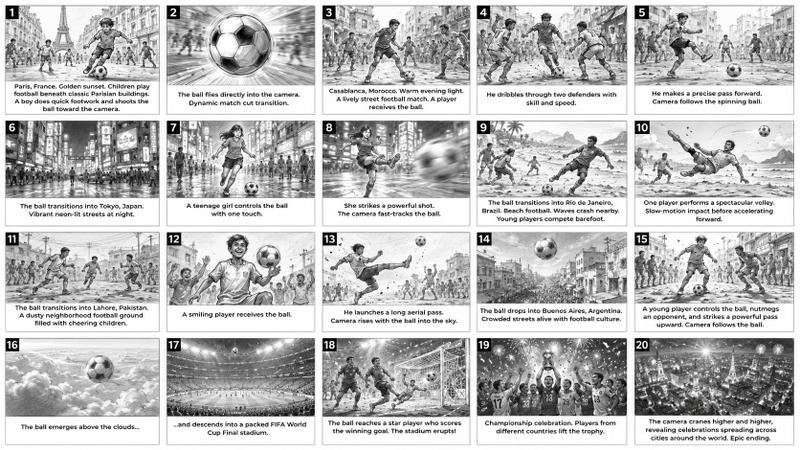
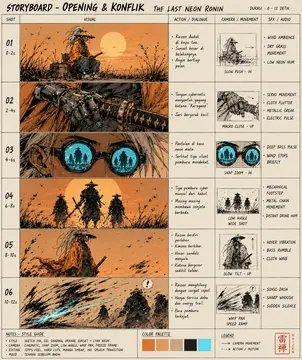
12 格长矛 Sakuga 分镜脚本
Prompt
Goal: Create a monochrome anime action storyboard sheet for an animation fight sequence, full of rough sakuga energy: gestural, dynamic, and readable, like a choreography bible for animators. The subject is {argument name="character name" default="a long-haired robed spear warrior"} performing a spear-and-water combat ritual across exactly 12 panels.

Canvas: Wide horizontal storyboard board, 16:9 ratio, divided into an exact 3x4 grid with thick black panel borders. Each panel has a black number badge in the upper-left corner, numbered 01 through 12, with hand-lettered uppercase titles and small color-coded annotation notes.

Visual style: Grayscale ink-and-pencil concept art with loose sketch lines, dramatic motion blur, wind-torn cloth, flying hair, splashing water, ruined coastal towers, hanging lanterns, birds in the sky, and cinematic camera angles. Keep the art mostly black, white, and gray, but overlay clear colored animator annotations: red for camera movement, blue for body mechanics, green for weapon arc, orange for impact or lantern reaction, and purple for timing or hold beats. Annotation arrows should be hand-drawn, bright, and readable.

Layout and panel content: Include exactly 12 storyboard panels:

01 — SPEAR PLANT REVEAL: The warrior stands upright on flooded stone, spear planted vertically into the water. Distant towers and seabirds behind. Red arrows show a low front wide camera move, blue notes show still stance, green arrow shows spear vertical, purple rings at the feet show stillness.

02 — TIDE BREATH: Medium side shot. The warrior extends the spear horizontally while cloth and hair flow in the wind. Red note: medium side. Blue arrows: arms rise, inhale. Green arrow: spear lifts parallel. Purple timing mark: breath hold.

03 — FIRST SWEEP CUT: Dynamic tracking-wide shot of the warrior lunging into a wide sweeping spear cut, water exploding at the feet. Red annotation: tracking wide. Blue arrows: hip rotation, low sweep. Green arc sweeps left to right across the panel. Purple note: release.

04 — SPIRAL ENTRY: Overhead or high-angle spin view. The warrior rotates in a 360-degree spiral, robes forming circular motion. Red note: orbit follow. Blue: spin 360. Green: spear orbital loop. Purple: snap at top.

05 — SALTWATER STEP: Ground-tracking shot. The warrior steps forward through shallow seawater, spear trailing outward, ripples spreading. Red: ground tracking. Blue: cross step forward. Green: water ripples outward. Purple: weight shift.

06 — PILLAR VAULT: High-angle follow shot as the warrior vaults or leaps near a tall broken pillar. Red: high angle follow. Blue: upward vault, body extend. Green: spear trails below. Purple: airborne beat.

07 — DOWNWARD PLUNGE: Front low push-in. The warrior drives the spear downward into the ground or water, creating a violent burst. Red: front low push-in. Blue: two-hand strike descend. Green: spear vertical down. Orange: impact burst. Purple: hit snap.

08 — BLADE SPIN RECOVER: Wide side view recovery stance. The warrior pivots low while the spear loops tightly around the body. Red: wide side view. Blue: behind-back loop, recover stance. Green: tight spear loop. Purple: reset breath.

09 — LANTERN PASS: Rear three-quarter composition with the warrior passing under hanging lanterns, spear extended across the frame. Red: rear 3/4. Blue: tip graze precise line. Green: spear tip path. Orange: lanterns sway, chain reaction. Purple: soft snap.

10 — TIDE SILHOUETTE: Extreme low wide shot. The warrior poses dramatically on a broken stone platform against a towering wave. Red: extreme low wide. Blue: full body pose. Green: spear overhead arc. Purple: hero pause.

11 — ROBES-TO-WATER CUT: Tracking front shot. The warrior slashes downward through water, robes whipping into the motion. Red: tracking front. Blue: slide descend steps. Green: robes trail through water. Purple: controlled flow decay.

12 — RITE UNFINISHED: Wide hero shot at sunset or pale dawn. The warrior stands facing the horizon, spear leveled forward, ocean ruins and a glowing sun in the distance. Red: wide hero shot. Blue: stand and level forward. Green: spear leveled at horizon. Purple: forward intent.

Text content: Use hand-lettered English titles exactly as listed for all 12 panels. Add small colored notes inside each panel, matching the listed red, blue, green, orange, and purple annotations. Optional main design emphasis: {argument name="motion emphasis" default="water-spear choreography with readable animation planning arrows"}.

Constraints: Exactly 12 panels in a 3x4 grid, no extra panels. Preserve the locked annotation color key: red camera, blue body, green weapon arc, orange impact, purple timing. Keep the image mostly monochrome with only the annotation colors vivid. Avoid polished clean lineart; keep it rough, energetic, cinematic, and storyboard-like.- Category
- Charts & Infographics
- Model
- GPT Image 2
- Creator
- Coder Junkie
- Source ID
- 22216
- Published
- May 23, 2026
Views3