12

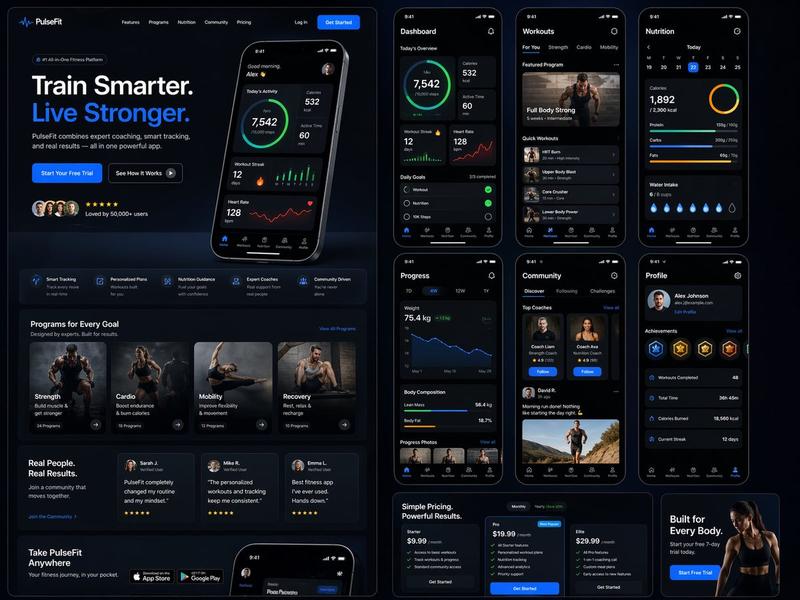
下一代移动应用 UI 展示
Enlarge

下一代移动应用 UI 展示

Prompt
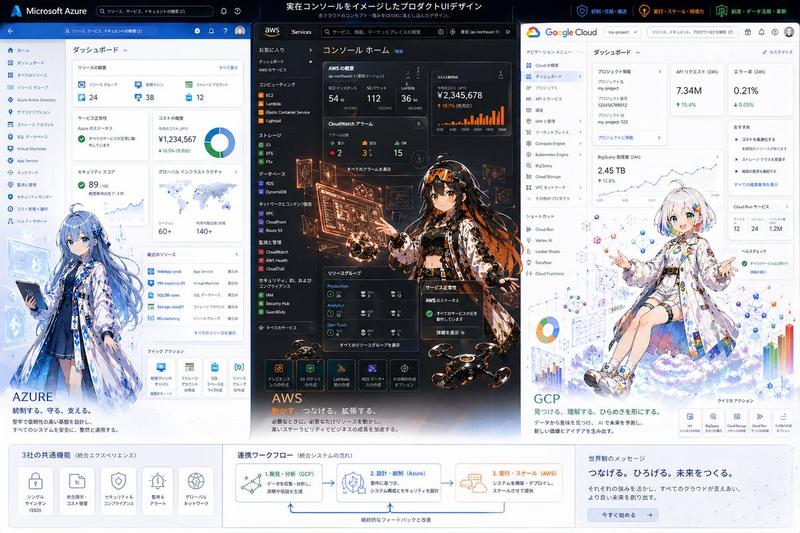
以附带的主体作为主角,请将“{argument name="app type" default="一套逼真的下一代移动应用截图"}”概括为一张图像。这不是广告海报,而是一张高质量的视觉图,例如 App Store 介绍图、产品设计公告或 UI 案例研究。请准确保持参考图像中主体的特征、颜色、形状、面部、服装和印象。将主体视为应用内的主要内容,不要将其更改为其他角色或产品。排列 {argument name="number of screens" default="4 到 6"} 个垂直智能手机屏幕,并确保每个屏幕各不相同。包含的屏幕:主屏幕、详细资料页、分析仪表板、收藏页、编辑页、分享页。UI 元素:虚构的应用名称、标签栏、卡片式 UI、按钮、图表、标签、简短描述、数字显示、图标、小型通知显示。设计风格为精致的 2026 年移动端 UI,简洁、实用,且具有清晰的信息设计。请勿过度使用磨砂玻璃效果(glassmorphism)。文字应易于阅读,主要使用英文且简短。请勿使用真实公司名称、应用名称或 Logo。背景为简洁的摄影棚背景。整体外观应像 Dribbble、Product Hunt 或 Apple 上的应用介绍图一样专业,但要使其看起来像一个自然的虚构产品。优先级:看起来真实的 UI、对参考图像特征的保留、作为截图的说服力,以及值得在社交媒体上保存的信息密度。
Category
UI & Interfaces
Model
GPT Image 2
Creator
SaCoZi
Views5
Source ID
22572
Published
May 25, 2026

Guide

About "下一代移动应用 UI 展示"

What is this prompt for?

"下一代移动应用 UI 展示" AI image prompt for GPT Image 2 (UI & Interfaces). 一个图像到图像(image-to-image)的提示词,旨在生成专业的移动应用 UI 截图,在不同屏幕上保持主体一致,风格类似于 Product Hunt 或 Apple 的演示文稿。…

The full copyable prompt and example visuals above are ready for AI image generation or one-click recreate in Picva.

How to use this prompt

  1. Step 1

    Open the prompt detail

    Review the example visuals, category, and full prompt text for "下一代移动应用 UI 展示".

  2. Step 2

    Copy the prompt

    Copy the prompt body from this page, or load it directly in Studio.

  3. Step 3

    Pick a model (GPT Image 2)

    Prefer GPT Image 2. If you switch models, keep subject and composition and tweak style terms.

  4. Step 4

    Generate and export

    Recreate the look in Picva, or export into your workflow for editing and publishing.

FAQ

What is the "下一代移动应用 UI 展示" prompt?
It is an AI image-generation prompt for GPT Image 2 in the UI & Interfaces category. This page includes the full prompt text, example visuals, and a one-click recreate path in Picva.
How do I use this prompt to generate an image?
Copy the prompt from this page, or use Generate / Studio. Paste it into a compatible image model, or recreate the look in Picva with optional reference images.
Which model is this prompt for?
This page lists GPT Image 2. Most descriptive prompts also transfer to nearby image models such as GPT Image, Flux, or Midjourney with light style tweaks.
Can I use the result commercially?
You can usually copy the prompt for creation, but commercial use of the final image depends on the model terms, reference-image rights, and the generated content. Follow the source author and platform rules.