黄金炒饭分镜脚本
Prompt
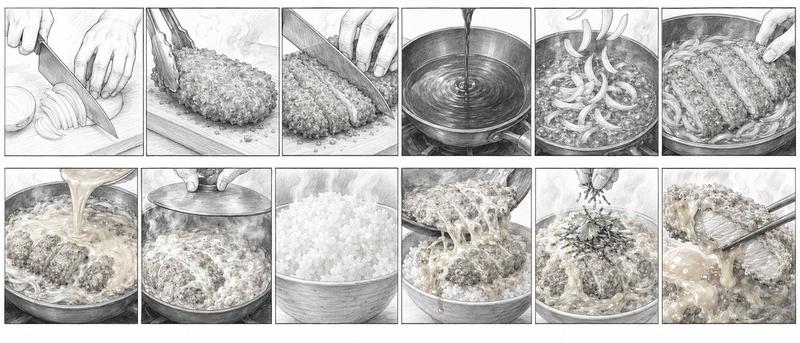
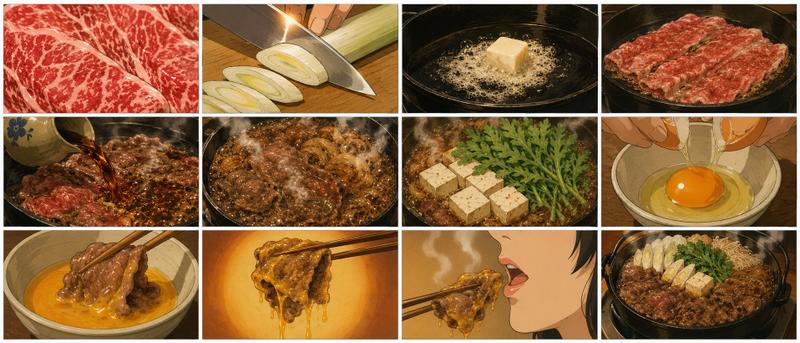
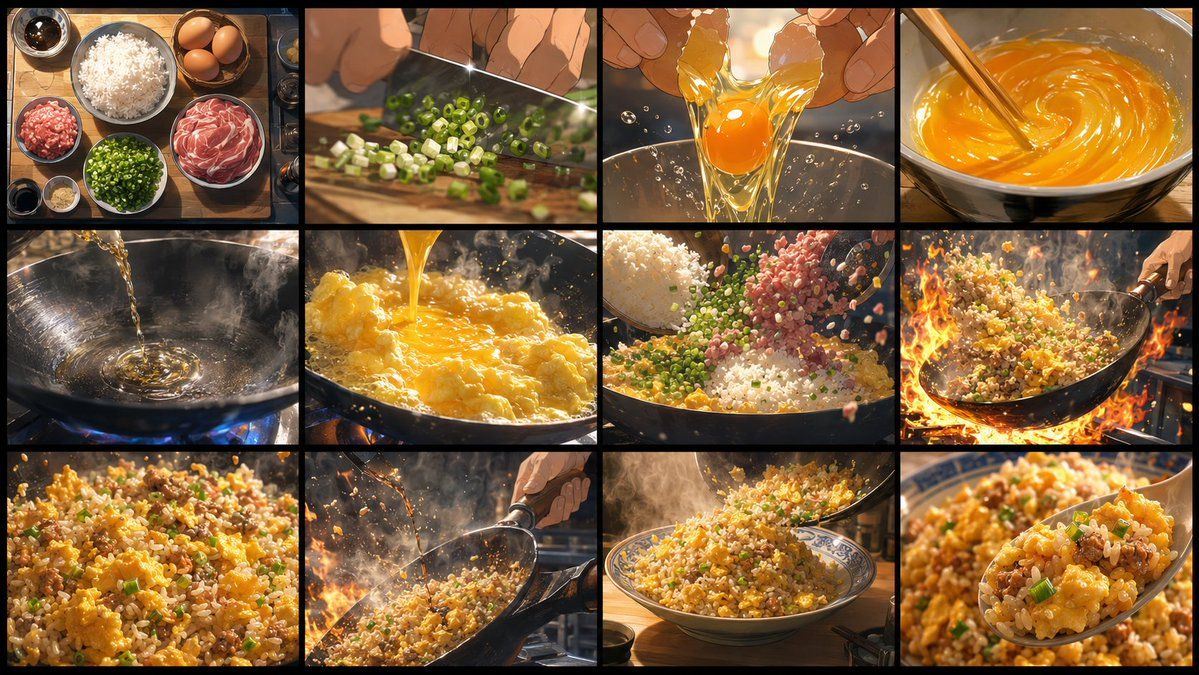
Goal: Create an ultra-high-resolution, highly detailed storyboard sheet for a 15-second animated cooking video about {argument name="dish name" default="golden fried rice"}. The sheet should clearly show the finished video sequence in chronological order and strongly stimulate appetite.

Canvas: Horizontal 16:9 storyboard sheet, cinematic wide format, divided into exactly 12 equal rectangular panels arranged in a 4 columns by 3 rows grid. Use thick black borders between panels and a thin black outer frame. No captions, no numbering, no watermark.

Visual style: Premium animated feature-film cooking style, gourmet anime food sakuga, cinematic lighting, high detail, shallow depth of field, warm golden tones, dramatic steam, sparkling oil, glossy egg texture, individual rice grains, appetizing color contrast, dynamic camera angles, realistic motion blur, intense wok flames, ultra-crisp food rendering.

Storyboard panels, exactly 12 in chronological order:
1. Overhead mise en place on a wooden table: a bowl of white rice, three brown eggs, a bowl of sliced pork or ham, minced meat, chopped green onions, garlic, soy sauce, small sauce bowls, warm morning kitchen light.
2. Close-up of a chef’s hands chopping green onions on a cutting board with a shiny knife, diced scallions scattering, shallow depth of field.
3. Close-up of two hands cracking an egg over a clear bowl, golden yolk and transparent egg white stretching and splashing with tiny droplets.
4. Close-up of eggs being beaten in a bowl with chopsticks, vivid orange-yellow swirling mixture, glossy spiral motion.
5. Oil being poured into a smoking black wok over a blue gas flame, ripples and reflections in the hot oil, steam rising.
6. Beaten egg poured into the hot wok, fluffy golden curds forming instantly, bubbling oil and steam.
7. Rice, chopped green onions, and minced meat falling into the wok over scrambled egg, ingredients suspended midair, abundant individual grains and colorful bits.
8. Dynamic wok-tossing shot with intense orange flames surrounding the pan, fried rice arcing through the air, chef’s hand holding the handle at the right edge.
9. Extreme close-up of finished fried rice texture: golden rice grains, fluffy egg chunks, pork bits, green onion slices, glossy oil sheen.
10. Side action shot of the chef tossing the fried rice in the wok over flames and steam, particles flying, dramatic cinematic backlight.
11. Plating shot: a steaming mound of golden fried rice served in a patterned blue-and-white bowl on a kitchen counter, spoon or ladle adding the final portion, cozy background blur.
12. Final appetizing hero close-up: a spoonful of golden fried rice lifted toward the camera, visible egg, pork, green onions, and glossy separated grains, background bowl softly blurred.

Constraints: Keep the exact 12-panel 4x3 storyboard layout, no visible text, no extra panels, no people’s faces, emphasize chronological cooking action, make every panel look like a polished frame from a high-budget animated cooking film.- Category
- Charts & Infographics
- Model
- GPT Image 2
- Creator
- 就是玩哈玩
- Source ID
- 23118
- Published
- May 28, 2026
Views3