20

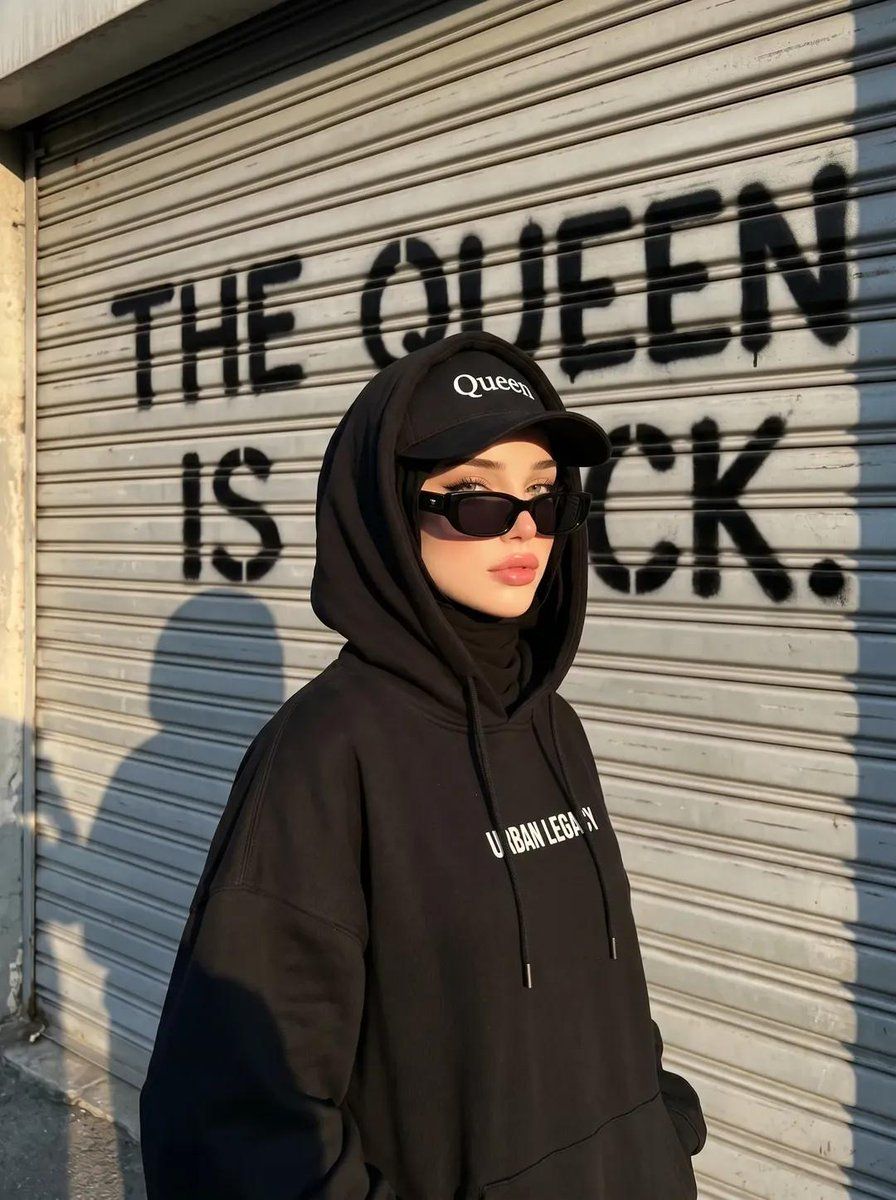
前卫街头风穆斯林女性肖像
Enlarge

Example images

前卫街头风穆斯林女性肖像

Prompt
Create an image with the exact same facial features and characteristics as the attached reference image, without changing any of the features. A street-style portrait of a {argument name="subject" default="hijabi woman with a cool and edgy aura"}. She wears a {argument name="outfit" default="black hijab, an oversized black hoodie jacket with white text on the chest, and a black baseball cap with the word “Queen” written on it"}. The hoodie is worn up, covering both the hijab and the cap on her head. She also wears thick-framed black sunglasses with dark lenses, looking sideways with a confident pose. The background features a {argument name="background" default="gray rolling door or metal shutter with horizontal texture It was spray-painted in black and read, "The Queen is Back.""}, illuminated by warm afternoon sunlight that creates long shadows. Urban, hip-hop, and fashion-forward aesthetic, high quality, realistic, influencer-style look.
Category
Posters & Typography
Model
GPT Image 2
Creator
Kashberg
Views6
Source ID
23185
Published
May 29, 2026

Guide

About "前卫街头风穆斯林女性肖像"

What is this prompt for?

"前卫街头风穆斯林女性肖像" AI image prompt for GPT Image 2 (Posters & Typography). 一张时尚感十足的都市肖像,主角是一位身穿超大号连帽衫、头戴棒球帽的穆斯林女性,背景为涂鸦风格。 Copy it on Picva and recreate the look i…

The full copyable prompt and example visuals above are ready for AI image generation or one-click recreate in Picva.

How to use this prompt

  1. Step 1

    Open the prompt detail

    Review the example visuals, category, and full prompt text for "前卫街头风穆斯林女性肖像".

  2. Step 2

    Copy the prompt

    Copy the prompt body from this page, or load it directly in Studio.

  3. Step 3

    Pick a model (GPT Image 2)

    Prefer GPT Image 2. If you switch models, keep subject and composition and tweak style terms.

  4. Step 4

    Generate and export

    Recreate the look in Picva, or export into your workflow for editing and publishing.

FAQ

What is the "前卫街头风穆斯林女性肖像" prompt?
It is an AI image-generation prompt for GPT Image 2 in the Posters & Typography category. This page includes the full prompt text, example visuals, and a one-click recreate path in Picva.
How do I use this prompt to generate an image?
Copy the prompt from this page, or use Generate / Studio. Paste it into a compatible image model, or recreate the look in Picva with optional reference images.
Which model is this prompt for?
This page lists GPT Image 2. Most descriptive prompts also transfer to nearby image models such as GPT Image, Flux, or Midjourney with light style tweaks.
Can I use the result commercially?
You can usually copy the prompt for creation, but commercial use of the final image depends on the model terms, reference-image rights, and the generated content. Follow the source author and platform rules.




