20

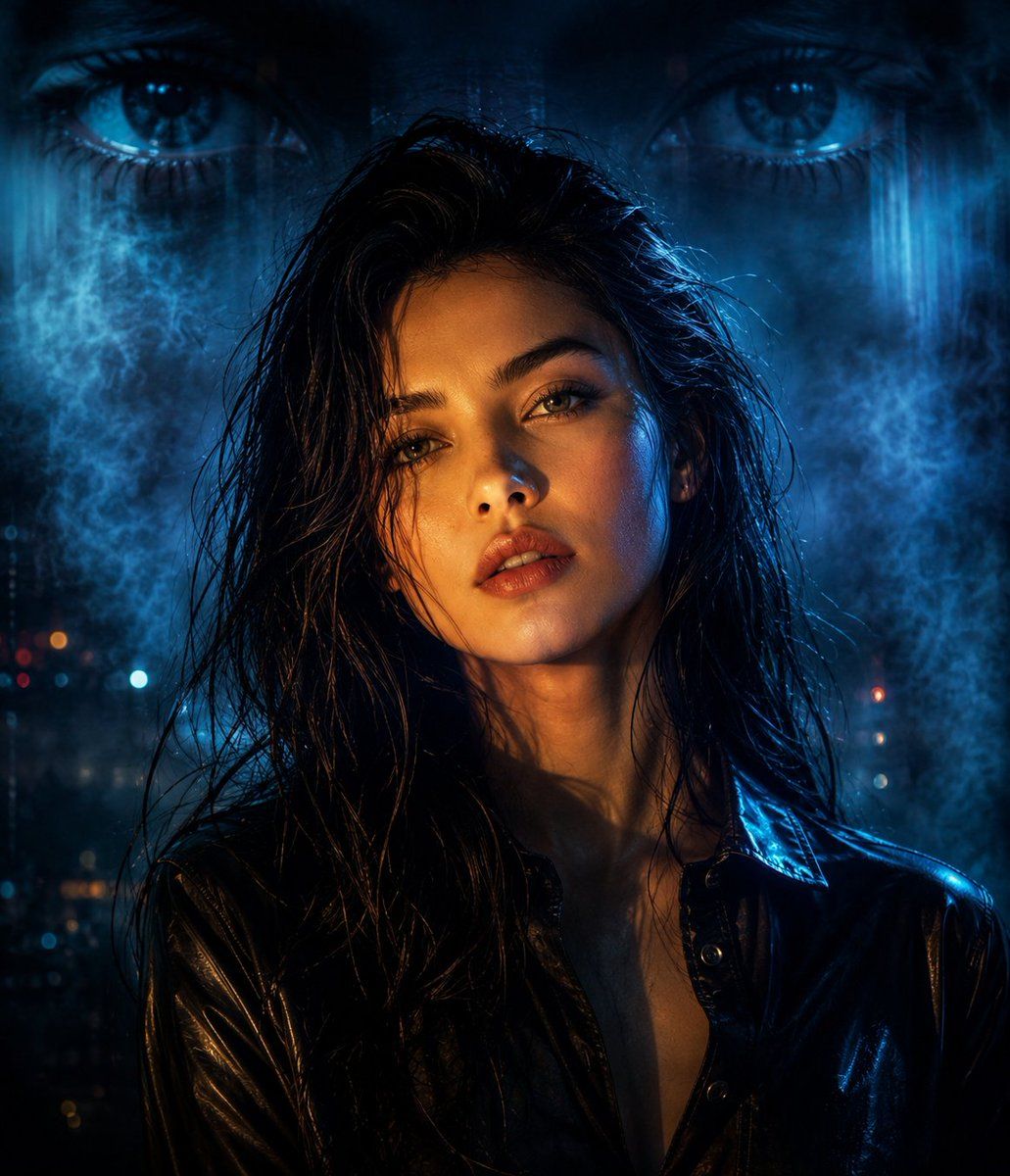
赛博朋克分色光影人像
Enlarge

赛博朋克分色光影人像

Prompt
Use the exact same face from the reference image and generate a Cinematic portrait of an {argument name="subject" default="East Asian woman"} with {argument name="hair" default="long, messy black hair"}, wearing a {argument name="clothing" default="black leather button-up shirt"}. Her face is illuminated by a dramatic split lighting effect, with warm golden light on one side and cool blue highlights on the other. In the background, a massive, translucent, ethereal projection of a pair of intense human eyes overlays a dark, smoky blue atmosphere. Cyberpunk film noir aesthetic, moody tone, high-contrast shadows, shot on 35mm lens, photorealistic texture, 8k resolution.
Category
Photography & Realism
Model
GPT Image 2
Creator
Ozair AI
Views5
Source ID
23462
Published
May 31, 2026

Guide

About "赛博朋克分色光影人像"

What is this prompt for?

"赛博朋克分色光影人像" AI image prompt for GPT Image 2 (Photography & Realism). 一款电影质感的赛博朋克人像提示词,展现了一位东亚女性,配有戏剧性的蓝金分色光影以及空灵的眼部投影背景。 Copy it on Picva and recreate the loo…

The full copyable prompt and example visuals above are ready for AI image generation or one-click recreate in Picva.

How to use this prompt

  1. Step 1

    Open the prompt detail

    Review the example visuals, category, and full prompt text for "赛博朋克分色光影人像".

  2. Step 2

    Copy the prompt

    Copy the prompt body from this page, or load it directly in Studio.

  3. Step 3

    Pick a model (GPT Image 2)

    Prefer GPT Image 2. If you switch models, keep subject and composition and tweak style terms.

  4. Step 4

    Generate and export

    Recreate the look in Picva, or export into your workflow for editing and publishing.

FAQ

What is the "赛博朋克分色光影人像" prompt?
It is an AI image-generation prompt for GPT Image 2 in the Photography & Realism category. This page includes the full prompt text, example visuals, and a one-click recreate path in Picva.
How do I use this prompt to generate an image?
Copy the prompt from this page, or use Generate / Studio. Paste it into a compatible image model, or recreate the look in Picva with optional reference images.
Which model is this prompt for?
This page lists GPT Image 2. Most descriptive prompts also transfer to nearby image models such as GPT Image, Flux, or Midjourney with light style tweaks.
Can I use the result commercially?
You can usually copy the prompt for creation, but commercial use of the final image depends on the model terms, reference-image rights, and the generated content. Follow the source author and platform rules.



