20

黑色柔光人像摄影风格
Enlarge

黑色柔光人像摄影风格

Prompt
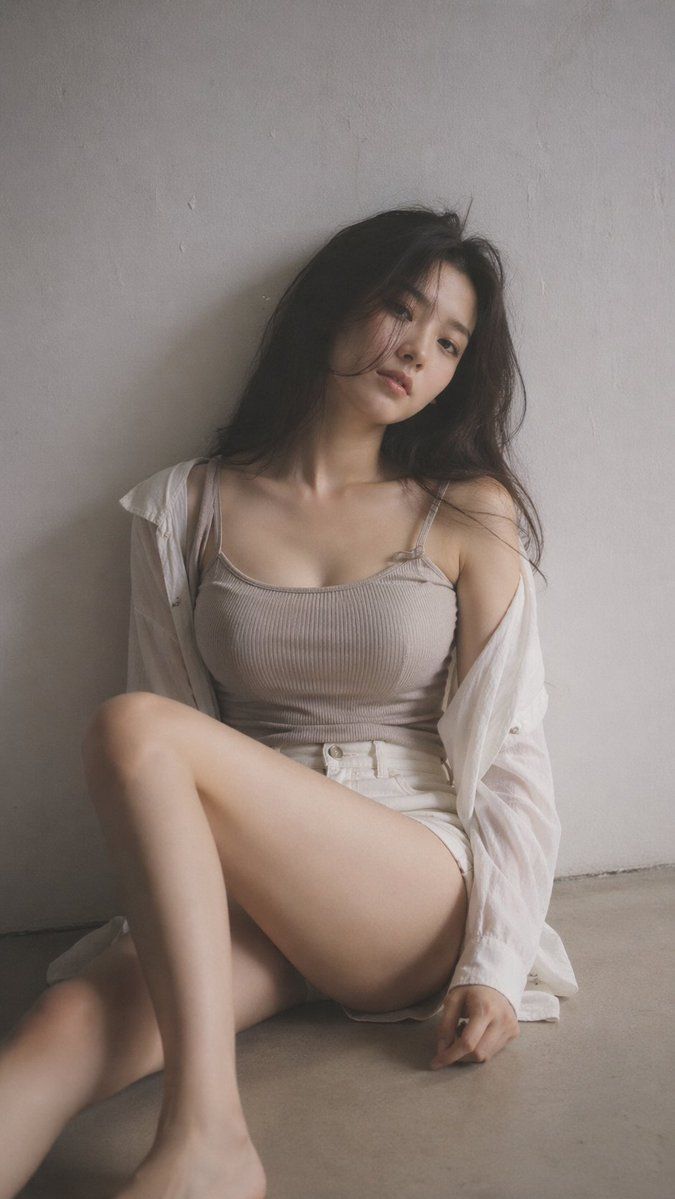
9:16 vertical format, editorial portrait style, one subject only. Black mist effect applied lightly, soft atmospheric haze, gentle glow around highlights, tones muted and desaturated. Indoor space kept minimal and clean, background plain with subtle surface texture. {argument name="subject" default="Young Korean woman"}, very little makeup, natural skin visible. Clothes: {argument name="clothing style" default="ribbed knit fitted top or thin camisole under a loose open shirt, high-waist shorts or skirt"}; fabric drapes close to the body naturally, soft, not revealing. Hair casual and slightly messy with natural body. Pose: {argument name="sitting pose" default="sitting on the floor, one leg folded up, the other stretched out loosely"}; torso leans slightly, shoulders at different heights, head tilted to one side. Subject placed slightly off-center in frame, open negative space visible. Expression: relaxed and calm, eyes looking softly away, lips at rest. Light: gentle side lighting, shadows falling off gradually. Overall mood: quiet, understated, naturally sensual through relaxed body language rather than styling. Texture: fine grain, slight softness, photorealistic quality.
Category
Posters & Typography
Model
GPT Image 2
Creator
PromptLab
Views9
Source ID
23981
Published
Jun 3, 2026

Guide

About "黑色柔光人像摄影风格"

What is this prompt for?

"黑色柔光人像摄影风格" AI image prompt for GPT Image 2 (Posters & Typography). 一款专为竖屏格式设计的精致人像摄影提示词,通过柔和的氛围雾气和低饱和度色调,营造出一种低调且感性的氛围。 Copy it on Picva and recreate the loo…

The full copyable prompt and example visuals above are ready for AI image generation or one-click recreate in Picva.

How to use this prompt

  1. Step 1

    Open the prompt detail

    Review the example visuals, category, and full prompt text for "黑色柔光人像摄影风格".

  2. Step 2

    Copy the prompt

    Copy the prompt body from this page, or load it directly in Studio.

  3. Step 3

    Pick a model (GPT Image 2)

    Prefer GPT Image 2. If you switch models, keep subject and composition and tweak style terms.

  4. Step 4

    Generate and export

    Recreate the look in Picva, or export into your workflow for editing and publishing.

FAQ

What is the "黑色柔光人像摄影风格" prompt?
It is an AI image-generation prompt for GPT Image 2 in the Posters & Typography category. This page includes the full prompt text, example visuals, and a one-click recreate path in Picva.
How do I use this prompt to generate an image?
Copy the prompt from this page, or use Generate / Studio. Paste it into a compatible image model, or recreate the look in Picva with optional reference images.
Which model is this prompt for?
This page lists GPT Image 2. Most descriptive prompts also transfer to nearby image models such as GPT Image, Flux, or Midjourney with light style tweaks.
Can I use the result commercially?
You can usually copy the prompt for creation, but commercial use of the final image depends on the model terms, reference-image rights, and the generated content. Follow the source author and platform rules.




