17

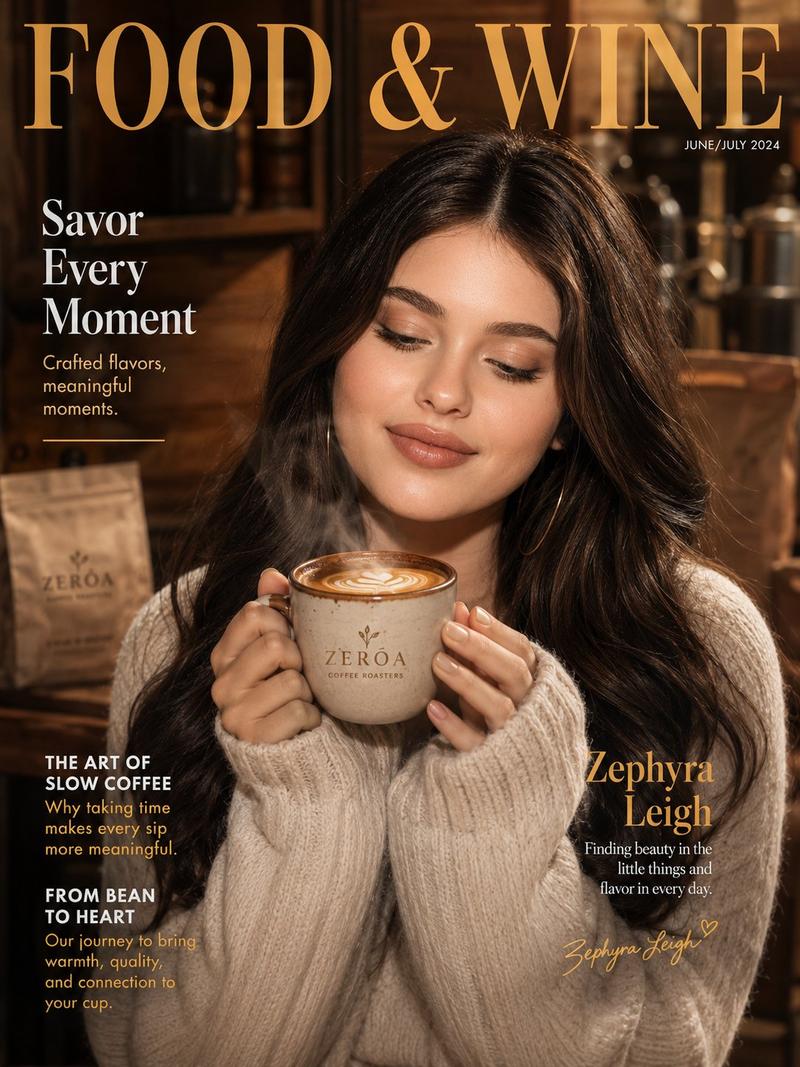
温馨饮品杂志封面
Enlarge

温馨饮品杂志封面

Prompt
[Reference Image]
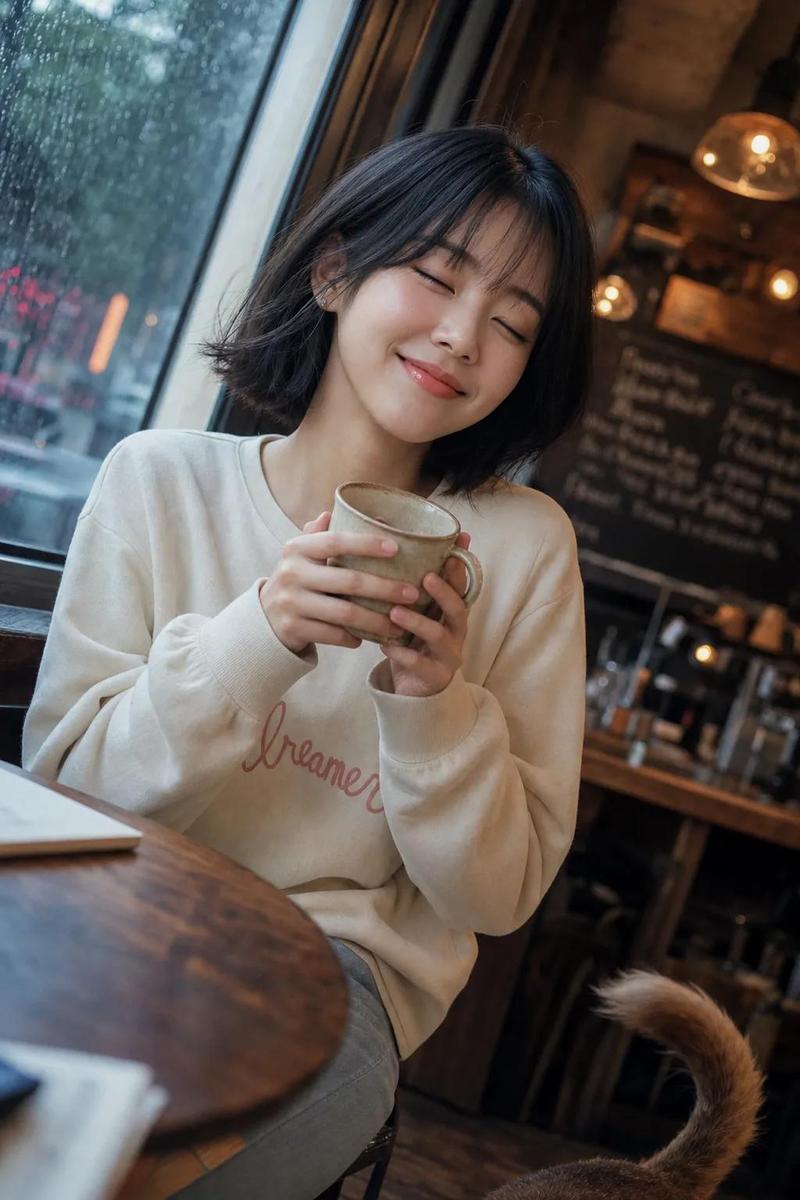
Use the reference photo while keeping the face completely unchanged and identical to the original subject, Ultra-realistic warm lifestyle beverage magazine cover featuring a {argument name="subject" default="cozy elegant Korean woman"} in a soft {argument name="outfit" default="oversized cream knit sweater"}, both hands wrapped around a {argument name="prop" default="branded ceramic mug of artisanal coffee with visible latte art and gentle steam rising"}, content peaceful smile, eyes slightly closed in enjoyment. Warm glowing skin, soft natural makeup, rosy cheeks. Loose soft waves. Background: warm rustic café interior with wooden textures, soft morning window light, blurred coffee bags and roasting equipment. "FOOD & WINE" masthead in warm serif typography with brand story callout text. 50mm lens, ultra-detailed steam wisps and latte foam texture, 8K photorealistic cozy lifestyle campaign. Negative: cartoon, blurry, cold lighting, watermark, fake steam CGI.
Category
Posters & Typography
Model
GPT Image 2
Views0
Source ID
26520
Published
Jun 22, 2026

Guide

About "温馨饮品杂志封面"

What is this prompt for?

"温馨饮品杂志封面" AI image prompt for GPT Image 2 (Posters & Typography). 一张超写实的时尚生活杂志封面,展示了一位身穿米色针织毛衣、手捧手工咖啡的女性,并保持了参考图中的面部特征。 Copy it on Picva and recreate the look…

The full copyable prompt and example visuals above are ready for AI image generation or one-click recreate in Picva.

How to use this prompt

  1. Step 1

    Open the prompt detail

    Review the example visuals, category, and full prompt text for "温馨饮品杂志封面".

  2. Step 2

    Copy the prompt

    Copy the prompt body from this page, or load it directly in Studio.

  3. Step 3

    Pick a model (GPT Image 2)

    Prefer GPT Image 2. If you switch models, keep subject and composition and tweak style terms.

  4. Step 4

    Generate and export

    Recreate the look in Picva, or export into your workflow for editing and publishing.

FAQ

What is the "温馨饮品杂志封面" prompt?
It is an AI image-generation prompt for GPT Image 2 in the Posters & Typography category. This page includes the full prompt text, example visuals, and a one-click recreate path in Picva.
How do I use this prompt to generate an image?
Copy the prompt from this page, or use Generate / Studio. Paste it into a compatible image model, or recreate the look in Picva with optional reference images.
Which model is this prompt for?
This page lists GPT Image 2. Most descriptive prompts also transfer to nearby image models such as GPT Image, Flux, or Midjourney with light style tweaks.
Can I use the result commercially?
You can usually copy the prompt for creation, but commercial use of the final image depends on the model terms, reference-image rights, and the generated content. Follow the source author and platform rules.