20

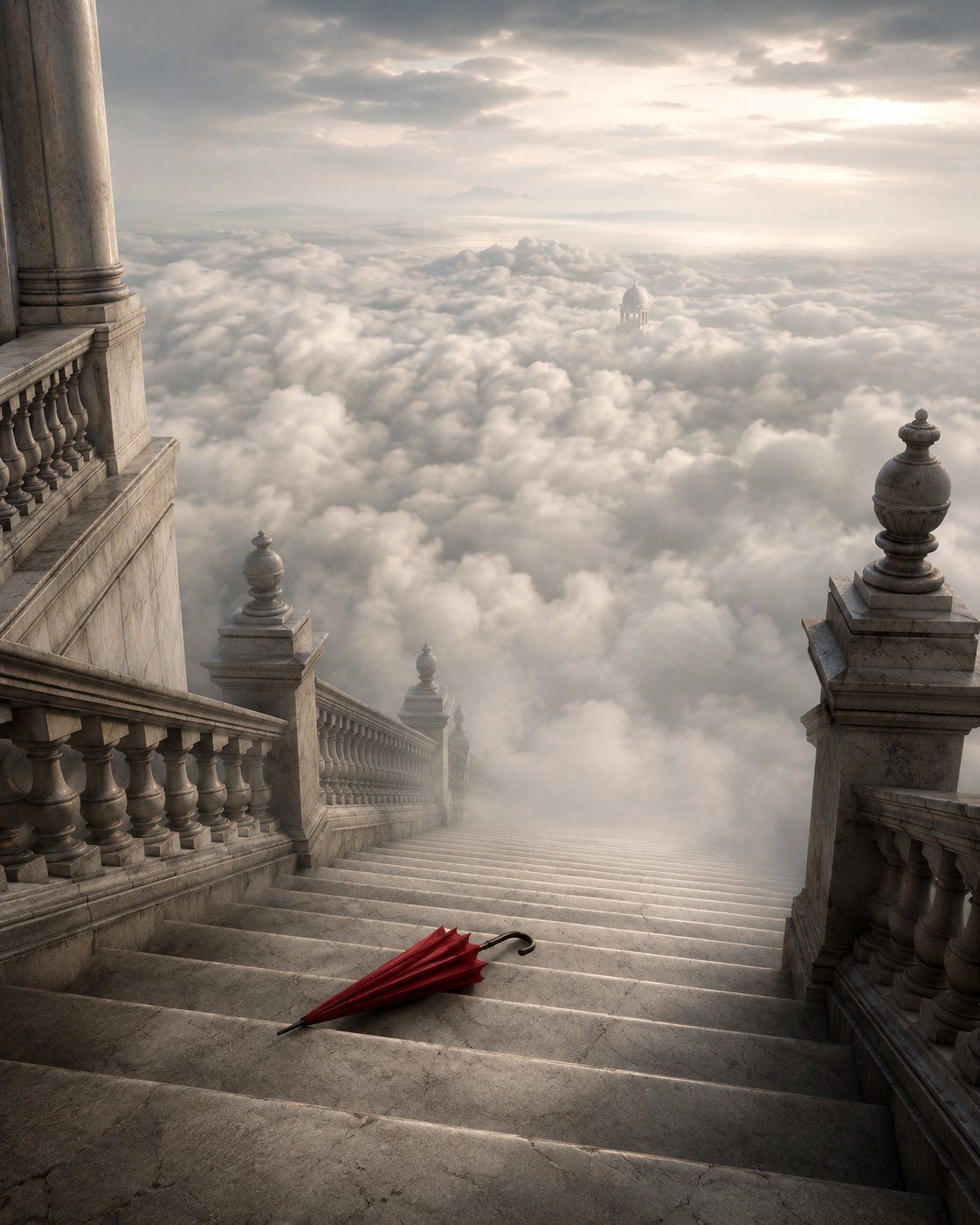
云端之上的宏伟阶梯
Enlarge

云端之上的宏伟阶梯

Prompt
Create a cinematic surreal architectural scene of a vast {argument name="staircase material" default="weathered pale marble"} grand staircase descending steeply from a monumental palace into an endless sea of clouds. The viewpoint is from near the top of the stairs, looking downward along the steps toward the misty horizon, with ornate classical balustrades on both sides, massive stone pillars at the upper left, square pedestal posts topped with carved urn finials, cracked stone texture, and soft atmospheric haze. Place exactly one object on the lower foreground steps: a closed {argument name="umbrella color" default="deep red"} umbrella lying diagonally across the marble, with a black curved handle and pointed tip, acting as the only bright color accent. Beyond the staircase, show thick rolling white and gray clouds filling the entire valley, with a small distant domed temple or pavilion barely visible emerging from the clouds near the center-right, and faint mountains on the far horizon. Lighting should be {argument name="lighting mood" default="soft dawn light through overcast clouds"}, with muted gold and silver tones, gentle volumetric rays, realistic shadows, and a moody dreamlike atmosphere. Use a vertical 4:5 composition, high-detail photorealistic fantasy matte painting style, grand scale, elegant melancholy, no people, no text, no watermark.
Category
Architecture & Spaces
Model
GPT Image 2
Views0
Source ID
27699
Published
Jul 4, 2026

Guide

About "云端之上的宏伟阶梯"

What is this prompt for?

"云端之上的宏伟阶梯" AI image prompt for GPT Image 2 (Architecture & Spaces). 一幅电影质感的奇幻场景,大理石宫殿阶梯延伸至云海之中,一把红伞作为引人注目的视觉焦点。 Copy it on Picva and recreate the look in one…

The full copyable prompt and example visuals above are ready for AI image generation or one-click recreate in Picva.

How to use this prompt

  1. Step 1

    Open the prompt detail

    Review the example visuals, category, and full prompt text for "云端之上的宏伟阶梯".

  2. Step 2

    Copy the prompt

    Copy the prompt body from this page, or load it directly in Studio.

  3. Step 3

    Pick a model (GPT Image 2)

    Prefer GPT Image 2. If you switch models, keep subject and composition and tweak style terms.

  4. Step 4

    Generate and export

    Recreate the look in Picva, or export into your workflow for editing and publishing.

FAQ

What is the "云端之上的宏伟阶梯" prompt?
It is an AI image-generation prompt for GPT Image 2 in the Architecture & Spaces category. This page includes the full prompt text, example visuals, and a one-click recreate path in Picva.
How do I use this prompt to generate an image?
Copy the prompt from this page, or use Generate / Studio. Paste it into a compatible image model, or recreate the look in Picva with optional reference images.
Which model is this prompt for?
This page lists GPT Image 2. Most descriptive prompts also transfer to nearby image models such as GPT Image, Flux, or Midjourney with light style tweaks.
Can I use the result commercially?
You can usually copy the prompt for creation, but commercial use of the final image depends on the model terms, reference-image rights, and the generated content. Follow the source author and platform rules.