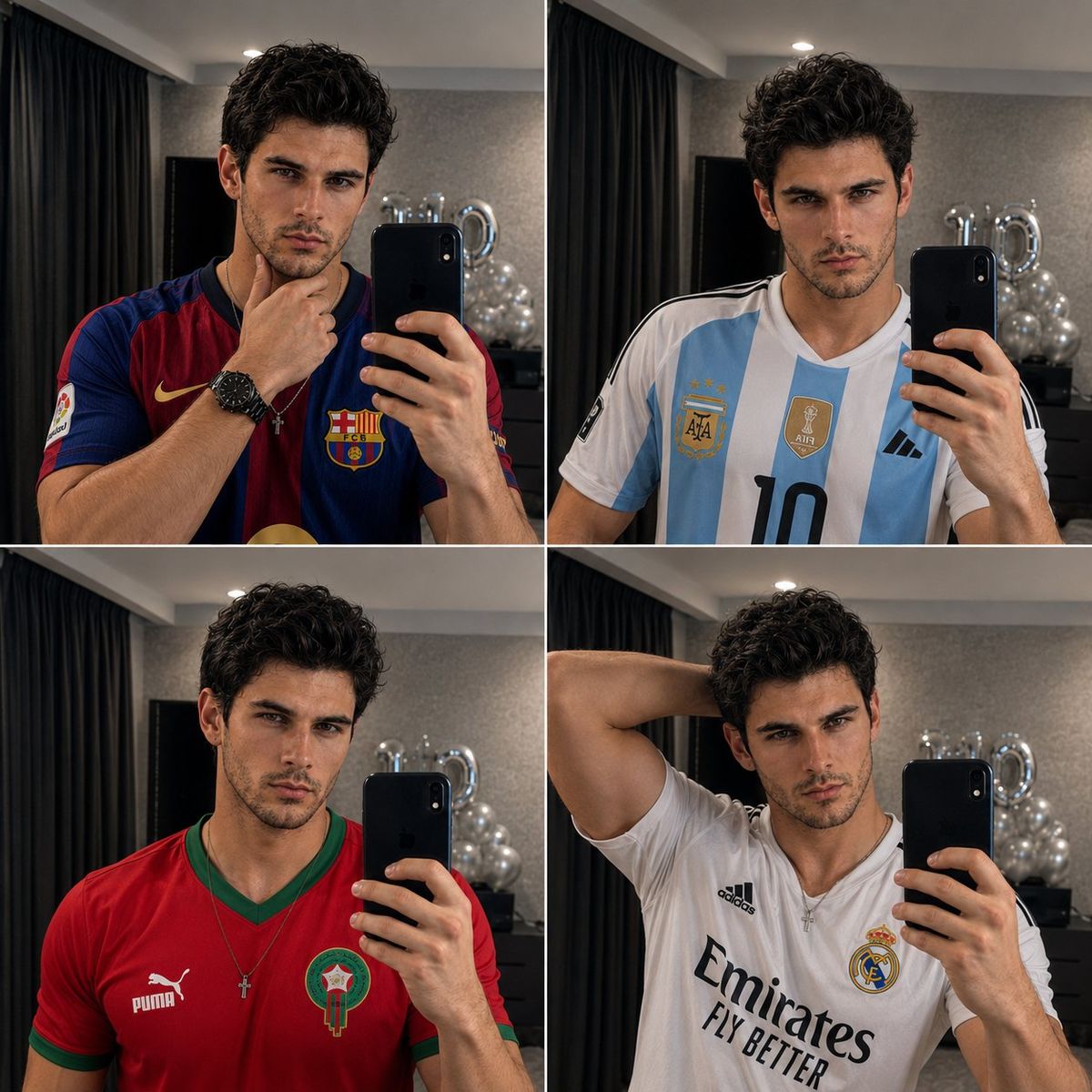
4 格镜面自拍拼图
Prompt
Ultra-realistic 4-panel mirror selfie collage featuring the same {argument name="subject" default="handsome young man"} (FACE GIVEN IN REFRANCE IMAGE) in all four frames. Athletic build, sharp jawline, thick eyebrows, light stubble beard, textured dark wavy hair with natural volume, intense masculine gaze, flawless skin, wearing a thin silver chain with a small cross pendant. High-end hotel room interior with dark curtains, modern gray walls, soft ambient lighting, luxury atmosphere. Holding a black smartphone in front of a large mirror.

Panel 1 (Top Left): Wearing a classic {argument name="jersey one" default="FC Barcelona home jersey"} in red and navy blue. Thoughtful pose with one hand resting on the chin. Confident expression, direct eye contact with the mirror.

Panel 2 (Top Right): Wearing an {argument name="jersey two" default="Argentina national team jersey"} with number 10. Neutral serious expression. Relaxed posture, phone held at chest level.

Panel 3 (Bottom Left): Wearing a Morocco national team jersey in red with green trim. Slight head tilt, calm confident expression. Clean athletic look.

Panel 4 (Bottom Right): Wearing a Real Madrid white home jersey. One arm raised behind the head, showcasing a casual confident pose. Intense gaze toward the mirror.

Perfect facial consistency across all four panels. Same hairstyle, face shape, beard, skin tone, jewelry, phone, and room background in every frame. Professional mirror selfie photography, realistic reflections, natural skin texture, sharp focus, cinematic lighting, luxury hotel aesthetic, DSLR quality, ultra-detailed, photorealistic, 8K resolution, Instagram-worthy composition, symmetrical 2×2 collage layout.- Category
- Architecture & Spaces
- Model
- GPT Image 2
- Creator
- auqib
- Source ID
- 27770
- Published
- Jul 6, 2026
Views0