20

电影感 Blender 场景转换
Enlarge

电影感 Blender 场景转换

Prompt
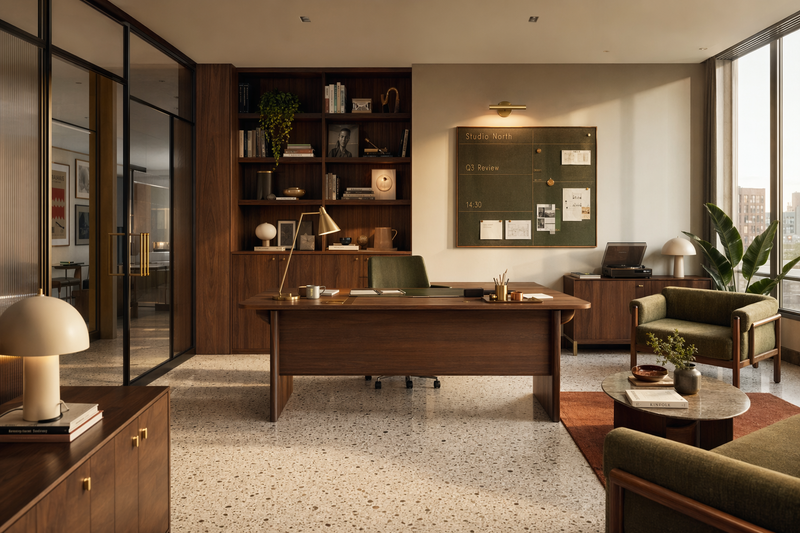
Using REFERENCE_0 as an instruction screenshot, extract the prompt it contains and execute it: texture a Blender architectural scene while taking into account a second visual reference arranged as a grid with exactly 4 views of the scene. Produce a single cinematic render of the interior scenario, preserving the minimalist architectural layout and neutral warm palette. Style target: {argument name="visual style" default="cinematic shot on IMAX MSM 9802, 50mm prime lens, heavy authentic film grain, desaturated teal color grade with warm firelight highlights, shallow depth of field, high production value, grounded visceral Bronze Age realism"}. Constraints: {argument name="negative style" default="No 3D, no cartoon, no VFX"}.
Category
Architecture & Spaces
Model
GPT Image 2
Creator
Forety
Views1
Source ID
28337
Published
Jul 10, 2026

Guide

About "电影感 Blender 场景转换"

What is this prompt for?

"电影感 Blender 场景转换" AI image prompt for GPT Image 2 (Architecture & Spaces). 根据 Blender 场景说明截图,创建具有电影胶片颗粒感的建筑渲染图,同时保留参考调色板,并避免卡通或视觉特效风格。 Copy it on Picva and re…

The full copyable prompt and example visuals above are ready for AI image generation or one-click recreate in Picva.

How to use this prompt

  1. Step 1

    Open the prompt detail

    Review the example visuals, category, and full prompt text for "电影感 Blender 场景转换".

  2. Step 2

    Copy the prompt

    Copy the prompt body from this page, or load it directly in Studio.

  3. Step 3

    Pick a model (GPT Image 2)

    Prefer GPT Image 2. If you switch models, keep subject and composition and tweak style terms.

  4. Step 4

    Generate and export

    Recreate the look in Picva, or export into your workflow for editing and publishing.

FAQ

What is the "电影感 Blender 场景转换" prompt?
It is an AI image-generation prompt for GPT Image 2 in the Architecture & Spaces category. This page includes the full prompt text, example visuals, and a one-click recreate path in Picva.
How do I use this prompt to generate an image?
Copy the prompt from this page, or use Generate / Studio. Paste it into a compatible image model, or recreate the look in Picva with optional reference images.
Which model is this prompt for?
This page lists GPT Image 2. Most descriptive prompts also transfer to nearby image models such as GPT Image, Flux, or Midjourney with light style tweaks.
Can I use the result commercially?
You can usually copy the prompt for creation, but commercial use of the final image depends on the model terms, reference-image rights, and the generated content. Follow the source author and platform rules.