20

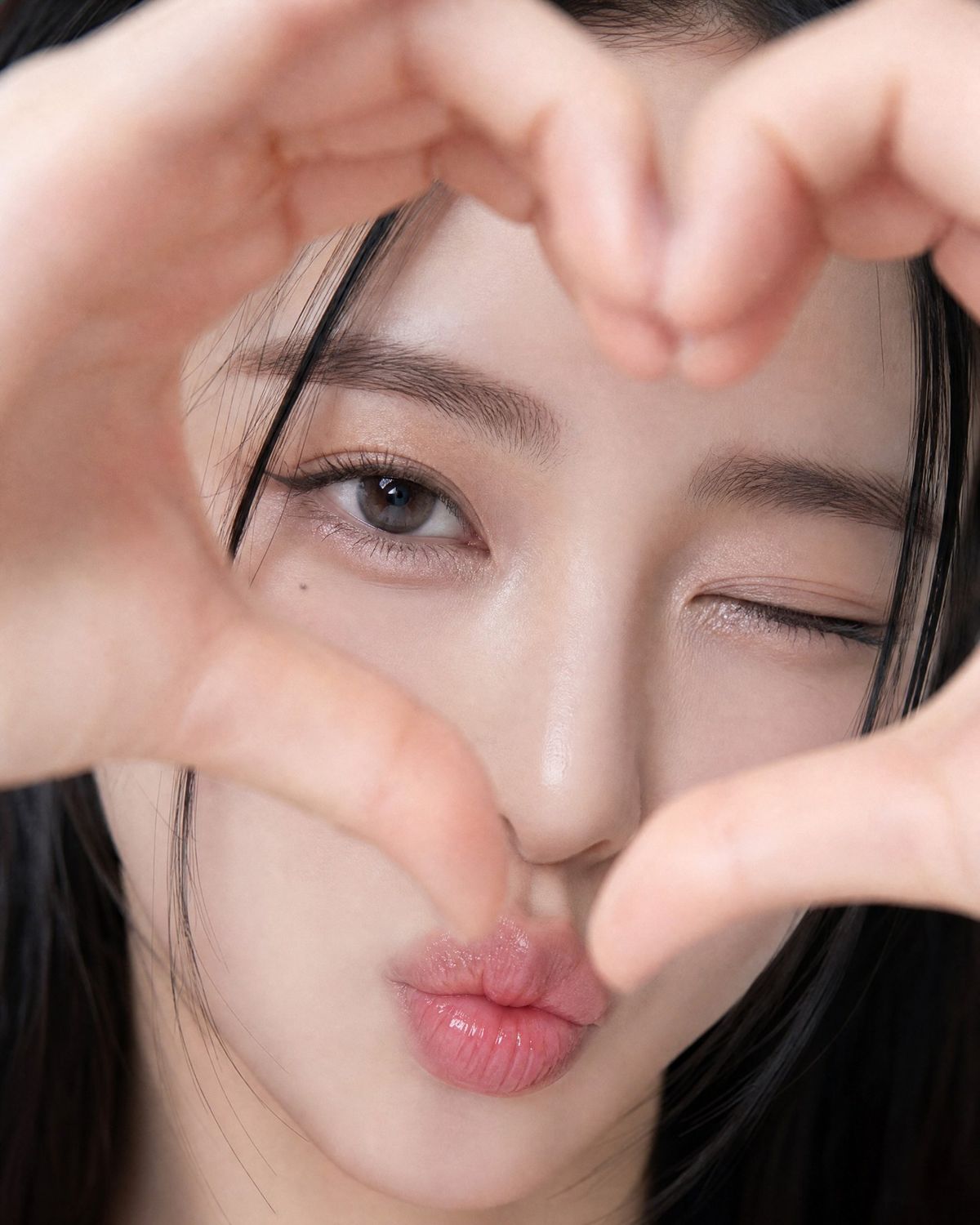
逼真手势比心自拍肖像
Enlarge

Example images

逼真手势比心自拍肖像

Prompt
{
 "aspect_ratio": "4:5",
 "subject": "{argument name="subject" default="Adult East Asian woman"}",
 "style": "Photorealistic, soft playful selfie, film-like softness",
 "composition": "Extreme close-up, face fills frame",
 "pose": {
 "hands": "{argument name="gesture" default="Heart shape around face"}, close to lens, slightly blurred",
 "head": "Slight tilt",
 "expression": "One eye wink, glossy pink kiss-face, looking at camera"
 },
 "appearance": {
 "hair": "Straight black with loose strands",
 "eyes": "Almond-shaped dark brown",
 "makeup": "Subtle eyeliner, defined lashes, shimmer eyelids",
 "skin": "Natural glow, realistic texture",
 "mark": "Small mole under left eye"
 },
 "background": "Not visible",
 "lighting": "Soft, diffused, even",
 "camera": {
 "angle": "Straight-on",
 "depth_of_field": "Very shallow",
 "focus": "Open eye and lips"
 },
 "negative_prompt": [
 "Plastic skin",
 "Distorted fingers",
 "Extra hands",
 "Extra fingers",
 "Harsh shadows",
 "Text",
 "Logo",
 "Watermark",
 "Cartoon",
 "Anime"
 ]
}
Category
Brand & Logos
Model
GPT Image 2
Creator
WasifAI
Views7
Source ID
28358
Published
Jul 11, 2026

Guide

About "逼真手势比心自拍肖像"

What is this prompt for?

"逼真手势比心自拍肖像" AI image prompt for GPT Image 2 (Brand & Logos). 一个专业级的逼真提示词,采用 JSON 格式构建,用于生成一张东亚女性对着镜头用手比心的特写自拍。 Copy it on Picva and recreate the look in one c…

The full copyable prompt and example visuals above are ready for AI image generation or one-click recreate in Picva.

How to use this prompt

  1. Step 1

    Open the prompt detail

    Review the example visuals, category, and full prompt text for "逼真手势比心自拍肖像".

  2. Step 2

    Copy the prompt

    Copy the prompt body from this page, or load it directly in Studio.

  3. Step 3

    Pick a model (GPT Image 2)

    Prefer GPT Image 2. If you switch models, keep subject and composition and tweak style terms.

  4. Step 4

    Generate and export

    Recreate the look in Picva, or export into your workflow for editing and publishing.

FAQ

What is the "逼真手势比心自拍肖像" prompt?
It is an AI image-generation prompt for GPT Image 2 in the Brand & Logos category. This page includes the full prompt text, example visuals, and a one-click recreate path in Picva.
How do I use this prompt to generate an image?
Copy the prompt from this page, or use Generate / Studio. Paste it into a compatible image model, or recreate the look in Picva with optional reference images.
Which model is this prompt for?
This page lists GPT Image 2. Most descriptive prompts also transfer to nearby image models such as GPT Image, Flux, or Midjourney with light style tweaks.
Can I use the result commercially?
You can usually copy the prompt for creation, but commercial use of the final image depends on the model terms, reference-image rights, and the generated content. Follow the source author and platform rules.