18

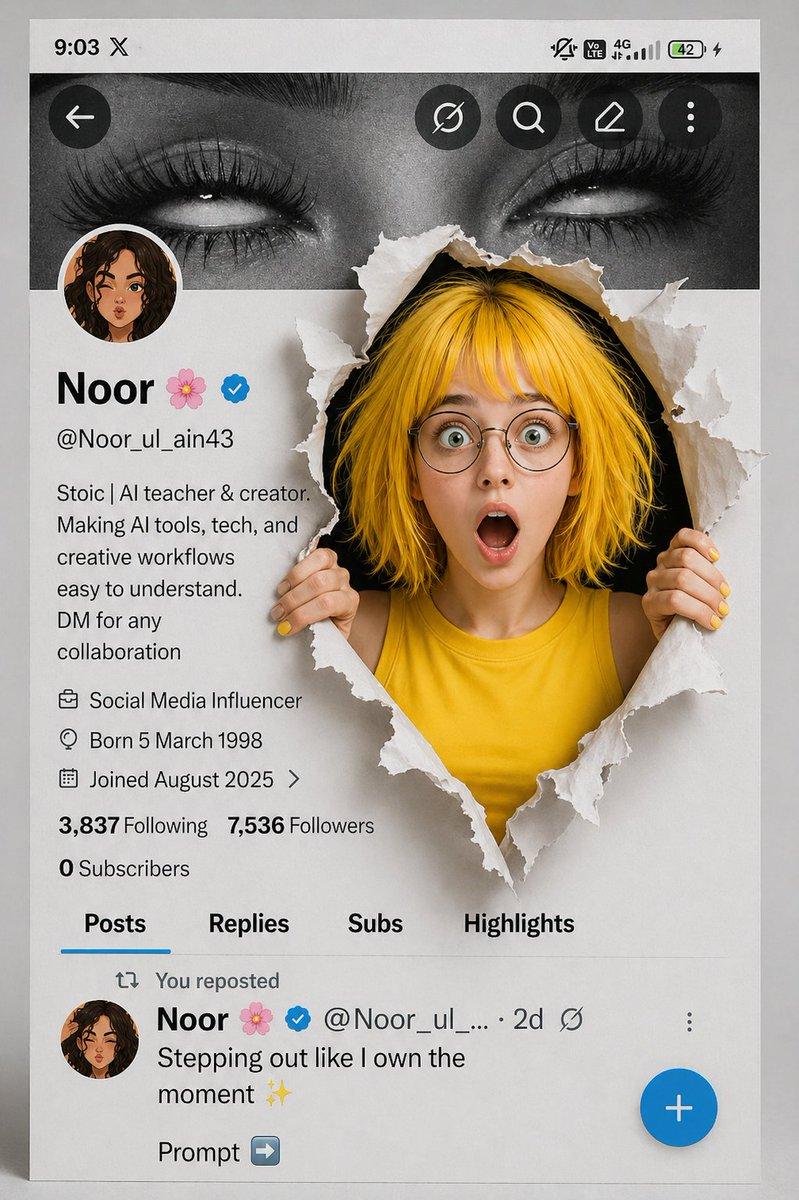
突破屏幕的短发女孩
Enlarge

突破屏幕的短发女孩

Prompt
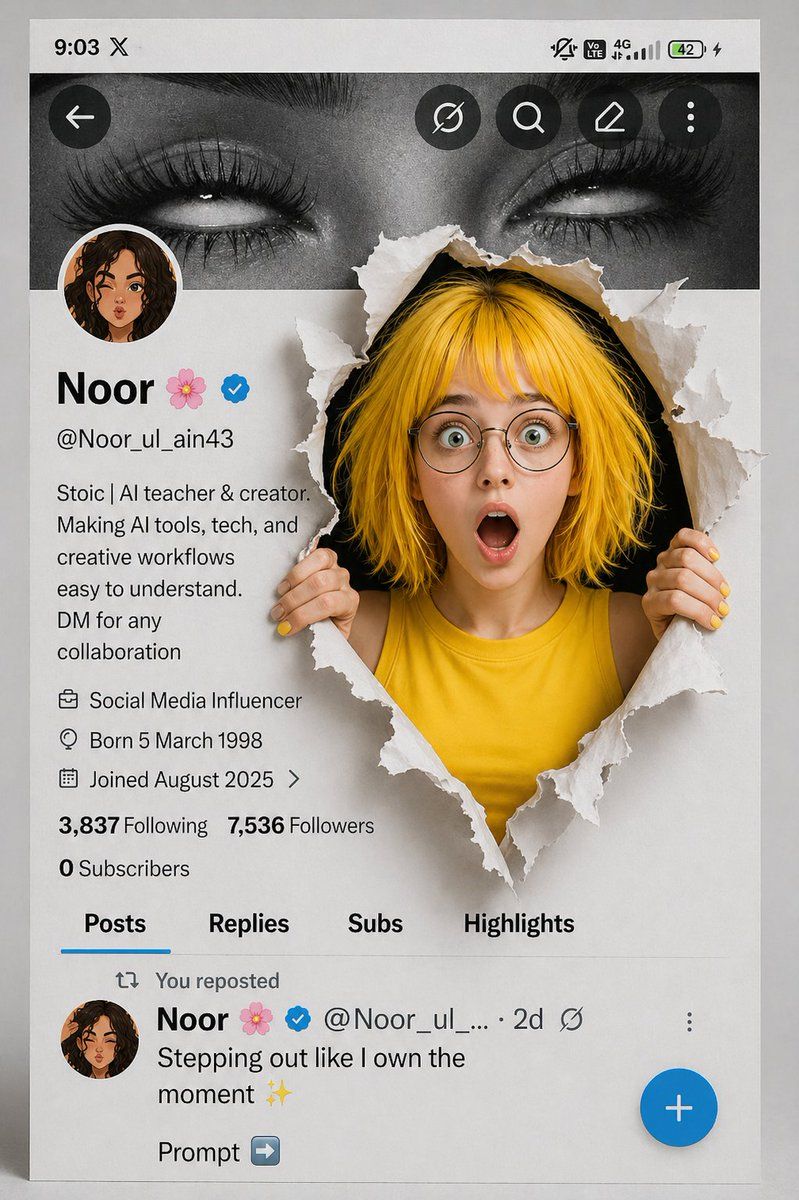
A creative 3D photo manipulation of a social media profile interface, featuring a surprised young woman with short messy yellow hair, round glasses, and expressive wide eyes, wearing a sleeveless yellow top. She is breaking through a torn paper effect from the screen, holding the ripped edges with both hands. The tear reveals a dark background behind her, adding depth. The UI resembles a modern social media profile page with profile picture, username “Noor 🌸”, verified badge, bio text, and follower stats. Top banner shows a black-and-white close-up of eyes. Clean minimal layout, soft shadows, realistic lighting, high detail, depth-of-field, ultra-realistic textures, cinematic composition, vibrant color contrast, trending AI art style, 4K resolution.
Category
UI & Interfaces
Model
ChatGPT
Creator
OpenNana
Views388
Source ID
13809
Published
Apr 28, 2026

Guide

About "突破屏幕的短发女孩"

What is this prompt for?

"突破屏幕的短发女孩" AI image prompt for ChatGPT (UI & Interfaces). 创意3D照片合成社交媒体个人资料界面,主角是一位惊讶的年轻女性,留着凌乱的黄色短发,戴着圆框眼镜,双眼睁得很大表情丰富,穿着无袖黄色上衣。她正从屏幕中撕破纸张效果突围而出,双手紧紧抓住撕裂的边缘。撕裂…

The full copyable prompt and example visuals above are ready for AI image generation or one-click recreate in Picva.

How to use this prompt

  1. Step 1

    Open the prompt detail

    Review the example visuals, category, and full prompt text for "突破屏幕的短发女孩".

  2. Step 2

    Copy the prompt

    Copy the prompt body from this page, or load it directly in Studio.

  3. Step 3

    Pick a model (ChatGPT)

    Prefer ChatGPT. If you switch models, keep subject and composition and tweak style terms.

  4. Step 4

    Generate and export

    Recreate the look in Picva, or export into your workflow for editing and publishing.

FAQ

What is the "突破屏幕的短发女孩" prompt?
It is an AI image-generation prompt for ChatGPT in the UI & Interfaces category. This page includes the full prompt text, example visuals, and a one-click recreate path in Picva.
How do I use this prompt to generate an image?
Copy the prompt from this page, or use Generate / Studio. Paste it into a compatible image model, or recreate the look in Picva with optional reference images.
Which model is this prompt for?
This page lists ChatGPT. Most descriptive prompts also transfer to nearby image models such as GPT Image, Flux, or Midjourney with light style tweaks.
Can I use the result commercially?
You can usually copy the prompt for creation, but commercial use of the final image depends on the model terms, reference-image rights, and the generated content. Follow the source author and platform rules.