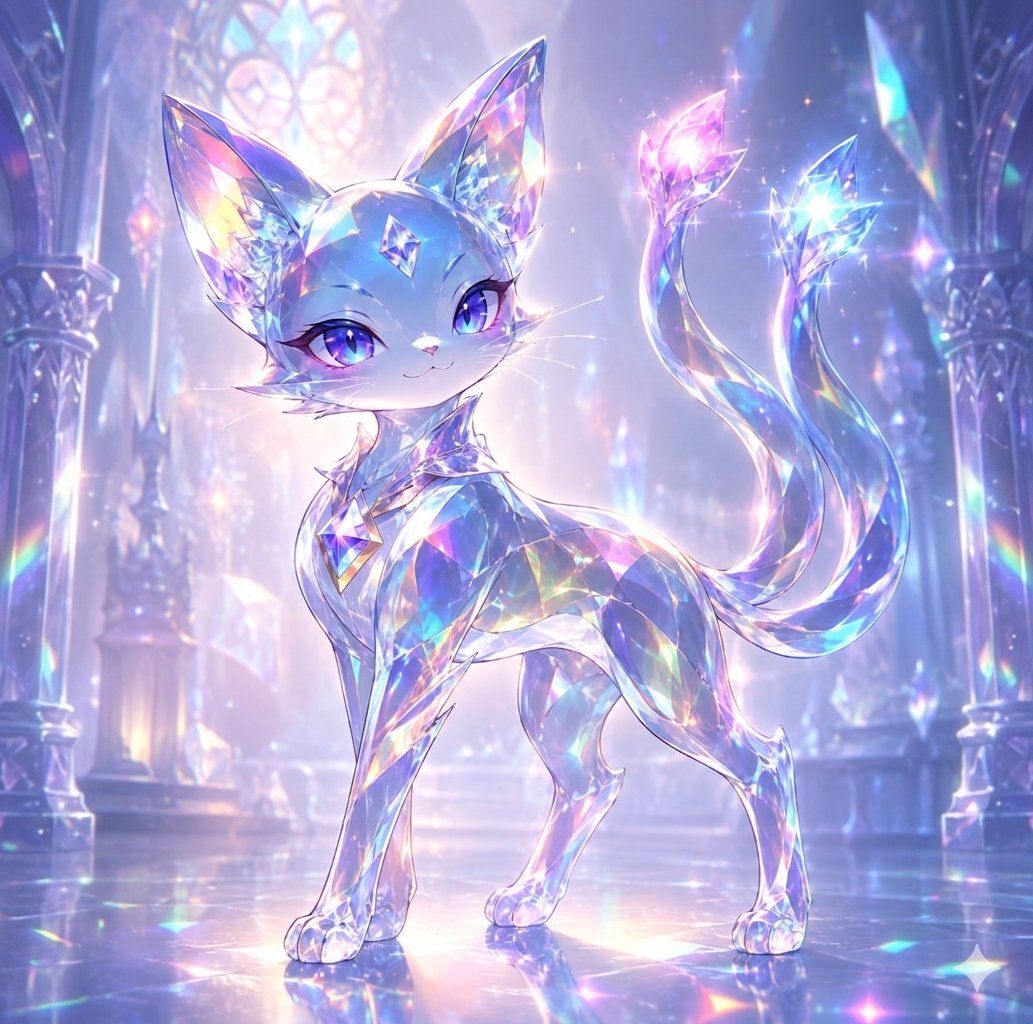
水晶猫灵
Prompt
Create a luminous fantasy anime illustration of {argument name="character name" default="Nico"}, a small elegant crystal cat familiar standing in a majestic cathedral made of glass and gemstones. The cat has a petite foxlike feline body, oversized pointed ears, a delicate smiling face, long white whiskers, and large sparkling {argument name="eye color" default="violet-blue"} eyes with glossy highlights. Its entire body appears made from translucent faceted crystal, primarily {argument name="crystal body color" default="icy blue and lavender"}, refracting rainbow prismatic colors across its face, torso, legs, paws, and ears. Add one diamond-shaped gem embedded on the forehead, plus a faceted jewel collar or chest ornament. The cat stands in a graceful three-quarter pose, front legs straight, back slightly arched, head turned toward the viewer, with an expression that feels magical, confident, and gentle. Include exactly two long flowing tails curling upward behind it, each ending in a bright crystal flame or gem tip: one glowing pink-magenta and one glowing cyan-blue, both surrounded by tiny star sparkles. The setting is an ethereal crystal palace interior with tall arched columns on both sides, stained-glass windows glowing softly in the background, a polished reflective floor, and distant gem formations. Use a pastel palette of blue, lavender, pink, cyan, and pearly white, with soft volumetric backlight, rainbow caustics, glittering particles, lens-like starbursts, and a dreamy high-detail gpt-image-2 fantasy art style. Keep the composition centered, full-body, square format, no text, no watermark, no extra animals.- Category
- Charts & Infographics
- Model
- GPT Image 2
- Creator
- ハスノ@核心ぶち抜きヒーラー/天空図書館夫婦
- Source ID
- 21604
- Published
- May 19, 2026
Views6