20

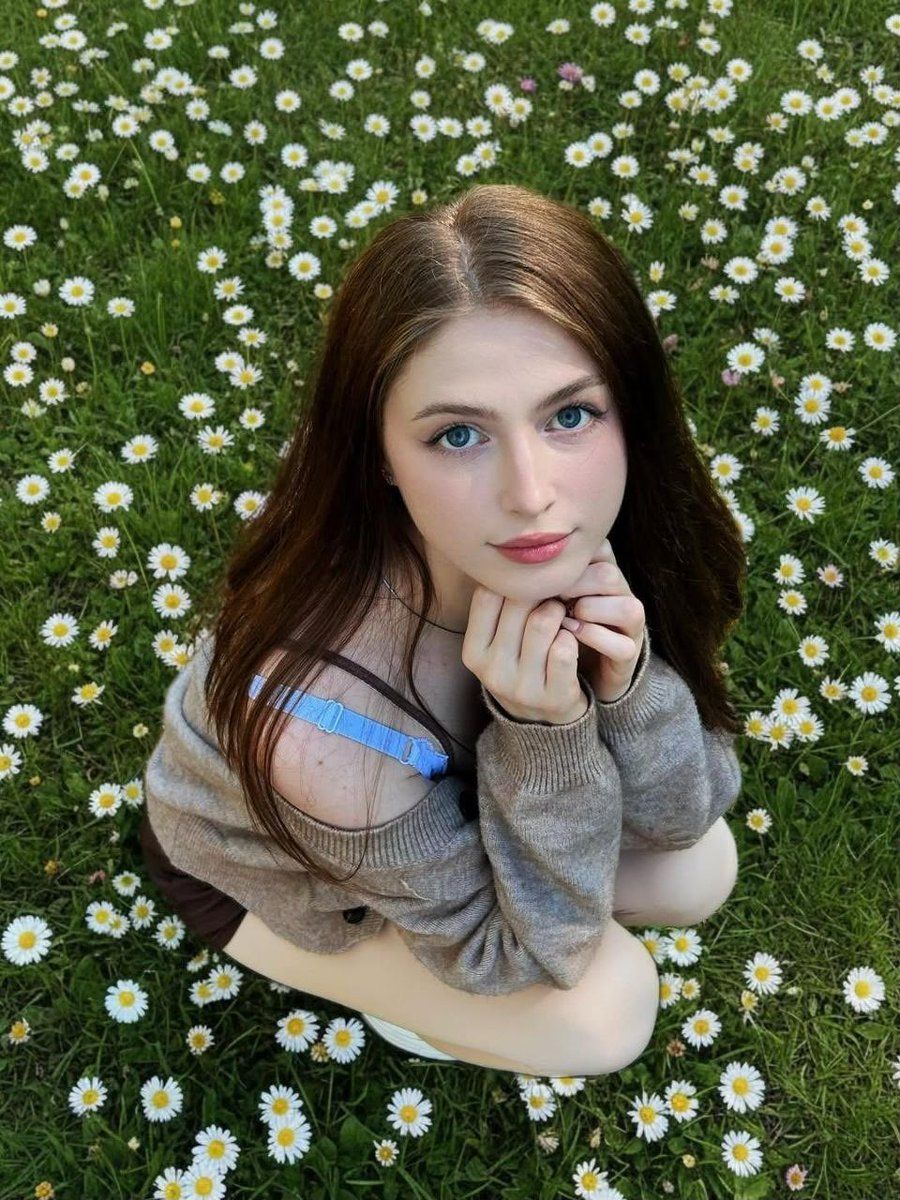
雏菊草地中的少女肖像
Enlarge

Example images

雏菊草地中的少女肖像

Prompt
A soft, natural portrait of a {argument name="subject" default="young woman"} sitting in a {argument name="environment" default="lush green field filled with small white daisies"}. She is looking up toward the camera with {argument name="eye details" default="large, bright blue eyes"} and a gentle, calm expression. Her long brown hair falls naturally around her shoulders. She rests her chin on her hands, elbows tucked in, creating a relaxed, intimate pose. She wears a loose, off-shoulder beige sweater that slightly slips down, revealing a light blue strap underneath. The lighting is natural daylight, soft and even, with no harsh shadows. The perspective is slightly top-down, giving a dreamy, whimsical feel. The background is densely covered with daisies and green grass, creating a vibrant, fresh spring atmosphere. High detail, shallow depth of field, soft focus, photorealistic, cinematic color grading.
Category
Posters & Typography
Model
GPT Image 2
Creator
K
Views6
Source ID
17546
Published
May 1, 2026

Guide

About "雏菊草地中的少女肖像"

What is this prompt for?

"雏菊草地中的少女肖像" AI image prompt for GPT Image 2 (Posters & Typography). 一个柔和且充满奇幻风格的肖像提示词,描绘了一位坐在雏菊花丛中、沐浴在自然光下的女性。 Copy it on Picva and recreate the look in one c…

The full copyable prompt and example visuals above are ready for AI image generation or one-click recreate in Picva.

How to use this prompt

  1. Step 1

    Open the prompt detail

    Review the example visuals, category, and full prompt text for "雏菊草地中的少女肖像".

  2. Step 2

    Copy the prompt

    Copy the prompt body from this page, or load it directly in Studio.

  3. Step 3

    Pick a model (GPT Image 2)

    Prefer GPT Image 2. If you switch models, keep subject and composition and tweak style terms.

  4. Step 4

    Generate and export

    Recreate the look in Picva, or export into your workflow for editing and publishing.

FAQ

What is the "雏菊草地中的少女肖像" prompt?
It is an AI image-generation prompt for GPT Image 2 in the Posters & Typography category. This page includes the full prompt text, example visuals, and a one-click recreate path in Picva.
How do I use this prompt to generate an image?
Copy the prompt from this page, or use Generate / Studio. Paste it into a compatible image model, or recreate the look in Picva with optional reference images.
Which model is this prompt for?
This page lists GPT Image 2. Most descriptive prompts also transfer to nearby image models such as GPT Image, Flux, or Midjourney with light style tweaks.
Can I use the result commercially?
You can usually copy the prompt for creation, but commercial use of the final image depends on the model terms, reference-image rights, and the generated content. Follow the source author and platform rules.





