20

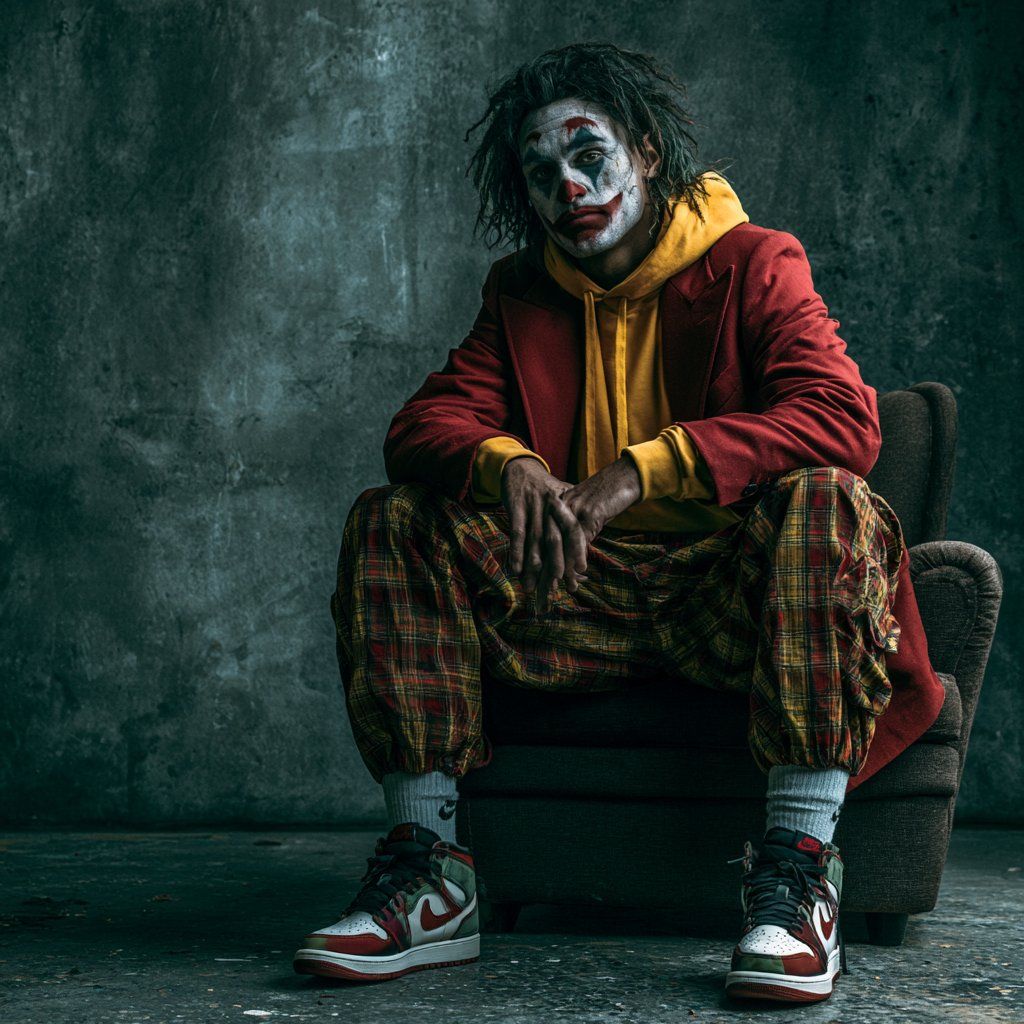
情绪化遮挡街头风肖像
Enlarge

情绪化遮挡街头风肖像

Prompt
Create a moody cinematic editorial portrait of {argument name="subject" default="a young man with messy medium-length dark dreadlocks"} sitting slouched in a worn dark armchair against a gritty teal-gray concrete wall. His face is intentionally obscured by a centered dark blurred square censor block, hiding all facial features. He wears {argument name="outerwear" default="a long deep red overcoat layered over a mustard yellow hoodie"}, loose baggy plaid cargo pants in red, yellow, and green tones, thick pale blue socks, and red-white-black high-top sneakers resembling classic basketball shoes. Pose him with legs spread wide, elbows resting on knees, hands hanging together in the center with realistic fingers, shoulders relaxed and brooding. Use dramatic low-key studio lighting from the upper left, rich shadows, a textured industrial floor with small debris, desaturated teal background, high contrast, photorealistic detail, 35mm editorial fashion photography, shallow depth of field, centered composition with empty negative space on the left, square 1:1 aspect ratio.
Category
Charts & Infographics
Model
GPT Image 2
Creator
SMARTFUL
Views4
Source ID
18952
Published
May 7, 2026

Guide

About "情绪化遮挡街头风肖像"

What is this prompt for?

"情绪化遮挡街头风肖像" AI image prompt for GPT Image 2 (Charts & Infographics). 一张电影级写实时尚肖像,拍摄对象身着街头服饰,面部经过刻意遮挡,适用于匿名编辑用途。 Copy it on Picva and recreate the look in one…

The full copyable prompt and example visuals above are ready for AI image generation or one-click recreate in Picva.

How to use this prompt

  1. Step 1

    Open the prompt detail

    Review the example visuals, category, and full prompt text for "情绪化遮挡街头风肖像".

  2. Step 2

    Copy the prompt

    Copy the prompt body from this page, or load it directly in Studio.

  3. Step 3

    Pick a model (GPT Image 2)

    Prefer GPT Image 2. If you switch models, keep subject and composition and tweak style terms.

  4. Step 4

    Generate and export

    Recreate the look in Picva, or export into your workflow for editing and publishing.

FAQ

What is the "情绪化遮挡街头风肖像" prompt?
It is an AI image-generation prompt for GPT Image 2 in the Charts & Infographics category. This page includes the full prompt text, example visuals, and a one-click recreate path in Picva.
How do I use this prompt to generate an image?
Copy the prompt from this page, or use Generate / Studio. Paste it into a compatible image model, or recreate the look in Picva with optional reference images.
Which model is this prompt for?
This page lists GPT Image 2. Most descriptive prompts also transfer to nearby image models such as GPT Image, Flux, or Midjourney with light style tweaks.
Can I use the result commercially?
You can usually copy the prompt for creation, but commercial use of the final image depends on the model terms, reference-image rights, and the generated content. Follow the source author and platform rules.