20

电影感遮挡肖像
Enlarge

电影感遮挡肖像

Prompt
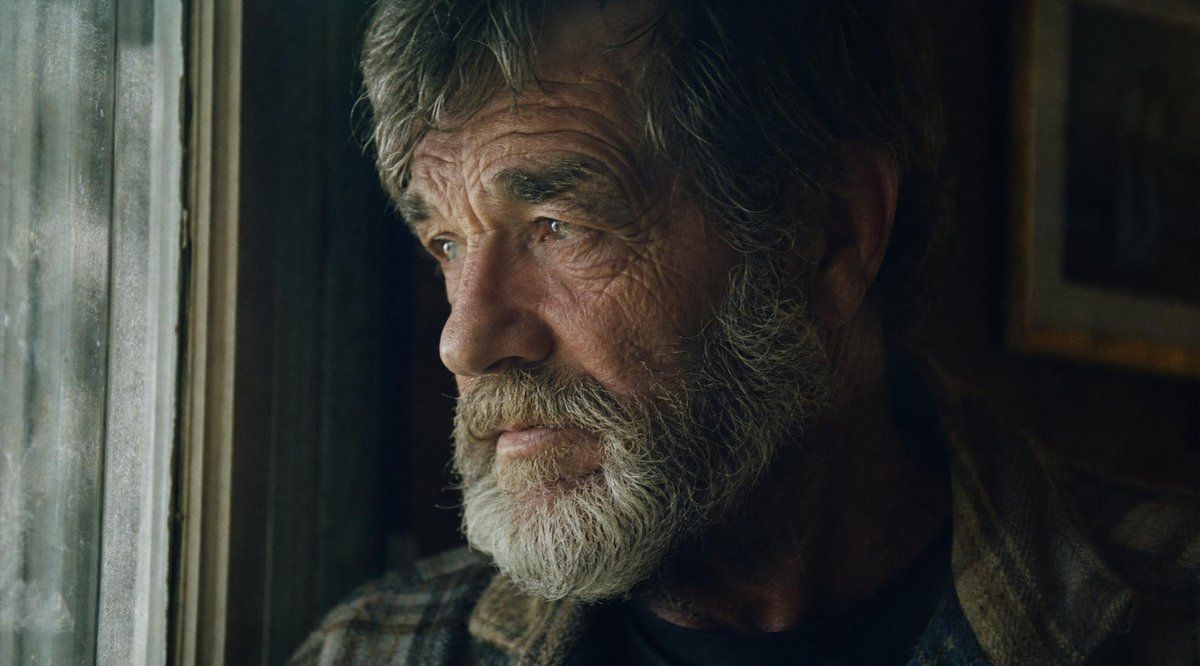
Create a cinematic, moody film-still portrait in a 16:9 widescreen frame of {argument name="character description" default="an elderly man with gray hair and a short beard"} sitting indoors beside a cold, grimy window on the left. The composition is a tight close-up with the man occupying the center and right side, his head partly cropped at the top, one ear and strands of gray hair visible on the right, and a worn tweed or wool coat over a dark shirt visible near the bottom. Place a large opaque square censor block over the center of his face, covering most facial features from forehead to lower face; the block should be a dark brown-to-black subtle gradient, perfectly rectangular, and centered slightly above the middle of the image. Use {argument name="lighting mood" default="dim natural window light"}: cool greenish-blue daylight spilling from the left window, while the room on the right falls into deep shadow with warm, muted brown tones. The background should feel like an old interior, with a weathered window frame and dirty glass on the left and a blurred framed picture or wall detail on the right. Style it as gritty analog cinema, realistic live-action, shallow depth of field, soft film grain, muted desaturated colors, dramatic low-key lighting, subtle haze, and a tense introspective atmosphere. Avoid text, logos, extra people, and bright modern lighting.
Category
Posters & Typography
Model
GPT Image 2
Creator
Marco
Views9
Source ID
20561
Published
May 15, 2026

Guide

About "电影感遮挡肖像"

What is this prompt for?

"电影感遮挡肖像" AI image prompt for GPT Image 2 (Posters & Typography). 一张电影质感的特写肖像,拍摄了一位坐在污浊窗边的老人,其面部覆盖着巨大的黑色遮挡块,适用于创作充满神秘感的电影剧照风格角色图像。 Copy it on Picva and recreat…

The full copyable prompt and example visuals above are ready for AI image generation or one-click recreate in Picva.

How to use this prompt

  1. Step 1

    Open the prompt detail

    Review the example visuals, category, and full prompt text for "电影感遮挡肖像".

  2. Step 2

    Copy the prompt

    Copy the prompt body from this page, or load it directly in Studio.

  3. Step 3

    Pick a model (GPT Image 2)

    Prefer GPT Image 2. If you switch models, keep subject and composition and tweak style terms.

  4. Step 4

    Generate and export

    Recreate the look in Picva, or export into your workflow for editing and publishing.

FAQ

What is the "电影感遮挡肖像" prompt?
It is an AI image-generation prompt for GPT Image 2 in the Posters & Typography category. This page includes the full prompt text, example visuals, and a one-click recreate path in Picva.
How do I use this prompt to generate an image?
Copy the prompt from this page, or use Generate / Studio. Paste it into a compatible image model, or recreate the look in Picva with optional reference images.
Which model is this prompt for?
This page lists GPT Image 2. Most descriptive prompts also transfer to nearby image models such as GPT Image, Flux, or Midjourney with light style tweaks.
Can I use the result commercially?
You can usually copy the prompt for creation, but commercial use of the final image depends on the model terms, reference-image rights, and the generated content. Follow the source author and platform rules.





