20

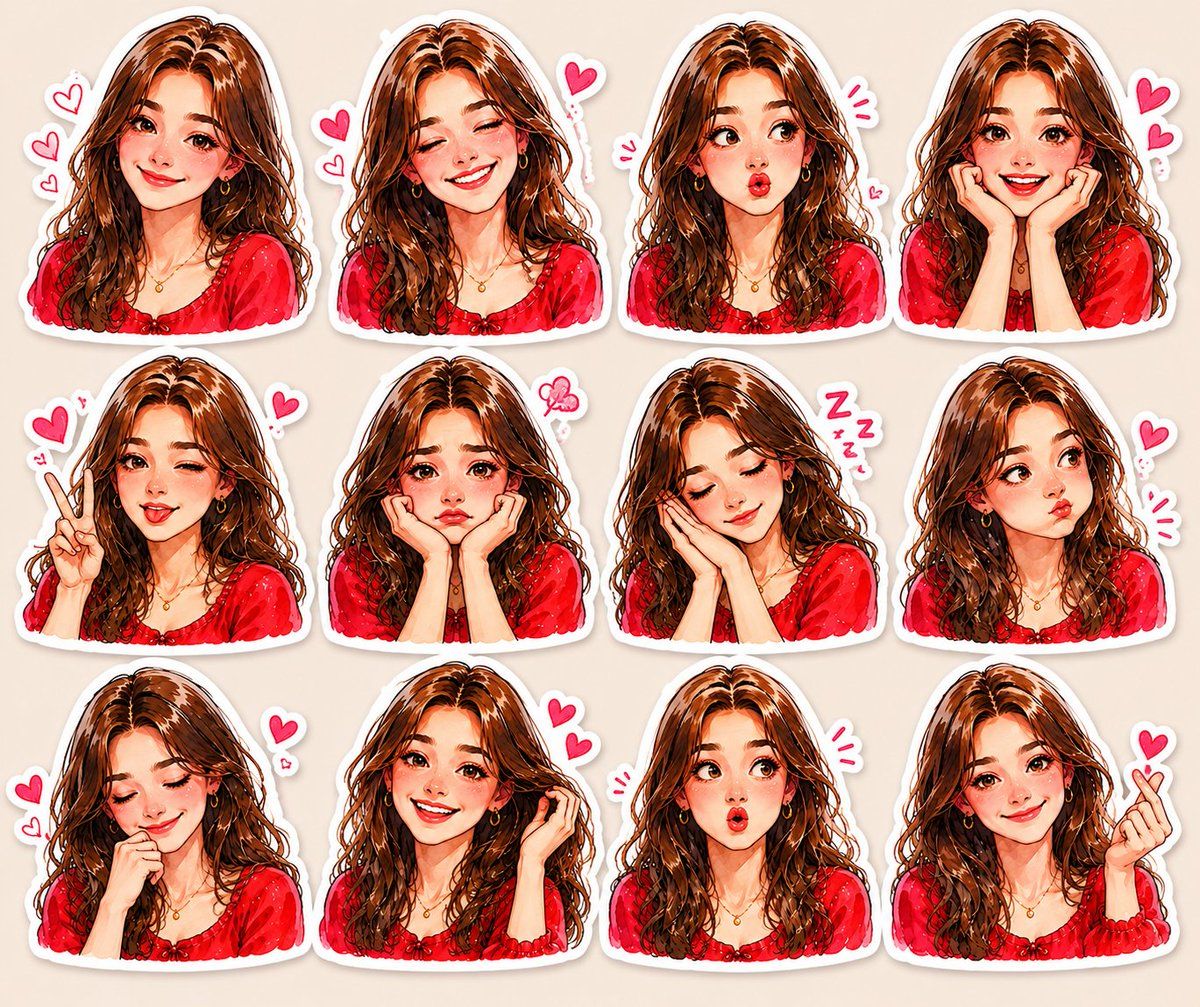
可爱动漫贴纸合集
Enlarge

可爱动漫贴纸合集

Prompt
Create a high-quality 3x4 sticker sheet of a {argument name="character description" default="cute anime-style girl with long wavy brown hair, soft glowing skin, glossy eyes"}, and a {argument name="aesthetic" default="red aesthetic outfit"}. Each sticker should show a different adorable expression and pose such as smiling, winking, sleepy, surprised, pouty, shy, peace sign, finger heart, laughing, blushing, and cute reactions. Add small heart doodles, sparkles, and kawaii emotion symbols around each character. Use soft watercolor shading, detailed digital painting, pastel tones, white sticker borders, and a clean beige background. Make the art look dreamy, aesthetic, charming, ultra-detailed, and social-media sticker pack style.
Category
Brand & Logos
Model
GPT Image 2
Creator
Eesha
Views11
Source ID
22117
Published
May 23, 2026

Guide

About "可爱动漫贴纸合集"

What is this prompt for?

"可爱动漫贴纸合集" AI image prompt for GPT Image 2 (Brand & Logos). 创作一张高质量的动漫角色贴纸合集,包含多种表情和姿势,呈现柔和的水彩质感及白色边框。 Copy it on Picva and recreate the look in one click.

The full copyable prompt and example visuals above are ready for AI image generation or one-click recreate in Picva.

How to use this prompt

  1. Step 1

    Open the prompt detail

    Review the example visuals, category, and full prompt text for "可爱动漫贴纸合集".

  2. Step 2

    Copy the prompt

    Copy the prompt body from this page, or load it directly in Studio.

  3. Step 3

    Pick a model (GPT Image 2)

    Prefer GPT Image 2. If you switch models, keep subject and composition and tweak style terms.

  4. Step 4

    Generate and export

    Recreate the look in Picva, or export into your workflow for editing and publishing.

FAQ

What is the "可爱动漫贴纸合集" prompt?
It is an AI image-generation prompt for GPT Image 2 in the Brand & Logos category. This page includes the full prompt text, example visuals, and a one-click recreate path in Picva.
How do I use this prompt to generate an image?
Copy the prompt from this page, or use Generate / Studio. Paste it into a compatible image model, or recreate the look in Picva with optional reference images.
Which model is this prompt for?
This page lists GPT Image 2. Most descriptive prompts also transfer to nearby image models such as GPT Image, Flux, or Midjourney with light style tweaks.
Can I use the result commercially?
You can usually copy the prompt for creation, but commercial use of the final image depends on the model terms, reference-image rights, and the generated content. Follow the source author and platform rules.