20

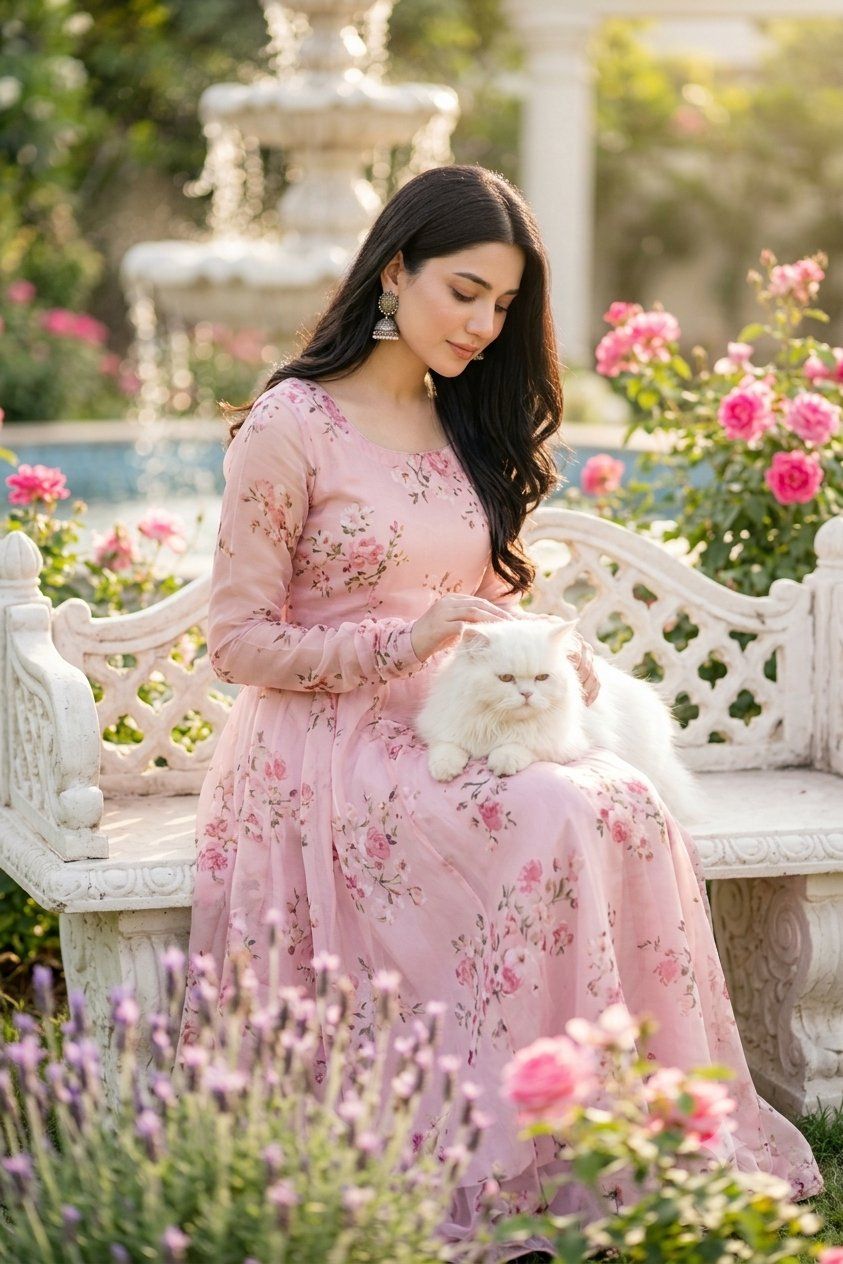
浪漫花园中的人像与猫
Enlarge

浪漫花园中的人像与猫

Prompt
Create a beautiful, high-quality professional portrait of a {argument name="subject" default="young South Asian woman"} seated gracefully on an ornate white carved stone garden bench in a lush, sun-drenched rose garden. She has long dark wavy hair parted slightly to one side, soft elegant styling, and wears traditional silver jhumka earrings. Her outfit is a flowing {argument name="dress color and style" default="pastel blush-pink floral A-line dress with sheer long sleeves"}, with delicate pink rose prints, a modest round neckline, gathered waist, and airy romantic fabric draping over the bench. A fluffy {argument name="pet" default="white Persian cat"} rests calmly on her lap while she gently places one hand on it. The setting includes exactly one ornate bench, one central tiered white fountain softly blurred in the background, one pale column behind the garden, clusters of bright pink roses on the right and left, and lavender flowers blurred in the foreground. Use warm golden-hour sunlight, dreamy shallow depth of field, creamy bokeh, soft backlighting, natural skin tones, realistic fabric texture, and an elegant editorial fashion photography look. Compose as a vertical 2:3 medium-full portrait, subject centered slightly right, seated posture, serene luxury garden atmosphere. Keep the face natural and unobstructed unless a privacy blur is requested; avoid extra people, text, logos, distorted hands, or unnatural anatomy.
Category
Posters & Typography
Model
GPT Image 2
Views1
Source ID
26691
Published
Jun 24, 2026

Guide

About "浪漫花园中的人像与猫"

What is this prompt for?

"浪漫花园中的人像与猫" AI image prompt for GPT Image 2 (Posters & Typography). 生成一张优雅的竖版时尚人像,画面中一位南亚女性身着粉色花卉连衣裙,坐在装饰华丽的花园长椅上,怀抱一只白色波斯猫。 Copy it on Picva and recreate the…

The full copyable prompt and example visuals above are ready for AI image generation or one-click recreate in Picva.

How to use this prompt

  1. Step 1

    Open the prompt detail

    Review the example visuals, category, and full prompt text for "浪漫花园中的人像与猫".

  2. Step 2

    Copy the prompt

    Copy the prompt body from this page, or load it directly in Studio.

  3. Step 3

    Pick a model (GPT Image 2)

    Prefer GPT Image 2. If you switch models, keep subject and composition and tweak style terms.

  4. Step 4

    Generate and export

    Recreate the look in Picva, or export into your workflow for editing and publishing.

FAQ

What is the "浪漫花园中的人像与猫" prompt?
It is an AI image-generation prompt for GPT Image 2 in the Posters & Typography category. This page includes the full prompt text, example visuals, and a one-click recreate path in Picva.
How do I use this prompt to generate an image?
Copy the prompt from this page, or use Generate / Studio. Paste it into a compatible image model, or recreate the look in Picva with optional reference images.
Which model is this prompt for?
This page lists GPT Image 2. Most descriptive prompts also transfer to nearby image models such as GPT Image, Flux, or Midjourney with light style tweaks.
Can I use the result commercially?
You can usually copy the prompt for creation, but commercial use of the final image depends on the model terms, reference-image rights, and the generated content. Follow the source author and platform rules.





