20

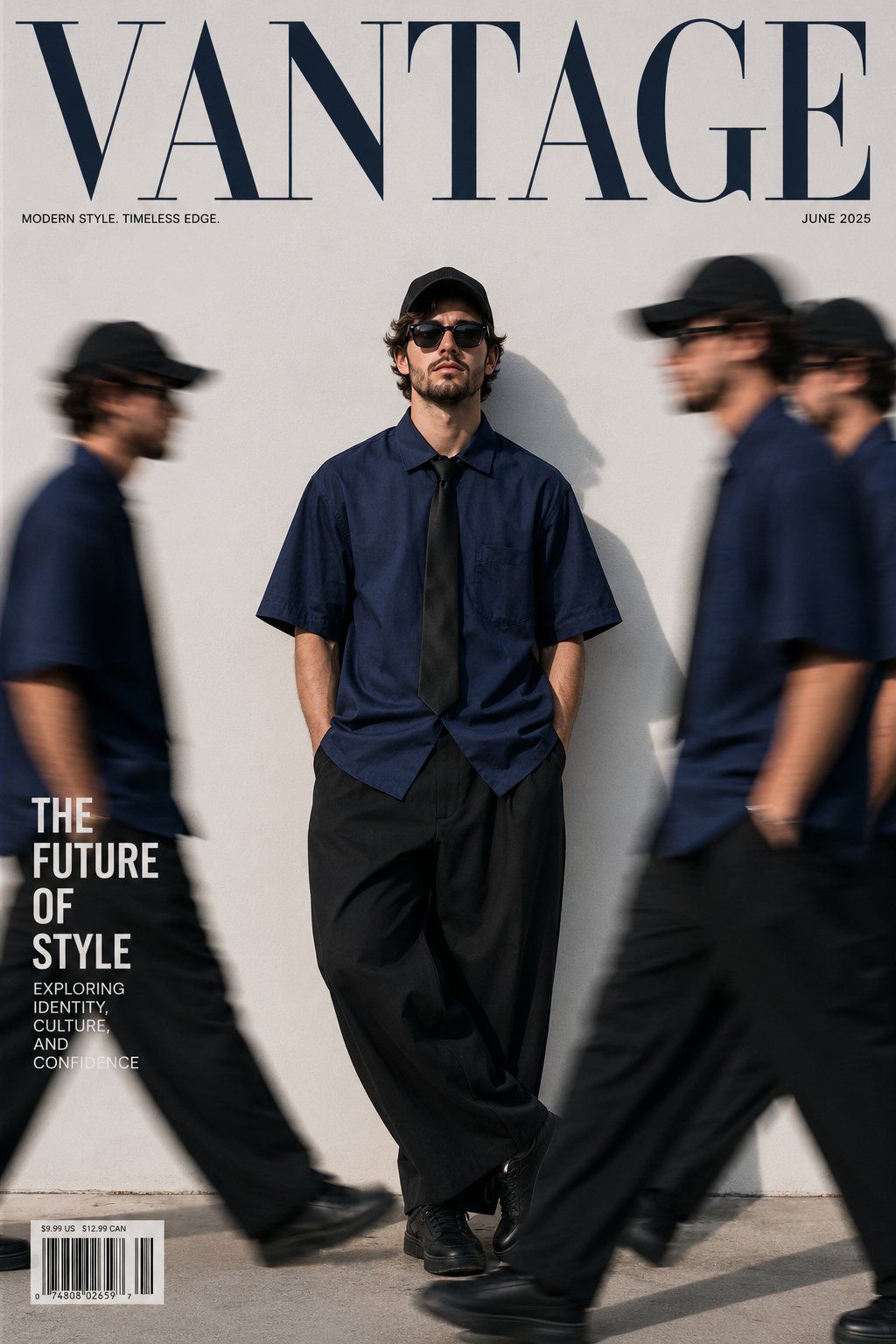
超写实街头时尚大片
Enlarge

超写实街头时尚大片

Prompt
Ultra-realistic fashion magazine cover, minimalist streetwear editorial, young man standing against a {argument name="background" default="clean white wall"} wearing an oversized {argument name="shirt color" default="navy-blue"} short-sleeve shirt, black tie, baggy black trousers, black sneakers, black cap, sunglasses. Multiple motion-blurred clones of the same person walking past in the foreground on both sides, creating a dynamic movement effect. Central subject perfectly sharp and confident, hands in pockets, cinematic lighting, soft shadows, high-end fashion photography, editorial composition, luxury magazine aesthetic, neutral color palette, shallow depth of field, professional DSLR, 85mm lens, Vogue-style cover shoot, photorealistic, 8K detail. Large magazine masthead text at the top reading “{argument name="magazine title" default="VANTAGE"}”, modern typography, clean layout.
Category
Posters & Typography
Model
GPT Image 2
Creator
Orion
Views0
Source ID
26933
Published
Jun 27, 2026

Guide

About "超写实街头时尚大片"

What is this prompt for?

"超写实街头时尚大片" AI image prompt for GPT Image 2 (Posters & Typography). 一款高端时尚杂志封面提示词,展示了一位身着极简街头服饰的年轻男性,并辅以动态运动模糊的克隆人形象,营造出强烈的动感。 Copy it on Picva and recreate th…

The full copyable prompt and example visuals above are ready for AI image generation or one-click recreate in Picva.

How to use this prompt

  1. Step 1

    Open the prompt detail

    Review the example visuals, category, and full prompt text for "超写实街头时尚大片".

  2. Step 2

    Copy the prompt

    Copy the prompt body from this page, or load it directly in Studio.

  3. Step 3

    Pick a model (GPT Image 2)

    Prefer GPT Image 2. If you switch models, keep subject and composition and tweak style terms.

  4. Step 4

    Generate and export

    Recreate the look in Picva, or export into your workflow for editing and publishing.

FAQ

What is the "超写实街头时尚大片" prompt?
It is an AI image-generation prompt for GPT Image 2 in the Posters & Typography category. This page includes the full prompt text, example visuals, and a one-click recreate path in Picva.
How do I use this prompt to generate an image?
Copy the prompt from this page, or use Generate / Studio. Paste it into a compatible image model, or recreate the look in Picva with optional reference images.
Which model is this prompt for?
This page lists GPT Image 2. Most descriptive prompts also transfer to nearby image models such as GPT Image, Flux, or Midjourney with light style tweaks.
Can I use the result commercially?
You can usually copy the prompt for creation, but commercial use of the final image depends on the model terms, reference-image rights, and the generated content. Follow the source author and platform rules.




