20

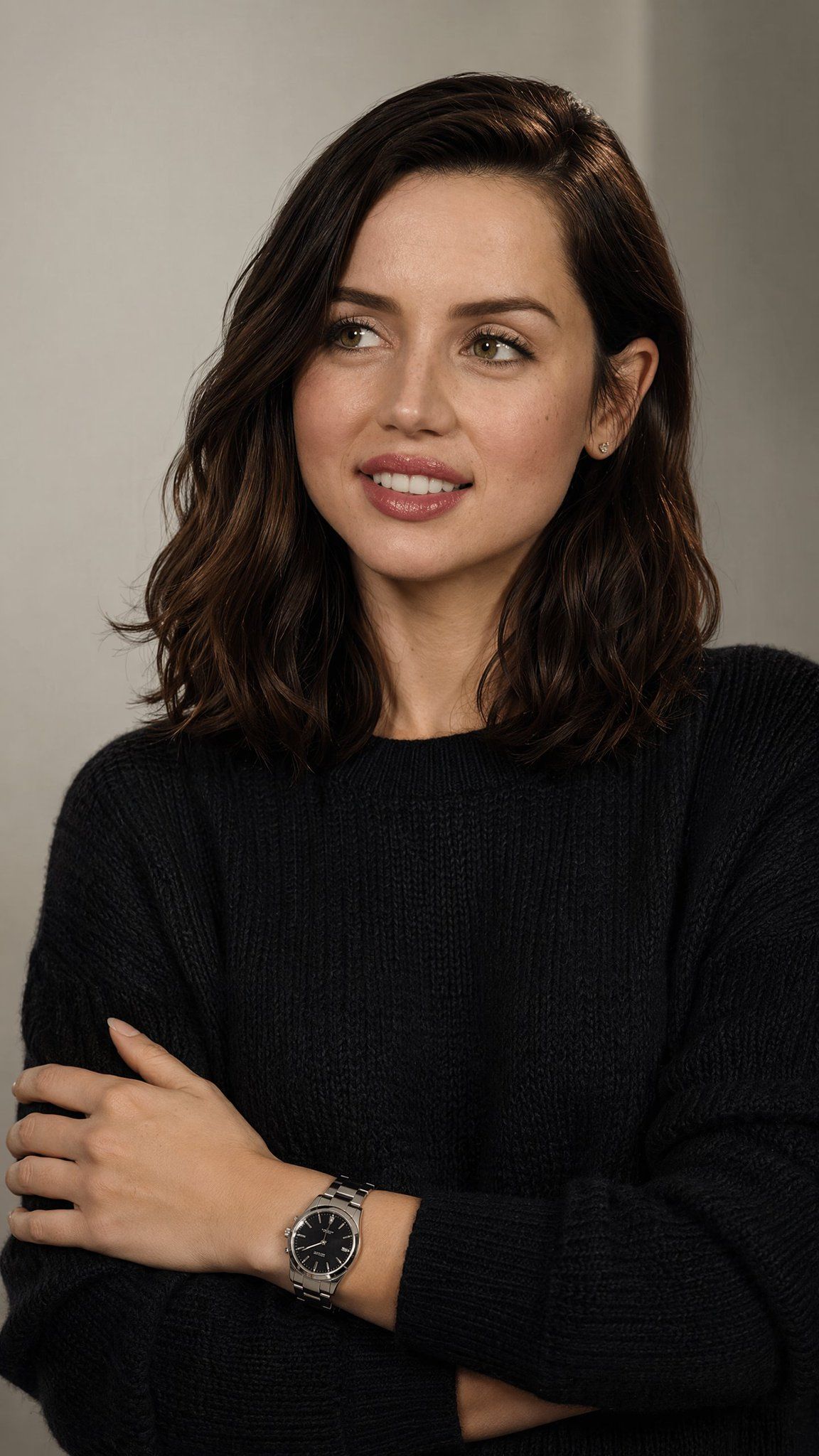
低调奢华风格摄影肖像
Enlarge

Example images

低调奢华风格摄影肖像

Prompt
Create a high-end editorial studio portrait of {argument name="character name" default="a young woman"} with an understated luxury fashion mood. Vertical 2:3 crop, waist-up framing, centered slightly to the right. She has shoulder-length softly wavy {argument name="hair color" default="dark brunette"} hair parted to one side, natural refined makeup, small stud earrings, clear skin texture, and a warm gentle smile while looking slightly off-camera to the viewer’s left. She wears a premium deep {argument name="sweater color" default="charcoal black"} knitted crew-neck sweater with visible ribbed texture and relaxed sleeves. Her arms are crossed comfortably over her chest, with one hand resting on the opposite upper arm, and a luxury {argument name="watch type" default="stainless steel wristwatch with a black dial"} prominently visible on her wrist as the main detail. Use a muted warm gray studio background with subtle vertical tonal variation, soft directional key light from the front-left, gentle shadows, realistic skin tones, shallow depth of field, editorial magazine photography, quiet confidence, minimalist elegance, no logos, no text, no loud accessories, no harsh contrast.
Category
Posters & Typography
Model
GPT Image 2
Creator
Cherry 2.O
Views0
Source ID
27222
Published
Jun 29, 2026

Guide

About "低调奢华风格摄影肖像"

What is this prompt for?

"低调奢华风格摄影肖像" AI image prompt for GPT Image 2 (Posters & Typography). 一份精致的编辑类肖像提示词,旨在创作一张以针织衫、自然美感和高端腕表细节为核心的低调奢华时尚影像。 Copy it on Picva and recreate the look i…

The full copyable prompt and example visuals above are ready for AI image generation or one-click recreate in Picva.

How to use this prompt

  1. Step 1

    Open the prompt detail

    Review the example visuals, category, and full prompt text for "低调奢华风格摄影肖像".

  2. Step 2

    Copy the prompt

    Copy the prompt body from this page, or load it directly in Studio.

  3. Step 3

    Pick a model (GPT Image 2)

    Prefer GPT Image 2. If you switch models, keep subject and composition and tweak style terms.

  4. Step 4

    Generate and export

    Recreate the look in Picva, or export into your workflow for editing and publishing.

FAQ

What is the "低调奢华风格摄影肖像" prompt?
It is an AI image-generation prompt for GPT Image 2 in the Posters & Typography category. This page includes the full prompt text, example visuals, and a one-click recreate path in Picva.
How do I use this prompt to generate an image?
Copy the prompt from this page, or use Generate / Studio. Paste it into a compatible image model, or recreate the look in Picva with optional reference images.
Which model is this prompt for?
This page lists GPT Image 2. Most descriptive prompts also transfer to nearby image models such as GPT Image, Flux, or Midjourney with light style tweaks.
Can I use the result commercially?
You can usually copy the prompt for creation, but commercial use of the final image depends on the model terms, reference-image rights, and the generated content. Follow the source author and platform rules.




