20

奢华幼儿时尚肖像
Enlarge

奢华幼儿时尚肖像

Prompt
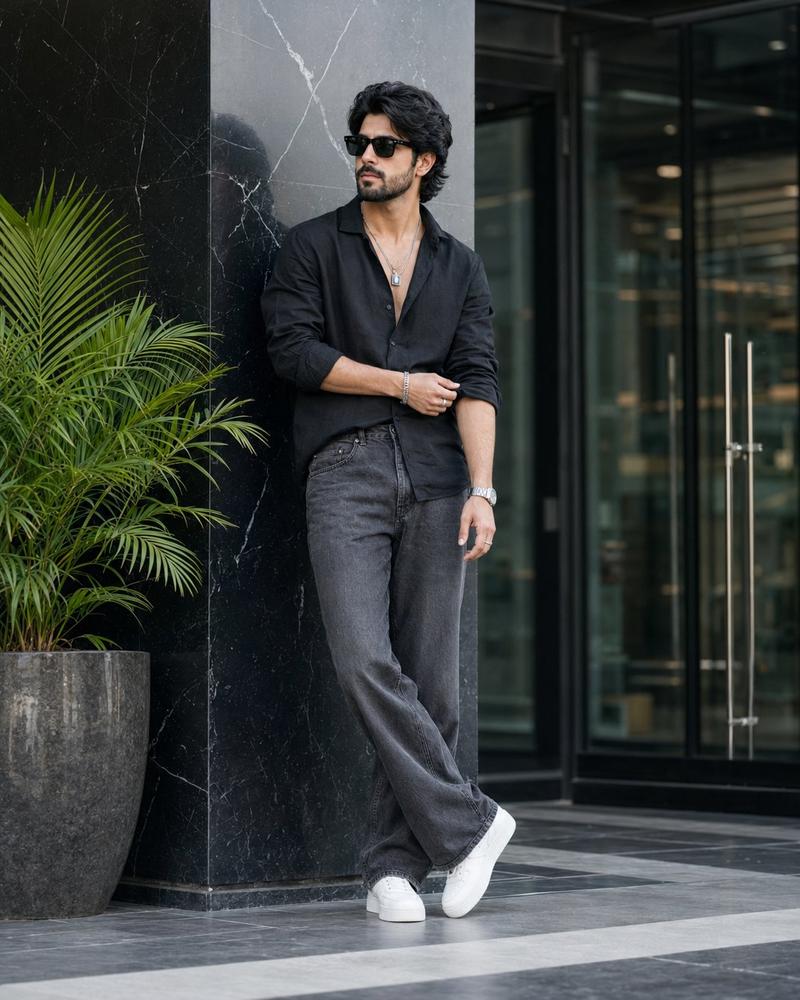
Create a premium ultra-realistic studio portrait of the same {argument name="subject" default="adorable toddler"} duplicated three times, with every clone preserving the exact same face, hairstyle, skin tone, joyful smile, body proportions, and identity. Arrange the three identical toddlers in a stylish fashion composition. The center toddler is walking confidently toward the camera with a cheerful smile, while the left and right toddlers stand in relaxed poses with one hand in their pockets, both wearing black sunglasses.

All three toddlers wear matching premium black button-up shirts with rolled sleeves, slim-fit white trousers, luxury silver wristwatches, and clean white sneakers. Their hair is thick, voluminous, and side-swept with a fashionable texture.

The background is a dramatic luxury black studio with glossy reflective flooring, cinematic warm spotlight bokeh, and large frozen white milk splash effects behind the toddlers. Ultra-realistic lighting, premium fashion editorial styling, shallow depth of field, realistic skin texture, HDR, 8K, DSLR quality, Canon EOS R5, 85mm lens, f/1.8, masterpiece, luxury children's fashion campaign, photorealistic, no text, no watermark, no logo.

Negative Prompt: low quality, blurry, cartoon, anime, CGI, extra limbs, duplicate face errors, bad anatomy, distorted body, deformed hands, watermark, logo, text, cropped, oversaturated, noise, low resolution.
Category
Posters & Typography
Model
GPT Image 2
Creator
Zarnab Ai
Views0
Source ID
27243
Published
Jun 29, 2026

Guide

About "奢华幼儿时尚肖像"

What is this prompt for?

"奢华幼儿时尚肖像" AI image prompt for GPT Image 2 (Posters & Typography). 一个高级时尚摄影棚提示词,展示了三个克隆的幼儿穿着协调的奢华服装,并配有电影级灯光和牛奶飞溅效果。 Copy it on Picva and recreate the look in…

The full copyable prompt and example visuals above are ready for AI image generation or one-click recreate in Picva.

How to use this prompt

  1. Step 1

    Open the prompt detail

    Review the example visuals, category, and full prompt text for "奢华幼儿时尚肖像".

  2. Step 2

    Copy the prompt

    Copy the prompt body from this page, or load it directly in Studio.

  3. Step 3

    Pick a model (GPT Image 2)

    Prefer GPT Image 2. If you switch models, keep subject and composition and tweak style terms.

  4. Step 4

    Generate and export

    Recreate the look in Picva, or export into your workflow for editing and publishing.

FAQ

What is the "奢华幼儿时尚肖像" prompt?
It is an AI image-generation prompt for GPT Image 2 in the Posters & Typography category. This page includes the full prompt text, example visuals, and a one-click recreate path in Picva.
How do I use this prompt to generate an image?
Copy the prompt from this page, or use Generate / Studio. Paste it into a compatible image model, or recreate the look in Picva with optional reference images.
Which model is this prompt for?
This page lists GPT Image 2. Most descriptive prompts also transfer to nearby image models such as GPT Image, Flux, or Midjourney with light style tweaks.
Can I use the result commercially?
You can usually copy the prompt for creation, but commercial use of the final image depends on the model terms, reference-image rights, and the generated content. Follow the source author and platform rules.