20

超高端行政肖像
Enlarge

超高端行政肖像

Prompt
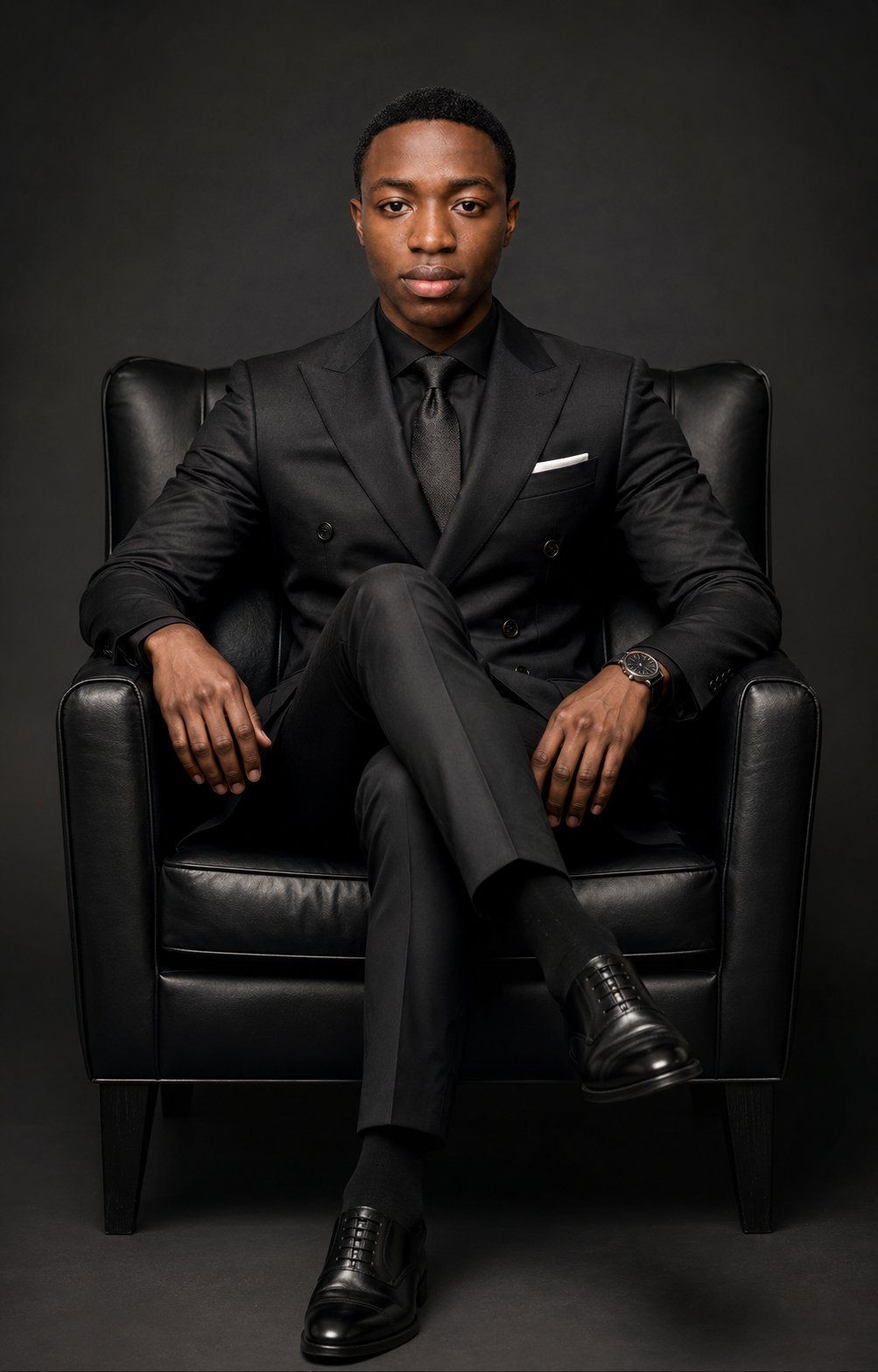
Create an ultra-premium executive studio portrait of {argument name="subject" default="a young Black man"} seated in a black leather armchair, centered and facing the camera with a calm, confident, serious expression. He wears a perfectly tailored all-black double-breasted suit, black dress shirt, textured black tie, black socks, polished black Oxford shoes, a slim white pocket square, and a luxury dark wristwatch on his left wrist. Pose him with legs crossed, both arms relaxed on the chair arms, upright posture, shoulders squared, direct eye contact. Use a vertical 2:3 composition, full seated body visible from head to shoes, symmetrical framing, slight low-to-eye-level perspective. Background is a seamless dark charcoal studio backdrop with subtle vignette and no props besides the chair. Lighting should be dramatic high-end editorial portrait lighting: large soft key light from front-left, gentle fill from front-right, subtle rim separation on shoulders, controlled highlights on the leather chair and shoes, deep rich blacks with visible fabric texture. Photorealistic, sharp focus on face, natural skin texture, premium magazine cover quality, refined contrast, cinematic grading, no text, no watermark, no distorted hands, no extra fingers, no facial stylization.
Category
Posters & Typography
Model
GPT Image 2
Creator
Abkr Sadiq
Views0
Source ID
28435
Published
Jul 11, 2026

Guide

About "超高端行政肖像"

What is this prompt for?

"超高端行政肖像" AI image prompt for GPT Image 2 (Posters & Typography). 生成一张奢华的摄影棚行政肖像,展现一位穿着考究的主体自信地坐在黑色皮质扶手椅上。 Copy it on Picva and recreate the look in one click.

The full copyable prompt and example visuals above are ready for AI image generation or one-click recreate in Picva.

How to use this prompt

  1. Step 1

    Open the prompt detail

    Review the example visuals, category, and full prompt text for "超高端行政肖像".

  2. Step 2

    Copy the prompt

    Copy the prompt body from this page, or load it directly in Studio.

  3. Step 3

    Pick a model (GPT Image 2)

    Prefer GPT Image 2. If you switch models, keep subject and composition and tweak style terms.

  4. Step 4

    Generate and export

    Recreate the look in Picva, or export into your workflow for editing and publishing.

FAQ

What is the "超高端行政肖像" prompt?
It is an AI image-generation prompt for GPT Image 2 in the Posters & Typography category. This page includes the full prompt text, example visuals, and a one-click recreate path in Picva.
How do I use this prompt to generate an image?
Copy the prompt from this page, or use Generate / Studio. Paste it into a compatible image model, or recreate the look in Picva with optional reference images.
Which model is this prompt for?
This page lists GPT Image 2. Most descriptive prompts also transfer to nearby image models such as GPT Image, Flux, or Midjourney with light style tweaks.
Can I use the result commercially?
You can usually copy the prompt for creation, but commercial use of the final image depends on the model terms, reference-image rights, and the generated content. Follow the source author and platform rules.




