20

Monochrome Caricature Portrait Sheet
Enlarge

Monochrome Caricature Portrait Sheet

Prompt
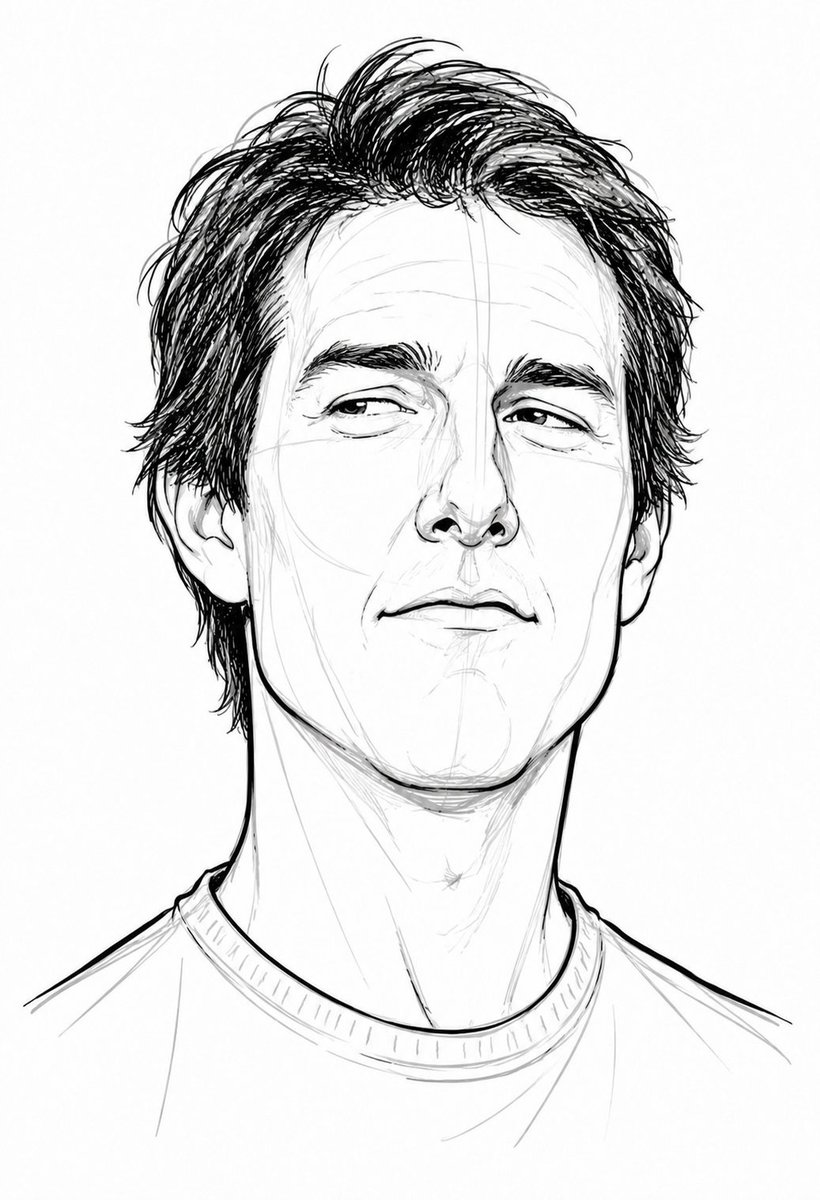
A stylized black-and-white pencil ink caricature portrait sheet featuring two distinct charismatic characters with contrasting face shapes and expressions. Drawn in a loose sketchbook style with visible construction lines, rough pencil strokes, expressive exaggerated facial proportions, modern caricature illustration aesthetic. 

Left character: handsome charismatic man with messy hair, sharp jawline, confident smirk, expressive sideways eyes, slim long face, casual t-shirt. 

Right character: muscular bald man with raised eyebrow, thick neck, strong jawline, dominant confident expression, casual t-shirt. 

Minimal shading, thin crosshatching, clean line art, monochrome aesthetic, white background, artistic character design concept sketch, highly detailed hand-drawn look, playful exaggerated anatomy, professional caricature sketch style
Category
Illustration & Art
Model
GPT Image 2
Views1
Source ID
evolink-noor_ul_ain43-2055796848552755579
Published
May 17, 2026

Guide

About "Monochrome Caricature Portrait Sheet"

What is this prompt for?

"Monochrome Caricature Portrait Sheet" AI image prompt for GPT Image 2 (Illustration & Art). A stylized black-and-white pencil ink caricature portrait sheet fe…

The full copyable prompt and example visuals above are ready for AI image generation or one-click recreate in Picva.

How to use this prompt

  1. Step 1

    Open the prompt detail

    Review the example visuals, category, and full prompt text for "Monochrome Caricature Portrait Sheet".

  2. Step 2

    Copy the prompt

    Copy the prompt body from this page, or load it directly in Studio.

  3. Step 3

    Pick a model (GPT Image 2)

    Prefer GPT Image 2. If you switch models, keep subject and composition and tweak style terms.

  4. Step 4

    Generate and export

    Recreate the look in Picva, or export into your workflow for editing and publishing.

FAQ

What is the "Monochrome Caricature Portrait Sheet" prompt?
It is an AI image-generation prompt for GPT Image 2 in the Illustration & Art category. This page includes the full prompt text, example visuals, and a one-click recreate path in Picva.
How do I use this prompt to generate an image?
Copy the prompt from this page, or use Generate / Studio. Paste it into a compatible image model, or recreate the look in Picva with optional reference images.
Which model is this prompt for?
This page lists GPT Image 2. Most descriptive prompts also transfer to nearby image models such as GPT Image, Flux, or Midjourney with light style tweaks.
Can I use the result commercially?
You can usually copy the prompt for creation, but commercial use of the final image depends on the model terms, reference-image rights, and the generated content. Follow the source author and platform rules.