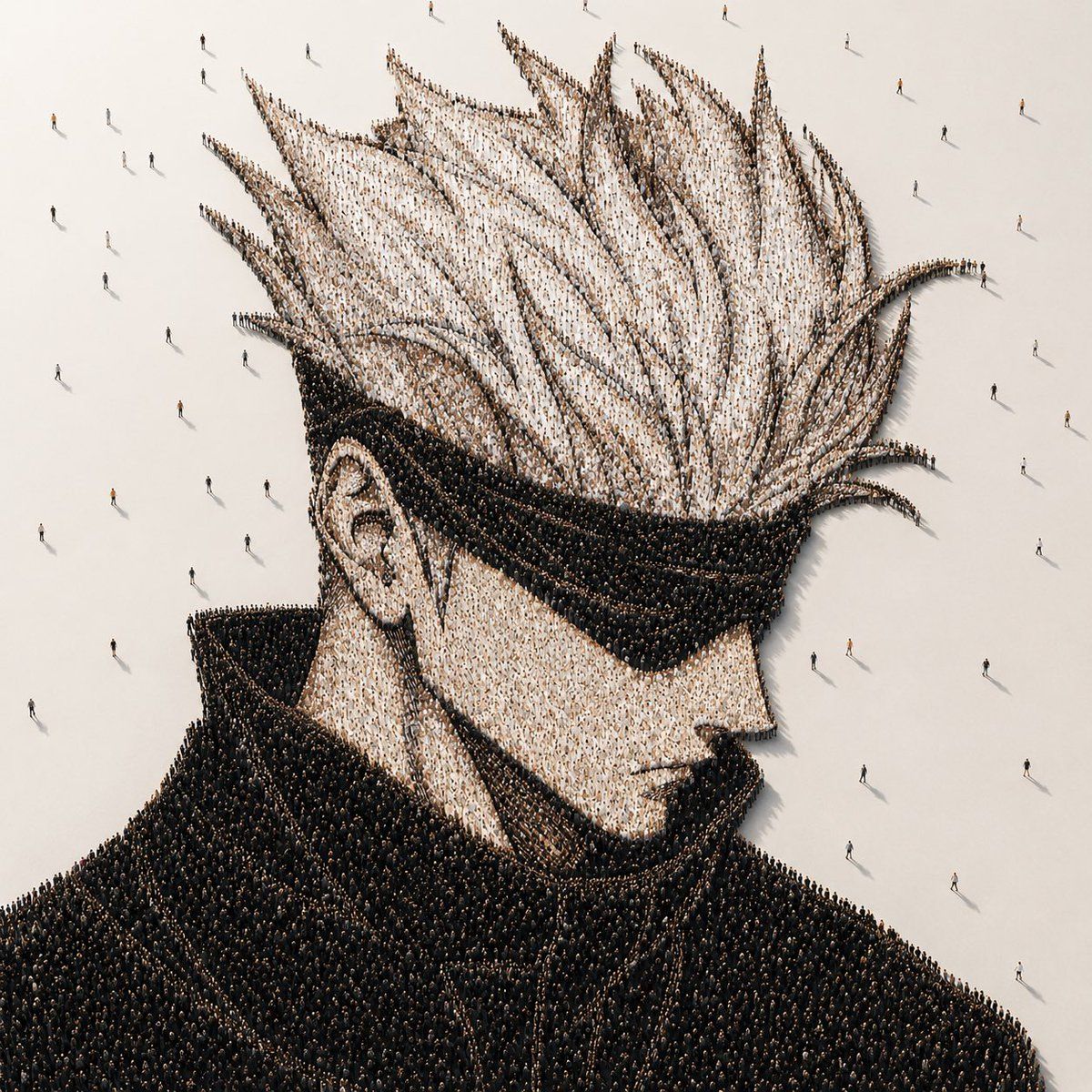
人群拼贴动漫肖像
Prompt
Create a photorealistic conceptual crowd portrait on a square canvas: an aerial/isometric view of a giant anime-inspired male bust formed entirely from thousands of tiny standing people. The character is shown from the shoulders up in three-quarter side profile facing right, with exaggerated tall spiky white hair, a visible left ear, pale skin tones suggested by lighter-clothed crowds, and a massive high black coat collar and dark jacket suggested by densely packed black-clothed crowds. The whole portrait is built from countless individual human figures arranged like pointillist pixels, with the hair spikes and coat edges sharply readable from above. Place the formation on a vast matte off-white floor with empty negative space around it, scattered with a small number of lone pedestrians walking away from the crowd and casting long thin shadows. Add a large opaque warm-gray square censor block centered over the face area, covering most facial features from forehead to chin while leaving the hair, ear, collar, shoulders, and surrounding people visible. Use cinematic minimalist lighting, soft high-angle sunlight, realistic tiny shadows, ultra-detailed installation-art texture, muted beige, white, black, and charcoal palette, no text, no logos, no border. The portrait subject may be customized as {argument name="character archetype" default="spiky-haired anime male with high collar"}, with {argument name="hair color" default="white"}, {argument name="coat color" default="black"}, {argument name="floor color" default="warm off-white"}, and {argument name="censor block color" default="warm gray"}.- Category
- Posters & Typography
- Model
- GPT Image 2
- Creator
- 硅基废话
- Source ID
- 20387
- Published
- May 14, 2026
Views3







![Create a clean vertical 2:3 animation model-sheet character card for [角色全名], red](https://i.pixshop.app/storage/v1/render/image/public/prompt-source-media/promptsref/work-8802/image-1-5e7ad69b4dc294a8.png?width=800&quality=75&resize=contain)

