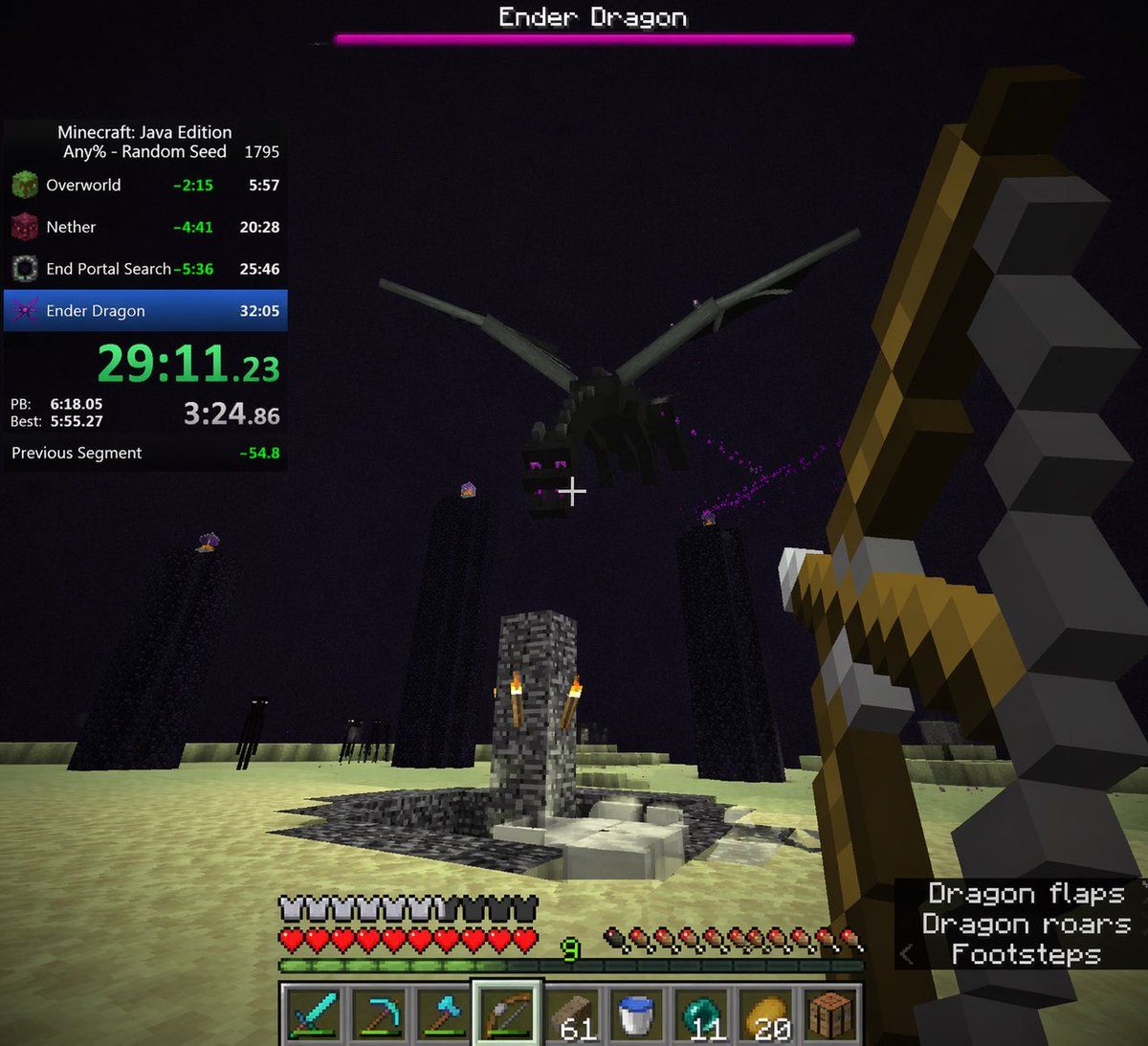
Voxel Speedrun HUD 截图
Prompt
{
  "type": "first-person video game screenshot",
  "setting": "The End dimension in Minecraft",
  "scene": {
    "environment": "pale yellow end stone ground, dark purple sky, tall obsidian pillars with end crystals on top, central bedrock exit portal structure with torches, dark endermen figures in the background",
    "subject": "a large black dragon flying overhead",
    "player_view": "first-person perspective, holding a {argument name=\"held weapon\" default=\"drawn bow\"} in the right hand, white crosshair in the center"
  },
  "ui_overlay": {
    "top": {
      "boss_bar": "pink health bar with text '{argument name=\"boss name\" default=\"Ender Dragon\"}'"
    },
    "left": {
      "speedrun_timer": {
        "header": "Minecraft: Java Edition, {argument name=\"speedrun category\" default=\"Any% - Random Seed\"} 1795",
        "splits_count": 4,
        "splits_labels": ["Overworld", "Nether", "End Portal Search", "Ender Dragon"],
        "main_time": "{argument name=\"current time\" default=\"29:11.23\"} in bright green",
        "stats": "PB, Best, and Previous Segment times"
      }
    },
    "bottom": {
      "status_bars": "full armor bar, full heart health bar, green experience bar at level {argument name=\"experience level\" default=\"9\"}, full hunger bar",
      "hotbar": {
        "slots_count": 9,
        "items": ["diamond sword", "diamond pickaxe", "diamond axe", "bow (highlighted)", "61 wood planks", "water bucket", "11 ender pearls", "20 golden apples", "crafting table"]
      }
    },
    "bottom_right": {
      "subtitles": {
        "lines_count": 3,
        "text": ["Dragon flaps", "Dragon roars", "< Footsteps"]
      }
    }
  }
}- Category
- Charts & Infographics
- Model
- GPT Image 2
- Creator
- Yeyito
- Source ID
- 13623
- Published
- Apr 15, 2026
Views3