20

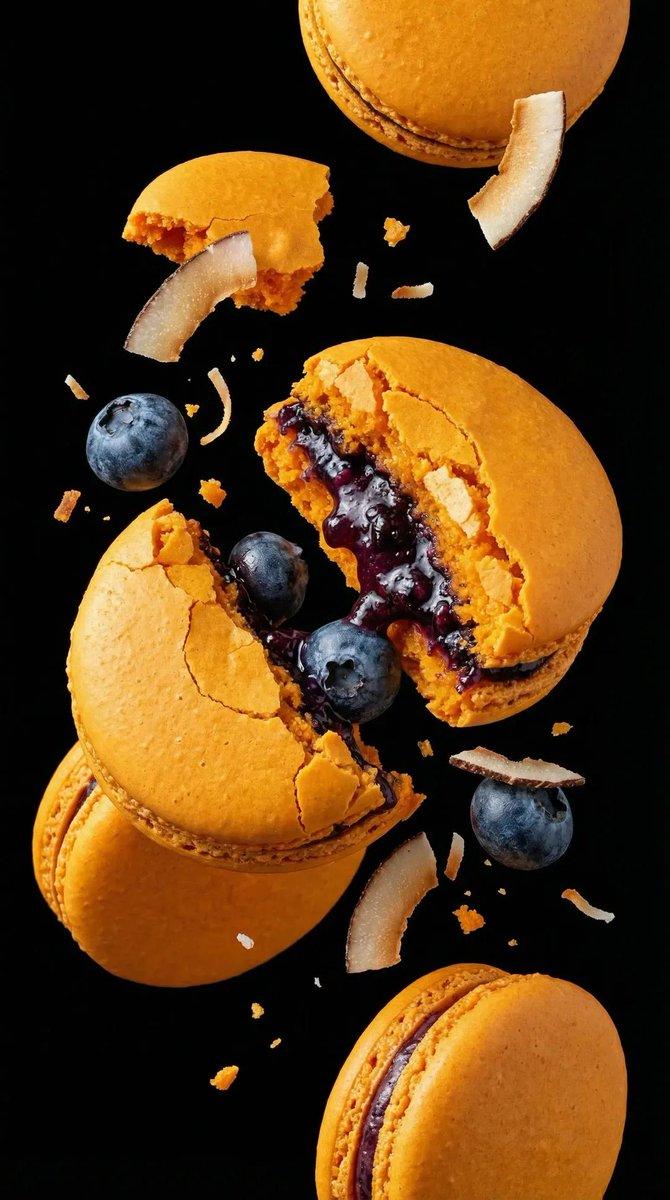
烘焙产品海报模板
Enlarge

Example images

烘焙产品海报模板

Prompt
变量配置

基础信息
品牌名称:{argument name="品牌名称" default="H·X"}
品牌标签:[如:H·X SIGNATURE / 招牌出品 / ARTISAN BAKED]

画面规格
画面比例:9比16竖版 / 3比4 / 1比1
风格定位:极简时尚 / 日系温暖 / 北欧清冷 / 韩系咖啡馆

背景设定
背景色:{argument name="背景颜色" default="暖象牙白#F7F1E8"}
背景效果:纯色微暗角 / 纯色渐变 / 轻微纹理

主产品定义
产品类型:{argument name="产品类型" default="盐面包"}
产品数量:[如:3个自然堆叠 / 4片切片 / 1个主体+2个虚化]
产品状态:[如:切开展示内部 / 掰开拉丝 / 完整造型]
产品质感:[如:酥脆表皮/闪亮黄油光泽/可见盐粒/绵软内芯/奶酪流淌]
馅料展示:[如:蜂蜜奶酪+芝麻层次 / 蒜香黄油涂层 / 无馅料]

灯光风格
灯光类型:柔和漫射自然光 / 侧光带阴影 / 顶光高级感
灯光描述:[如:柔和日光+轻柔阴影 / 静奢编辑风 / 温暖晨光]

排版布局
主标题中文:[如:盐面包 / 厚馅贝果 / 日式生吐司]
主标题英文:[如:SALT BREAD / LOADED BAGEL / SHOKUPAN]
主标题位置:左上 / 居中上 / 右上
副标题中文:[如:外脆·内软·黄油香]
副标题英文:[如:Crispy crust, pillowy crumb, buttery finish]
广告语中文:[如:一口咬下去,是馅料的秩序]
广告语英文:[如:A structured bite of richness]

卖点标签(3个)
标签1:[中文] / [英文]
标签2:[中文] / [英文]
标签3:[中文] / [英文]

口味菜单(可选)
口味1:[中文] [英文]
口味2:[中文] [英文]
口味3:[中文] [英文]

道具点缀
道具选择:[如:亚麻布+小黄油刀 / 石板盘 / 木质砧板 / 牛皮纸]
道具原则:极简克制,仅1至2件,不喧宾夺主

整体调性
风格关键词:[如:北欧+首尔咖啡馆 / 日式侘寂 / 法式精致 / 台式文艺]
Category
Posters & Typography
Model
GPT Image 2
Views4
Source ID
17570
Published
May 1, 2026

Guide

About "烘焙产品海报模板"

What is this prompt for?

"烘焙产品海报模板" AI image prompt for GPT Image 2 (Posters & Typography). 一个高度结构化的提示词模板,用于生成专业的烘焙海报,涵盖品牌命名、排版、光影及产品质感等维度。 Copy it on Picva and recreate the look in on…

The full copyable prompt and example visuals above are ready for AI image generation or one-click recreate in Picva.

How to use this prompt

  1. Step 1

    Open the prompt detail

    Review the example visuals, category, and full prompt text for "烘焙产品海报模板".

  2. Step 2

    Copy the prompt

    Copy the prompt body from this page, or load it directly in Studio.

  3. Step 3

    Pick a model (GPT Image 2)

    Prefer GPT Image 2. If you switch models, keep subject and composition and tweak style terms.

  4. Step 4

    Generate and export

    Recreate the look in Picva, or export into your workflow for editing and publishing.

FAQ

What is the "烘焙产品海报模板" prompt?
It is an AI image-generation prompt for GPT Image 2 in the Posters & Typography category. This page includes the full prompt text, example visuals, and a one-click recreate path in Picva.
How do I use this prompt to generate an image?
Copy the prompt from this page, or use Generate / Studio. Paste it into a compatible image model, or recreate the look in Picva with optional reference images.
Which model is this prompt for?
This page lists GPT Image 2. Most descriptive prompts also transfer to nearby image models such as GPT Image, Flux, or Midjourney with light style tweaks.
Can I use the result commercially?
You can usually copy the prompt for creation, but commercial use of the final image depends on the model terms, reference-image rights, and the generated content. Follow the source author and platform rules.