17

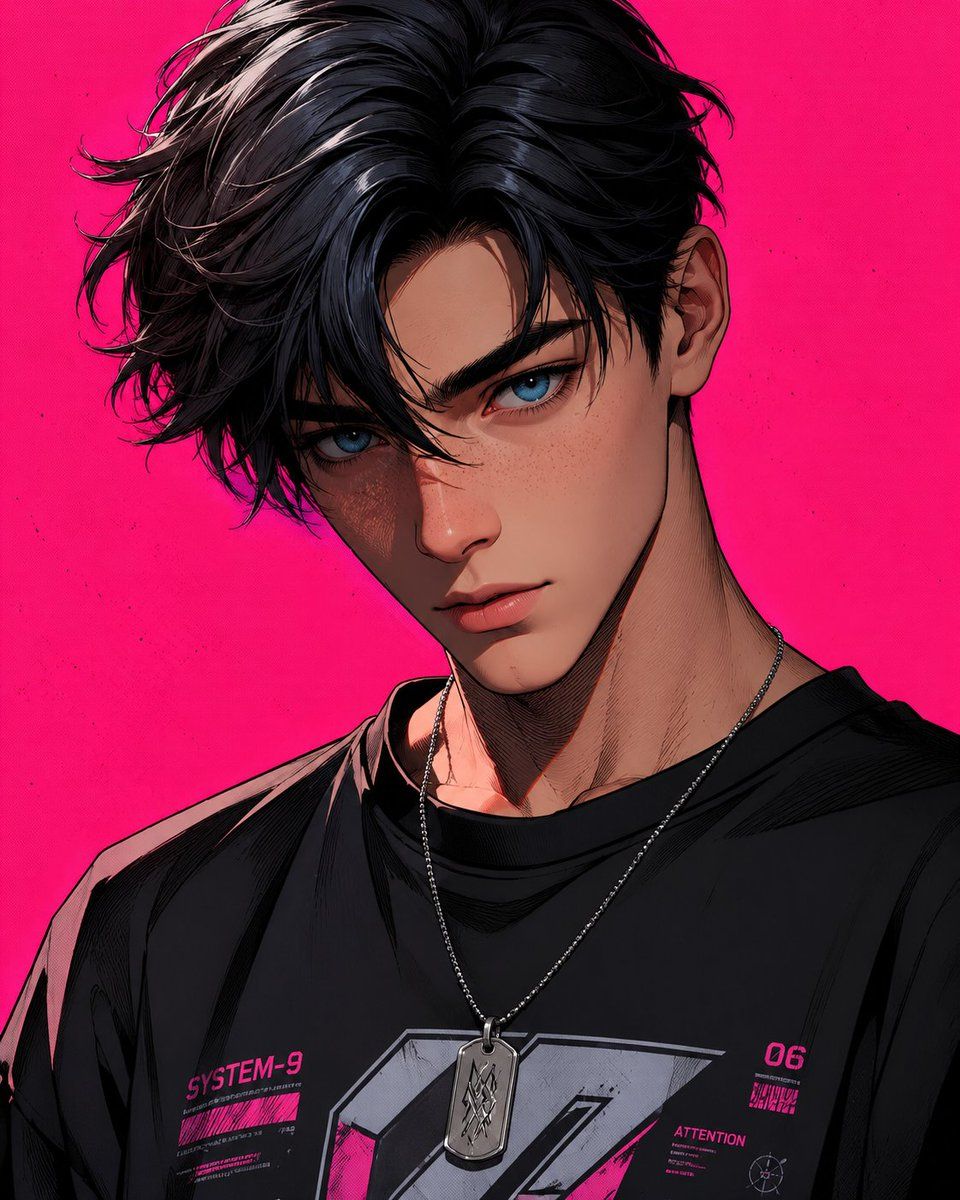
粉色背景 3D 卡通角色
Enlarge

粉色背景 3D 卡通角色

Prompt
stylized 3D cartoon male character, close-up portrait, {argument name="hairstyle" default="black layered hairstyle with side-swept 3/7 part"}, delicate and refined eyebrows, {argument name="eye color" default="big expressive blue eyes"}, freckles on face, futuristic streetwear style, black oversized t-shirt, necklace with dog tag pendant, {argument name="background color" default="vibrant hot pink background"}, cel-shading, comic-style hatching, dramatic lighting, high contrast, ultra-detailed, sharp lines
Category
Architecture & Spaces
Model
GPT Image 2
Creator
Harboris
Views3
Source ID
22523
Published
May 25, 2026

Guide

About "粉色背景 3D 卡通角色"

What is this prompt for?

"粉色背景 3D 卡通角色" AI image prompt for GPT Image 2 (Architecture & Spaces). 一款风格化的 3D 卡通肖像提示词,主角为一名留着侧分发型、带有鲜艳霓虹灯光效果的男性角色。 Copy it on Picva and recreate the look i…

The full copyable prompt and example visuals above are ready for AI image generation or one-click recreate in Picva.

How to use this prompt

  1. Step 1

    Open the prompt detail

    Review the example visuals, category, and full prompt text for "粉色背景 3D 卡通角色".

  2. Step 2

    Copy the prompt

    Copy the prompt body from this page, or load it directly in Studio.

  3. Step 3

    Pick a model (GPT Image 2)

    Prefer GPT Image 2. If you switch models, keep subject and composition and tweak style terms.

  4. Step 4

    Generate and export

    Recreate the look in Picva, or export into your workflow for editing and publishing.

FAQ

What is the "粉色背景 3D 卡通角色" prompt?
It is an AI image-generation prompt for GPT Image 2 in the Architecture & Spaces category. This page includes the full prompt text, example visuals, and a one-click recreate path in Picva.
How do I use this prompt to generate an image?
Copy the prompt from this page, or use Generate / Studio. Paste it into a compatible image model, or recreate the look in Picva with optional reference images.
Which model is this prompt for?
This page lists GPT Image 2. Most descriptive prompts also transfer to nearby image models such as GPT Image, Flux, or Midjourney with light style tweaks.
Can I use the result commercially?
You can usually copy the prompt for creation, but commercial use of the final image depends on the model terms, reference-image rights, and the generated content. Follow the source author and platform rules.